Where to Find Cheap Computer Parts: Your Ultimate Guide
cheap computer parts

Where to Find Cheap Computer Parts: Your Ultimate Guide

Unlock significant savings on quality PC components for your next build or upgrade without compromising performance.

Start Saving Now

Key Takeaways

  • ✓ Refurbished components can offer 30-50% savings over new.
  • ✓ Used markets (eBay, Craigslist) require careful vetting but yield deep discounts.
  • ✓ Sales events (Black Friday, Prime Day) are prime times for new component deals.
  • ✓ Open-box items at retailers are often like new but cheaper due to packaging.

How It Works

1
Define Your Build & Budget

Before searching, know exactly what components you need and set a realistic budget for each part. This prevents overspending and guides your search effectively.

2
Explore Online Retailers & Marketplaces

Begin your hunt on major e-commerce sites, specialized PC parts retailers, and reputable used electronics marketplaces. Compare prices and check seller reputations thoroughly.

3
Utilize Price Tracking Tools

Employ browser extensions and websites that track price history and notify you of drops. This ensures you buy at the optimal time and don't miss flash sales.

4
Inspect & Verify Components

Especially for used or refurbished parts, always verify the component's condition, functionality, and authenticity upon arrival. Don't hesitate to test thoroughly before finalizing.

Navigating Online Retailers and Deal Aggregators for PC Parts

Minimalist flat lay of a laptop, mouse, and a red sale sign on black background. Photo: www.kaboompics.com / Pexels
When you're on the hunt for cheap computer parts, the digital landscape is your first and most fertile ground. Online retailers, both general and specialized, offer an unparalleled selection, competitive pricing, and the convenience of home delivery. However, simply browsing isn't enough; strategic searching is key. Major players like Amazon, Newegg, and Best Buy frequently run promotions and sales events that can significantly reduce the cost of components. Newegg, in particular, is a go-to for PC builders, often featuring 'Shell Shocker' deals, combo discounts, and daily sales on everything from processors and RAM to graphics cards and motherboards. Keeping an eye on their daily deals page can uncover substantial savings. Beyond these giants, smaller, specialized retailers might offer niche components or equally compelling deals. Websites like Micro Center, while having physical stores, also maintain a strong online presence and often have competitive pricing, especially for bundles (e.g., CPU + Motherboard). It's always worth checking their online stock and pricing, even if you don't live near a physical location. The key is to not limit yourself to just one or two sites. Use price comparison websites and browser extensions (like Honey or CamelCamelCamel for Amazon) that track price history and alert you to drops. These tools are invaluable for identifying genuine deals versus artificially inflated 'sales.' Deal aggregators and forums are another powerful resource. Websites like Slickdeals, Reddit's r/buildapcsales, and TechBargains are communities dedicated to finding and sharing the best deals on computer hardware. These platforms are updated constantly by savvy users who often spot price errors, flash sales, or unadvertised discounts before anyone else. Subscribing to their newsletters or setting up deal alerts for specific components can give you a significant edge. The communal aspect means you also get peer reviews and discussions about the quality of the deal or the product itself, which can inform your purchasing decision. While these sources primarily focus on new components, the discounts can often bring prices down to levels comparable with some used or refurbished options, making them a crucial stop on your quest to find cheap computer parts. Remember to cross-reference prices and reviews before making a purchase, as not every 'deal' is genuinely good value. Exploring PC building guides can also help you understand which components are most critical for your budget build.

Unlocking Value with Refurbished and Open-Box Computer Components

Technician operating laboratory electronic testing and measurement devices with colorful display. Photo: Alexander Dummer / Pexels
For those truly committed to finding cheap computer parts without compromising too much on reliability, refurbished and open-box components present an excellent middle ground. These aren't just 'used' parts; they often come with warranties and have undergone rigorous testing to ensure functionality. Refurbished items are typically products that were returned, had minor defects, or were used as display models. They are then repaired, cleaned, tested, and repackaged by the manufacturer or a certified refurbisher. This process ensures they meet original specifications, often indistinguishable from new, but come with a significantly reduced price tag – sometimes 30-50% off retail. Where do you find these gems? Many major retailers, including Amazon, Best Buy, and Newegg, have dedicated sections for refurbished or open-box items. Look for 'Amazon Renewed' or 'Best Buy Open-Box' deals. Manufacturers themselves, such as Dell Outlet, HP Refurbished, and even NVIDIA or AMD for graphics cards directly, often sell their own refurbished products. Buying directly from the manufacturer's refurbished store can offer an added layer of confidence, as these typically come with direct manufacturer warranties. The savings here can be substantial, especially on high-value components like CPUs, GPUs, and monitors. For instance, a refurbished high-end graphics card might be available at the price of a mid-range new one, providing a significant performance boost for your budget. Open-box items are slightly different. These are products that have been opened but are otherwise new or barely used. Perhaps a customer bought the wrong item, or the packaging was damaged. Retailers like Micro Center and Best Buy frequently have open-box deals. The key with open-box is to inspect the condition carefully – ensure all accessories are present and there are no cosmetic damages beyond what's acceptable for you. Always check the return policy for refurbished and open-box items; reputable sellers will offer a decent return window and warranty, giving you peace of mind. This strategy is particularly effective for components where wear and tear is less of a concern, such as cases, power supplies, or even some motherboards. CPUs and RAM are generally robust and less prone to issues, making them good candidates for refurbished purchases. While the initial investment might still feel significant, the performance-to-cost ratio is often unbeatable, making these options essential stops for anyone seriously looking to find cheap computer parts.

Tapping into the Used Market: Local & Online Second-Hand Options
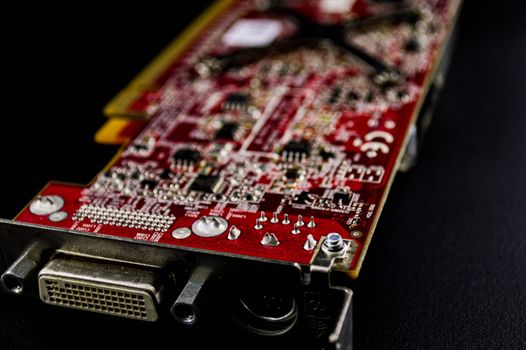
Detailed close-up of a red circuit board showcasing electronic components. Photo: Armando Are / Pexels
The used market is where the most significant discounts on computer parts can often be found, but it also comes with the highest risk. Navigating this landscape successfully requires diligence, caution, and a good understanding of what you're buying. Online marketplaces like eBay, Craigslist, and Facebook Marketplace are primary hunting grounds. eBay, with its buyer protection policies, offers a safer environment than purely local exchanges. When buying on eBay, always prioritize sellers with high ratings and a long history of positive feedback. Read product descriptions meticulously, scrutinize photos, and don't hesitate to ask sellers detailed questions about the item's condition, usage history, and reason for selling. Look for listings that include original boxes, accessories, and proof of purchase, as these often indicate a more careful owner and a higher likelihood of legitimate goods. Filtering by 'local pickup' on eBay can also help you avoid shipping costs and inspect the item in person before payment. Craigslist and Facebook Marketplace are excellent for local deals, allowing for in-person inspections and cash transactions. This eliminates shipping costs and gives you the opportunity to test components (if the seller allows) before committing. However, these platforms offer less buyer protection, so exercising extreme caution is paramount. Always meet in a public place, bring a friend, and never go to an unfamiliar private residence. When buying a component like a graphics card or CPU, ask if you can see it running in a system. If not, at least ask for photos or videos of the component functioning, perhaps with a timestamp or unique identifier to prove it's recent. Be wary of deals that seem too good to be true, as they often are, and prioritize sellers who are transparent and willing to provide information. For those looking for specific, often hard-to-find, or legacy components, online forums like Reddit's r/hardwareswap are invaluable. These communities are built around trust and reputation, with users often having extensive feedback histories. While still a used market, the community aspect can add a layer of accountability. Payment is typically done through PayPal Goods & Services, which offers some buyer protection. Regardless of the platform, understanding the typical market value of used components is crucial. Tools like eBay's 'Sold Listings' can give you a realistic idea of what similar items have recently sold for, helping you identify fair prices and avoid overpaying or falling for scams. Learning about common PC component failures can also help you identify potential red flags.

Smart Shopping Strategies and Pitfalls to Avoid

Finding cheap computer parts isn't just about knowing *where* to look; it's also about *how* you look and what precautions you take. Smart shopping strategies can significantly increase your chances of success while minimizing risks. Firstly, timing is everything. Major sales events like Black Friday, Cyber Monday, Amazon Prime Day, and even back-to-school sales are prime opportunities to snag brand-new components at heavily discounted prices. Planning your build around these periods can save you hundreds of dollars. Beyond these big events, keep an eye out for manufacturer rebates and bundle deals, especially from retailers like Newegg or Micro Center, where buying a CPU and motherboard together can often lead to significant savings. Another strategy is to be flexible with your component choices. While you might have a dream GPU in mind, a slightly less powerful but significantly cheaper alternative could still meet your performance needs. Similarly, last-generation components often see sharp price drops when new models are released, offering excellent performance-per-dollar value. For example, an older generation CPU that is still very capable might be available for a fraction of the cost of the latest model, especially if you're not chasing the absolute bleeding edge of performance. Don't underestimate the power of patience; if you don't need a part immediately, waiting for a sale can pay off. However, the quest for cheap parts is fraught with potential pitfalls. Here are some critical mistakes to avoid: * **Ignoring Compatibility:** Always double-check that all your chosen components are compatible with each other. A great deal on a CPU is useless if it doesn't fit your motherboard's socket or if your RAM isn't the right type. Use online PC building tools like PCPartPicker to verify compatibility before purchasing anything. * **Overlooking Warranties and Return Policies:** Especially with used or refurbished items, understand what kind of warranty (if any) is offered and what the return policy entails. A low price isn't worth it if the part fails shortly after purchase and you have no recourse. * **Falling for Scams:** Be incredibly skeptical of deals that seem too good to be true. Unrealistic prices, pressure to pay through unsecured methods (like gift cards or wire transfers), and sellers unwilling to provide details or proof of functionality are major red flags. Always use secure payment methods that offer buyer protection. * **Not Factoring in Shipping Costs:** A cheap part can become expensive if shipping costs are exorbitant, especially for heavy items like cases or monitors. Always factor in the total cost. * **Neglecting Reviews:** Whether buying new, refurbished, or used, always read reviews of both the product and the seller. This provides insight into reliability, performance, and seller trustworthiness. By employing these smart shopping strategies and being acutely aware of common pitfalls, you can navigate the market for cheap computer parts with confidence, building a powerful system without breaking the bank. **Key Takeaways for Smart Shopping:** * **Timing is Crucial:** Leverage major sales events. * **Be Flexible:** Consider last-gen or slightly different models. * **Verify Compatibility:** Use tools like PCPartPicker. * **Check Warranties & Returns:** Understand your protections. * **Beware of Scams:** Use secure payment and trust your instincts. * **Factor in All Costs:** Don't forget shipping. * **Read Reviews:** Inform your decisions on product and seller.

Comparison

FeatureNew Retail (Sale)Refurbished/Open-BoxUsed Marketplace
Price Savings10-25%30-50%40-70%
ReliabilityHighestVery High (Certified)Variable (User-Dependent)
WarrantyFull ManufacturerLimited Manufacturer/SellerOften None
ConditionPristineLike New/Minor BlemishesVaries Greatly
Buyer ProtectionStrongGoodVariable (Platform-Dependent)
AvailabilityConsistentFluctuatesInconsistent

What Readers Say

"I built my entire gaming PC for under $800 by carefully scouting deals on Newegg's Shell Shocker section and snagging a refurbished GPU from Amazon Renewed. The performance is incredible for the price, and everything works flawlessly."

Alex K. · Austin, TX

"Following the advice on Reddit's r/buildapcsales, I managed to get a high-end CPU and motherboard combo for almost 40% off during a Black Friday sale. Patience truly pays off when you're looking to save on parts."

Maria S. · Orlando, FL

"I needed a specific legacy RAM module and found it on eBay from a highly-rated seller. It arrived quickly, was exactly as described, and allowed me to revive an older system without spending a fortune."

David L. · Seattle, WA

"While I found some great deals on open-box items at Best Buy, I did have to return a power supply that was missing a cable. It was a minor inconvenience, but the savings made it worth the extra check."

Jessica P. · Denver, CO

"Micro Center's CPU/motherboard bundles are unbeatable. I drove a couple of hours, but the in-store discount combined with an open-box case meant I got a powerful workstation build for my graphic design work at a fraction of the cost."

Ben T. · Boston, MA

Frequently Asked Questions

What are the safest places to find cheap computer parts?

The safest places are reputable online retailers during sales, manufacturer refurbished stores, and certified open-box sections of major electronics stores. These typically offer warranties and return policies, providing a safety net for your purchase.

Is it risky to buy used computer parts?

Buying used parts carries higher risk due to lack of warranty and potential for undisclosed issues. However, by using platforms with buyer protection (like eBay), thoroughly vetting sellers, asking detailed questions, and testing parts upon receipt, you can significantly mitigate these risks.

How can I ensure compatibility between different cheap computer parts?

Always use a PC parts compatibility checker, such as PCPartPicker.com, before making any purchases. This tool helps identify potential conflicts between components like CPU, motherboard, RAM, and GPU, saving you from costly mistakes.

Are refurbished graphics cards a good value?

Yes, refurbished graphics cards often offer excellent value, providing near-new performance at a significantly reduced price. Ensure they come from a reputable seller or manufacturer and include a warranty to protect your investment.

How do open-box items differ from refurbished ones?

Open-box items are typically products returned by customers that are still in new or near-new condition, often just with damaged packaging. Refurbished items, conversely, have usually undergone repairs or thorough testing by the manufacturer or a certified service to restore them to full working order.

Who should prioritize finding cheap computer parts?

Anyone on a tight budget looking to build or upgrade a PC, students, casual gamers, or those building secondary systems (like a home server or HTPC) will greatly benefit from finding cheap computer parts. It allows for higher performance per dollar spent.

What's the biggest risk when buying from local marketplaces like Craigslist?

The biggest risk on local marketplaces is the lack of buyer protection and the potential for scams or faulty components. Always meet in a public place, inspect the item thoroughly, and ideally test it before finalizing the transaction. Never pay with unsecured methods.

Will cheap computer parts limit my PC's future upgrade potential?

Not necessarily. While some budget components might offer less headroom, smart choices (e.g., a good motherboard with upgrade paths, a capable power supply) can ensure future compatibility. Focusing on a solid foundation allows for incremental upgrades later without replacing everything.

Embarking on a PC build or upgrade doesn't have to empty your wallet. By strategically exploring online deals, embracing refurbished options, and navigating the used market with caution, you can find cheap computer parts that deliver exceptional value and performance. Start your journey today and build the PC of your dreams without breaking the bank.

Topics: cheap computer partsbudget PC buildused computer componentsrefurbished electronicsPC parts deals
Leo List
Brampton weed
Adultwork EstrelaBet Vai de Bet R7 Bet Betão Galera Bet Rainbet Bet9ja Shop SportyBet BetKing Sisal Loto Foot Hollywoodbets YesPlay Odibets RushBet Jugabet BetWarrior BetCity MSport betPawa Fortebet