✓ Refurbished MacBook Pros offer significant savings (15-40% off retail) compared to new models.
✓ Certified Refurbished devices undergo rigorous testing and often come with warranties comparable to new products.
✓ Major retailers like Apple, Amazon, and Best Buy offer reliable refurbished options.
✓ Third-party refurbishers often provide more competitive pricing but require careful vetting of their reputation and warranty policies.
How It Works
1
Identify Your Needs & Budget
Before searching, determine the MacBook Pro model, specifications (processor, RAM, storage), and budget that best fit your tasks. This narrows down your options significantly.
2
Choose a Reputable Vendor
Select a seller known for quality refurbished electronics, transparent grading systems, and robust warranty policies. Apple Certified Refurbished is a gold standard, but many others offer excellent value.
3
Inspect Product Listings Closely
Pay attention to the cosmetic condition, battery health, and included accessories. Read descriptions thoroughly and look for actual product photos if available to avoid surprises.
4
Verify Warranty & Return Policies
Ensure the refurbished MacBook Pro comes with a substantial warranty (at least 90 days, preferably a year) and a clear return policy. This protects your investment should any issues arise.
Understanding the Refurbished MacBook Pro Market
Photo: ClickerHappy / Pexels
Navigating the world of refurbished electronics, especially premium devices like the MacBook Pro, can feel like a labyrinth. However, with the right knowledge, it becomes a strategic way to acquire high-performance technology at a fraction of the cost of a brand-new unit. A 'refurbished' MacBook Pro isn't just a used laptop; it’s a device that has been returned, inspected, repaired (if necessary), cleaned, and certified for resale. The reasons for a return can vary widely: a customer might have simply changed their mind, there could have been a minor cosmetic flaw, or a component might have failed and been replaced. The key distinction lies in the rigorous testing and certification process these machines undergo before being put back on the market. This process is what elevates a refurbished device above a simple 'used' one found on a peer-to-peer marketplace.
When considering where to buy refurbished MacBook Pro, it’s crucial to understand the different tiers of refurbishment. 'Manufacturer Certified Refurbished,' such as those sold directly by Apple, represent the highest standard. These devices are restored to a like-new condition, often with genuine Apple parts, and come with a standard one-year warranty, just like new products. This offers unparalleled peace of mind but often comes at a slightly higher price point than other refurbished options. Then there are 'Seller Refurbished' units, offered by reputable third-party vendors. These sellers have their own refurbishment processes, which can vary in thoroughness. While many offer excellent quality, it's essential to scrutinize their reputation, warranty, and return policies. The benefit here is often a more competitive price point, making premium models more accessible.
Beyond the savings, purchasing a refurbished MacBook Pro is also an environmentally conscious choice. It extends the lifespan of existing electronics, reducing e-waste and the demand for new manufacturing, which consumes significant resources. For students, creative professionals, or anyone needing robust computing power without breaking the bank, a refurbished MacBook Pro presents an ideal balance of performance, value, and sustainability. This introductory understanding sets the stage for exploring the specific vendors and strategies that will ensure you make an informed and satisfying purchase. Knowing what 'refurbished' truly means empowers you to make smarter decisions and confidently step into the world of pre-owned premium tech. Many users find that the performance of a professionally refurbished MacBook Pro is virtually indistinguishable from a new one for their daily tasks, making it an incredibly smart investment. For more insights on general tech buying, check out our guide to buying tech gadgets.
Top Tier Destinations to Find Your Refurbished MacBook Pro
Photo: Kindel Media / Pexels
When you're ready to make a purchase, choosing the right vendor is paramount. Not all refurbished MacBook Pro sellers are created equal, and the quality of refurbishment, warranty, and customer service can vary significantly. Here’s a breakdown of the most reliable places to buy a refurbished MacBook Pro.
**Apple Certified Refurbished Store:** This is often considered the gold standard. When you buy directly from Apple's refurbished store, you're getting a device that has undergone Apple’s rigorous refurbishment process. This includes full functional testing, replacement of defective parts with genuine Apple components, a thorough cleaning, and often a new battery and outer shell. Crucially, these devices come with a standard one-year warranty, just like new Macs, and are eligible for AppleCare. The savings might be slightly less than other options (typically 15-20% off), but the peace of mind is unmatched. For anyone prioritizing maximum reliability and official support, this is the safest bet.
**Amazon Renewed:** Amazon's Renewed program offers a wide selection of refurbished MacBook Pros from various qualified sellers. Devices sold under Amazon Renewed are inspected and tested by qualified suppliers to work and look like new. They come with a 90-day Amazon Renewed Guarantee, which allows for a replacement or refund if the product doesn't work as expected. The pricing here can be very competitive, and the vast inventory means you're likely to find the exact model and configuration you're looking for. It’s essential to check the specific seller's rating and reviews within the Amazon Renewed program, as quality can vary between different third-party vendors.
**Best Buy Outlet/Certified Refurbished:** Best Buy offers refurbished MacBook Pros through its outlet section. Their Geek Squad certified refurbished products undergo a multi-point inspection by certified technicians. They typically come with a 90-day warranty, and you can often purchase extended protection plans. Best Buy's advantage is its physical retail presence, allowing you to potentially inspect a device in person or easily handle returns. Their selection might be less extensive than Amazon's, but the quality control is generally reliable.
**Other Reputable Third-Party Refurbishers:**
* **Mac of All Trades:** Specializing exclusively in Apple products, Mac of All Trades has been in business for a long time and has a strong reputation. They offer a 90-day warranty and have a robust testing process. Their inventory is extensive, covering many older and newer models.
* **OWC (Other World Computing):** Known for Apple upgrades and accessories, OWC also sells high-quality refurbished Macs. They stand by their products with comprehensive warranties and excellent customer service, often catering to users who want specific configurations or upgrades.
* **Back Market:** This marketplace specifically focuses on refurbished electronics. They vet their sellers carefully and offer a minimum 12-month warranty on all products. Back Market aims to standardize the refurbished buying experience, making it easier to compare prices and quality across different refurbishers.
Each of these platforms offers a distinct set of advantages regarding pricing, warranty length, selection, and customer support. Your ideal choice will depend on your budget, your comfort level with third-party sellers, and your priority for official manufacturer backing versus greater savings. Always read the fine print regarding warranties and return policies before committing to a purchase, regardless of the vendor.
What to Look For: Essential Checks Before You Buy
Photo: Daniel Andraski / Pexels
Purchasing a refurbished MacBook Pro can be an excellent decision, but it requires diligence. To ensure you're getting a reliable machine and not a headache, there are several critical factors to scrutinize before clicking 'buy.' Overlooking these details could lead to buyer's remorse or unexpected repair costs down the line. First and foremost, **understand the cosmetic grade** of the device. Most reputable refurbishers use a grading system (e.g., A, B, C, or 'Excellent,' 'Good,' 'Fair'). An 'A' grade or 'Excellent' usually means the device is in near-mint condition with minimal to no visible signs of wear. Lower grades will indicate more noticeable scratches, dents, or scuffs. Decide what level of cosmetic imperfection you're comfortable with, as lower grades often come with steeper discounts. Always look for actual photos of the device if available, rather than stock images.
Next, **battery health is paramount** for a laptop. Batteries degrade over time, and a refurbished MacBook Pro might have an older battery. Reputable sellers will disclose the battery cycle count and its maximum capacity relative to when it was new (e.g., 85% battery health). Ideally, you want a battery with a high percentage of its original capacity (90% or more is excellent) or one that has been replaced entirely. If this information isn't provided, consider it a red flag or inquire directly with the seller. A weak battery significantly impacts portability and user experience.
**Warranty and return policies** are your safety net. Never buy a refurbished MacBook Pro without a solid warranty. A minimum of 90 days is acceptable, but a 1-year warranty (like Apple's refurbished program) offers much greater peace of mind. Understand what the warranty covers (hardware defects, battery issues, etc.) and what it excludes. Equally important is a clear and reasonable return policy. What's the return window? Is there a restocking fee? Can you return it for any reason if you're not satisfied? These details are crucial if the device doesn't meet your expectations upon arrival.
Furthermore, **check the specifications carefully**. Ensure the processor, RAM, storage, and graphics card match your needs and the listing description. Sometimes, older models might be listed with newer software compatibility that strains their hardware. Verify the exact year and model identifier to cross-reference its original specifications and potential limitations. Pay attention to the included accessories; does it come with an original Apple charger? A third-party charger might work, but an official one is always preferred for optimal charging and safety. Finally, read customer reviews specific to the seller's refurbished products. Look for patterns in feedback regarding product quality, customer service, and warranty claims. This collective experience can provide invaluable insight into a vendor's reliability and the overall quality of their refurbished inventory. For more on evaluating tech, see our guide to tech product reviews.
Common Pitfalls and Smart Strategies for Refurbished MacBook Pro Buyers
Photo: Mikhail Nilov / Pexels
While the refurbished market offers incredible value, it's not without its potential pitfalls. Being aware of these common mistakes and adopting smart buying strategies can save you time, money, and frustration.
**Common Pitfalls to Avoid:**
* **Ignoring the Warranty:** The biggest mistake is buying from a seller with no warranty or a very short, unclear one. This leaves you exposed if the device develops an issue shortly after purchase.
* **Overlooking Cosmetic Grading:** Not understanding or ignoring the cosmetic grade can lead to disappointment. If you expect a pristine device but opt for a 'good' condition model, you might be unhappy with visible wear.
* **Not Checking Battery Health:** As discussed, battery health is crucial. A device with a very degraded battery will need a replacement soon, adding to your overall cost.
* **Falling for Unrealistic Deals:** If a deal seems too good to be true, it probably is. Extremely low prices on recent models from unknown sellers are often red flags for counterfeit products, poor quality refurbishments, or scams.
* **Skipping the Return Policy Details:** A return policy with high restocking fees or a very short window can make it difficult to return a faulty or unsatisfactory product.
* **Buying the Wrong Model Year:** Apple often makes subtle updates year-over-year. Ensure the model year aligns with the features you need (e.g., specific port types, processor generation).
**Smart Strategies for a Successful Purchase:**
* **Prioritize Certified Refurbished for Peace of Mind:** If your budget allows, Apple Certified Refurbished offers the least risk and best support.
* **Compare Across Multiple Vendors:** Don't settle for the first good deal you see. Check prices and conditions across several reputable platforms before making a decision.
* **Read Recent Seller Reviews:** While a vendor might have a good overall reputation, recent reviews can indicate changes in quality or service.
* **Ask Questions:** If details are missing from a listing (like battery health or specific cosmetic flaws), don't hesitate to contact the seller directly. A reputable seller will be transparent.
* **Inspect Upon Arrival:** As soon as your refurbished MacBook Pro arrives, thoroughly inspect it. Check all ports, screen for dead pixels, keyboard functionality, trackpad, webcam, speakers, and battery health. Run diagnostic tests if possible.
* **Consider Older Models:** If your needs aren't cutting-edge, an older refurbished MacBook Pro (e.g., a few generations back) can offer significant savings while still providing excellent performance for everyday tasks.
* **Budget for Potential Upgrades:** Sometimes, a slightly cheaper model with less storage or RAM can be a good deal if you plan to upgrade those components later (if the model allows for it). However, newer MacBook Pros often have soldered components, making upgrades impossible.
By being informed and diligent, you can confidently navigate the refurbished market and secure a high-quality MacBook Pro that meets your needs and budget.
Comparison
Feature
Apple Certified Refurbished
Amazon Renewed (Top Sellers)
Back Market
Warranty Length
1 Year (extendable with AppleCare)
Min. 90 Days
Min. 12 Months
Refurbishment Quality
Like-new, genuine parts
High, professional inspection
Varies by seller, vetted
Battery/Shell Replacement
Often new
Inspected, may be new
Inspected, may be new
Price Savings (vs. New)
15-20%
20-40%
25-50%
Return Policy
14-day no-questions-asked
90-day guarantee
30-day money-back guarantee
Support
Apple Support
Amazon Customer Service
Back Market Support + Seller
What Readers Say
★★★★★
"I was hesitant about a refurbished MacBook Pro, but after researching where to buy refurbished MacBook Pro, I went with Apple's own store. It looks and functions like brand new, saving me hundreds. Absolutely thrilled with my purchase!"
Sarah J. · Austin, TX
★★★★★
"Needed a powerful laptop for video editing but couldn't afford new. Amazon Renewed came through! My MacBook Pro from a highly-rated seller is flawless and has been a workhorse for months."
Mark T. · Seattle, WA
★★★★★
"Back Market was my choice for where to buy refurbished MacBook Pro. Got a great deal on a 2019 model, and it runs my design software perfectly. The 1-year warranty gave me great peace of mind."
Emily R. · Denver, CO
★★★★★
"Purchased from Mac of All Trades. The MacBook Pro arrived quickly and was exactly as described, though it had a very minor scuff on the bottom. Performance is excellent, and their customer service was helpful."
David L. · Miami, FL
★★★★★
"As a student, budget was key. Finding where to buy refurbished MacBook Pro led me to Best Buy's certified section. I got a fantastic deal on a MacBook Pro that handles all my coursework and more, saving me a fortune."
Jessica M. · Chicago, IL
Frequently Asked Questions
Is buying a refurbished MacBook Pro worth it?
Yes, absolutely. Buying a refurbished MacBook Pro can save you hundreds, sometimes over a thousand dollars, compared to purchasing a new one. When bought from a reputable vendor, these devices are thoroughly tested, cleaned, and often come with a warranty, providing excellent value and performance comparable to a new machine.
Are refurbished MacBook Pros reliable?
Yes, they can be extremely reliable, especially if you purchase from certified sources like Apple's Refurbished Store or trusted third-party refurbishers. These devices undergo stringent testing and part replacement processes. The key is to choose a vendor with a strong reputation, clear grading, and a good warranty.
How do I check the battery health of a refurbished MacBook Pro?
Reputable sellers will often disclose the battery cycle count and maximum capacity in the product listing. Once you receive the MacBook Pro, you can check its battery health by going to 'System Settings' (or 'System Preferences' on older macOS versions) > 'Battery' > 'Battery Health' (or 'Battery' > 'Battery Health' in the sidebar). This will show you the condition and cycle count.
What is the typical price range for a refurbished MacBook Pro?
The price can vary significantly based on the model year, specifications (processor, RAM, storage), cosmetic condition, and vendor. Generally, you can expect to save between 15% to 50% off the original retail price. Older models or those with minor cosmetic flaws will offer the steepest discounts.
How does a refurbished MacBook Pro compare to a used one?
A refurbished MacBook Pro has been professionally inspected, tested, cleaned, and often repaired with new parts by a vendor or manufacturer, usually coming with a warranty. A 'used' MacBook Pro, often sold by individuals, typically has no professional inspection or warranty, carrying higher risks of undisclosed issues and no recourse if problems arise.
Who should consider buying a refurbished MacBook Pro?
Anyone looking for premium Apple performance without paying full retail price should consider it. This includes students, freelancers, small business owners, creative professionals on a budget, or anyone who wants to be more environmentally conscious by extending the life of electronics.
What risks are involved in buying a refurbished MacBook Pro?
The primary risks include receiving a device with undisclosed cosmetic flaws, a degraded battery, or underlying hardware issues. These risks are significantly mitigated by purchasing from reputable vendors with strong warranties and return policies. Buying from private sellers without guarantees carries much higher risk.
Will refurbished MacBook Pros support the latest macOS updates?
This depends on the model year of the refurbished MacBook Pro. Apple typically supports its Macs with macOS updates for about 6-8 years. When purchasing, check the model year and cross-reference it with Apple's macOS compatibility list to ensure it will support the software versions you need now and in the near future.
Finding where to buy refurbished MacBook Pro doesn't have to be a gamble. By leveraging the insights and vendor recommendations in this guide, you're now equipped to make a confident, cost-effective purchase. Enjoy premium performance for less, and get the MacBook Pro you've always wanted.

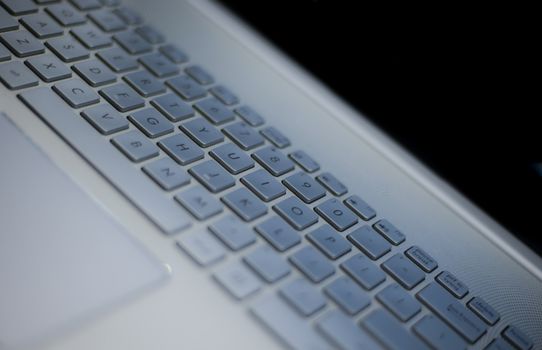 Photo: ClickerHappy / Pexels
 Photo: Kindel Media / Pexels
 Photo: Daniel Andraski / Pexels
 Photo: Mikhail Nilov / Pexels