Master Your Game: Virtual Reality Headsets for Gaming
virtual reality headsets for gaming

Master Your Game: Virtual Reality Headsets for Gaming

Unlock unparalleled immersion and redefine your gaming world with cutting-edge VR technology.

Explore VR Headsets

Key Takeaways

  • ✓ VR gaming offers unparalleled immersion, placing you directly inside virtual worlds.
  • ✓ There are standalone and PC-tethered VR headsets, each with distinct advantages.
  • ✓ Key factors for choosing include resolution, refresh rate, field of view, and comfort.
  • ✓ Motion sickness can be mitigated through proper settings and gradual exposure.

How It Works

1
VR Headset Displays

Tiny screens inside the headset display separate images for each eye, creating a stereoscopic 3D effect. Lenses magnify these images and adjust focus for a wide field of view.

2
Head Tracking

Integrated sensors (accelerometers, gyroscopes, magnetometers) track your head's movement in real-time. This data is fed to the game, allowing you to look around naturally within the virtual environment.

3
Positional Tracking

External sensors or inside-out cameras on the headset track your physical movement within a designated play space. This enables you to walk, duck, and move your body in the game, enhancing immersion significantly.

4
Input Devices

Specialized controllers, often tracked in 3D space, allow you to interact with the virtual world. They provide haptic feedback, mimicking touch and impact, further bridging the gap between physical and digital.

The Evolution and Impact of Gaming VR Headsets
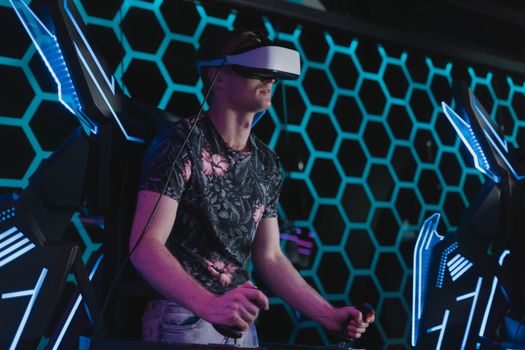
An adult male enjoying a virtual reality game in an arcade setting with futuristic elements. Photo: Tima Miroshnichenko / Pexels
The landscape of gaming has been irrevocably transformed by the advent of virtual reality headsets for gaming. What began as a niche, experimental technology has rapidly matured into a sophisticated platform offering experiences previously unimaginable. Early iterations, often clunky and prohibitively expensive, hinted at the potential but struggled with accessibility and performance. Fast forward to today, and we see a vibrant ecosystem of devices catering to a wide range of budgets and preferences, from powerful PC-tethered systems to incredibly convenient standalone units. This evolution hasn't just been about hardware; software development has kept pace, with game developers pushing the boundaries of storytelling, immersion, and interactive gameplay within virtual environments. The impact on gaming is profound: VR doesn't just present a game; it transports you into it. Instead of watching a character on a screen, you *are* the character, wielding weapons, solving puzzles, and exploring worlds with an unparalleled sense of presence. This fundamental shift changes how we perceive and interact with digital entertainment. Consider the strategic implications for genres like first-person shooters, where aiming and movement become instinctual, or horror games, where the enclosed, immersive environment amplifies fear to visceral levels. Even traditionally non-immersive genres like puzzle games gain a new dimension when you can physically manipulate objects and explore environments from within. The sensory experience is heightened, with high-resolution displays and advanced audio engineering working in concert to create believable virtual spaces. Furthermore, the social aspect of gaming has also evolved; VR multiplayer experiences foster a unique sense of camaraderie and presence, making remote interactions feel more personal and engaging than ever before. The continuous innovation in display technology, tracking accuracy, and ergonomic design ensures that virtual reality headsets for gaming are not just a passing fad but a cornerstone of the future of interactive entertainment. As the technology becomes more refined and the content library expands, the barriers to entry decrease, inviting more players to discover the magic of true immersion. For anyone passionate about cutting-edge tech, understanding this evolution is crucial to appreciating the current state and future trajectory of gaming. We are on the cusp of an era where virtual worlds are as accessible and engaging as physical ones, all thanks to the relentless progress in VR hardware and software.

Choosing the Right Virtual Reality Headset for Your Gaming Needs
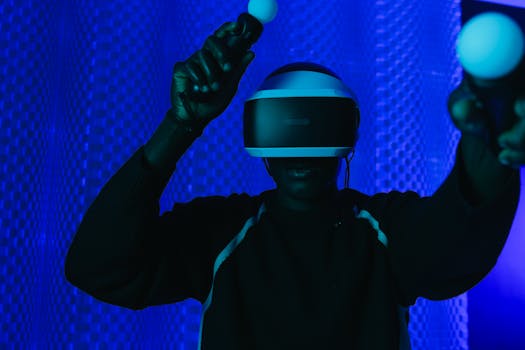
Person enjoying a virtual reality gaming session with a VR headset and controllers. Photo: SHVETS production / Pexels
Selecting the ideal virtual reality headset for gaming can feel overwhelming given the array of options available. The first critical distinction to make is between standalone headsets and PC-tethered headsets. Standalone units, like the Meta Quest series, are all-in-one devices that require no external computer or console. They offer unparalleled freedom of movement, ease of setup, and are generally more portable. However, their processing power is limited by their integrated hardware, meaning graphics and game complexity might not reach the same heights as PC VR. PC-tethered headsets, such as Valve Index or HTC Vive, connect directly to a high-end gaming PC, leveraging its superior graphics card and processor to deliver breathtaking visuals, higher frame rates, and more complex virtual environments. The trade-off here is the need for a powerful PC, the presence of cables (though wireless adapters exist for some), and generally a higher overall cost. Beyond this fundamental choice, several technical specifications warrant close attention. Resolution is paramount for visual clarity; higher pixel counts per eye reduce the dreaded 'screen door effect' and make virtual worlds look sharper and more realistic. Refresh rate, measured in Hertz (Hz), dictates how smoothly images update. A higher refresh rate (e.g., 90Hz, 120Hz) is crucial for reducing motion sickness and providing a fluid, comfortable experience. Field of View (FOV) determines how wide your peripheral vision is within the headset; a wider FOV enhances immersion by making the virtual world feel more expansive. Comfort and ergonomics are also non-negotiable. A headset that is too heavy, poorly balanced, or causes pressure points will quickly detract from the gaming experience. Look for adjustable straps, good weight distribution, and comfortable facial interfaces. Consider the tracking system: 'inside-out' tracking (common in standalone headsets) uses cameras on the headset itself to map your environment, while 'outside-in' tracking (often used by PC VR) relies on external base stations. Both have their merits, with inside-out offering simpler setup and outside-in generally providing more precise tracking over larger areas. Finally, don't overlook the controller design and haptics. Effective, intuitive controllers with responsive haptic feedback are essential for feeling truly connected to the virtual world. Researching user reviews and trying on different models if possible can provide invaluable insights into real-world comfort and performance before making your investment in virtual reality headsets for gaming.

Enhancing Your VR Gaming Experience with Essential Accessories
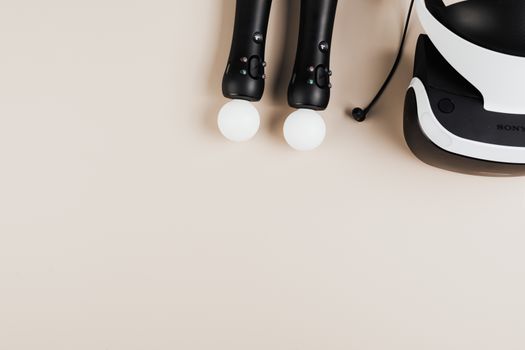
Top view of gaming controllers and VR headset on neutral background. Photo: https://kaboompics.com/ / Pexels
Once you've chosen your virtual reality headset for gaming, optimizing your setup with the right accessories can significantly elevate your immersion and comfort. One of the most common and beneficial additions is an improved head strap or counterweight system. Many stock head straps, especially on standalone units, can be uncomfortable or poorly balanced, leading to strain during extended play sessions. Aftermarket straps often offer better weight distribution, more secure fitting, and enhanced comfort, allowing you to game for longer without discomfort. Similarly, a power bank or extended battery pack is almost essential for standalone VR users. VR gaming is battery-intensive, and an external power source can dramatically extend playtime, preventing interruptions during critical moments. Audio is another crucial component of immersion. While many headsets include integrated audio, upgrading to high-quality external headphones or earbuds can transform your experience. Look for headphones that offer rich spatial audio, allowing you to pinpoint sounds in 3D space, which is vital for competitive multiplayer games or atmospheric single-player adventures. Over-ear headphones can block out real-world distractions, further deepening your dive into the virtual world. For those prone to motion sickness, a good fan or even a dedicated VR mat can be surprisingly helpful. A fan can provide a sense of movement, aligning with the visual cues and reducing disorientation, while a VR mat can help you stay oriented in your play space without constantly bumping into real-world objects. Beyond comfort and power, practical accessories like lens protectors or prescription inserts are invaluable. Lens protectors guard against scratches, which can be costly to repair, and prescription inserts allow glasses wearers to enjoy VR without the discomfort and potential damage of wearing spectacles inside the headset. Cable management solutions are also a godsend for PC-tethered VR users. Retractable cable systems or ceiling pulley setups can keep the cable out of your way, minimizing tangles and enhancing freedom of movement, making the experience feel almost wireless. Investing in these thoughtful additions can truly unlock the full potential of your gaming setup, transforming a good VR experience into an exceptional one.

Pro Tips for Maximizing Your Virtual Reality Gaming Adventures
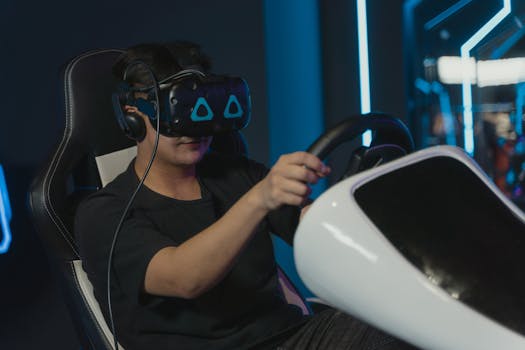
Man engaging in immersive virtual gaming with VR headset and steering wheel setup indoors. Photo: Tima Miroshnichenko / Pexels
To truly get the most out of your virtual reality headsets for gaming, a few pro tips can make a significant difference in enjoyment, comfort, and performance. Here's how to elevate your VR adventures: * **Optimize Your Play Space:** Clear a designated area free of obstacles. Define your guardian or boundary system accurately to prevent accidental collisions. Good lighting can also improve tracking for inside-out systems. * **Prioritize Comfort:** Adjust head straps, interpupillary distance (IPD), and facial interface until the headset feels snug but not tight, and visuals are clear. Even small adjustments can drastically reduce discomfort and motion sickness. * **Start Slow to Combat Motion Sickness:** If you're new to VR, begin with games that have minimal movement or offer teleportation options. Gradually introduce smoother locomotion. Ensure good ventilation and take breaks if you start feeling queasy. * **Master Your Controllers:** Spend time in tutorial areas to get familiar with button layouts and haptic feedback. Precise control is key to immersive interaction and better gameplay. * **Experiment with Settings:** Dive into your headset's and individual game settings. Adjust resolution, refresh rate, and graphics quality to find the best balance between visual fidelity and performance for your system. * **Keep Lenses Clean:** Use a microfiber cloth specifically designed for optics. Smudges can significantly degrade image quality and immersion. * **Explore Beyond AAA Titles:** While big-budget games are great, the indie VR scene often produces incredibly innovative and unique experiences that are well worth exploring. * **Stay Hydrated and Take Breaks:** VR gaming can be physically demanding and mentally engaging. Regular breaks and staying hydrated will prevent fatigue and extend your play sessions. * **Leverage Social Features:** Many VR games offer multiplayer modes. Playing with friends or strangers can add a whole new layer of fun and interaction to your virtual escapades. * **Consider a VR Mat:** A tactile mat placed in your play space can help you stay centered without needing to lift the headset, enhancing safety and immersion. By implementing these tips, you'll not only enhance your enjoyment but also ensure a safer and more comfortable journey into the expansive world of virtual reality gaming.

Comparison

FeatureBest StandaloneBest PC VRValue Pick
Resolution2064x2208 per eye2160x2160 per eye1832x1920 per eye
Refresh Rate90Hz, 120Hz experimental90Hz, 120Hz, 144Hz72Hz, 90Hz
Field of View (FOV)Approx. 100 degreesApprox. 130 degreesApprox. 90 degrees
TrackingInside-outOutside-in (Base Stations)Inside-out
Price Range (USD)$499-$649$999-$1099$299-$399
Requires PC
Wireless Freedom✗ (with adapter)
Controller HapticsAdvancedExcellentGood

What Readers Say

"The immersion from these virtual reality headsets for gaming is absolutely mind-blowing. I feel like I'm truly inside the game, not just playing it. It's transformed my gaming nights."

Alex R. · Seattle, WA

"I was skeptical, but my new VR headset for gaming is incredible. The graphics are stunning, and the sense of scale in games like 'Half-Life: Alyx' is something you have to experience to believe."

Maria K. · Austin, TX

"After upgrading to a high-end virtual reality headset, my competitive edge in multiplayer VR shooters has significantly improved. The precise tracking and high refresh rate make a huge difference."

David L. · Chicago, IL

"While the initial setup for my PC VR headset was a bit complex, the performance and visual fidelity are unmatched. I just wish the cable management was a bit easier out of the box."

Sarah P. · Denver, CO

"As someone who loves fitness, VR gaming has been a revelation! Games like 'Beat Saber' combine exercise with pure fun, making my virtual reality headset for gaming a fantastic investment for both entertainment and activity."

Jordan M. · Miami, FL

Frequently Asked Questions

What is the best virtual reality headset for gaming currently available?

The 'best' VR headset depends heavily on your budget and whether you prefer standalone freedom or PC-powered graphical fidelity. For standalone, the Meta Quest 3 is often recommended for its balance of performance and price. For PC VR, the Valve Index or HTC Vive Pro 2 offer premium experiences, though they require a powerful gaming PC.

Do virtual reality headsets for gaming cause motion sickness?

Some users may experience motion sickness (cybersickness) when first using VR, especially with games featuring artificial locomotion. This can often be mitigated by starting with less intense experiences, taking frequent breaks, using a fan, and ensuring a smooth, high-refresh-rate display.

How do I set up a play space for VR gaming?

To set up a VR play space, clear an area of at least 6.5 x 6.5 feet (2x2 meters) for room-scale VR. Ensure good lighting for inside-out tracking. Define your 'guardian' or 'chaperone' boundaries within the headset software to prevent you from hitting real-world objects.

Are virtual reality headsets for gaming expensive?

The cost of virtual reality headsets for gaming varies widely. Entry-level standalone headsets can start around $300-$400, while high-end PC-tethered systems can range from $700 to over $1,500, not including the cost of a powerful gaming PC if you don't already own one.

How do standalone VR headsets compare to PC VR headsets for gaming?

Standalone VR headsets offer portability and ease of use without cables or a PC, but have less graphical power. PC VR headsets leverage a powerful computer for superior graphics, higher refresh rates, and a wider game library, but are less portable and require a wired connection (or an expensive wireless adapter).

Who should consider buying virtual reality headsets for gaming?

Anyone looking for a truly immersive and novel gaming experience should consider virtual reality headsets for gaming. It's particularly appealing to those who enjoy simulation, exploration, horror, or rhythm games, and gamers who want to feel a deeper connection to their virtual worlds.

Are there any safety concerns with using VR headsets?

Primary safety concerns include tripping over cables, colliding with real-world objects in your play space, and eye strain from prolonged use. Always ensure your play area is clear, use your headset's boundary system, and take regular breaks to rest your eyes and body.

What is the future of virtual reality headsets for gaming?

The future of virtual reality headsets for gaming looks bright, with continued advancements in resolution, refresh rates, and wider fields of view. We can expect lighter, more comfortable designs, integrated eye-tracking for foveated rendering, and more sophisticated haptic feedback, leading to even deeper immersion and realism.

Ready to step into the future of gaming? Explore the incredible world of virtual reality headsets for gaming and unlock experiences you never thought possible. Your next adventure is just a headset away.

Topics: virtual reality headsets for gamingVR gamingbest VR headsetsgaming immersionVR technology
Leo List

IE Escorts NO Escorts US Escorts NZ Escorts AU Escorts
Brampton weed
Adultwork EstrelaBet Vai de Bet R7 Bet Betão Galera Bet Rainbet Bet9ja Shop SportyBet BetKing Sisal Loto Foot Hollywoodbets YesPlay Odibets RushBet Jugabet BetWarrior BetCity MSport betPawa Fortebet