✓ Compatibility is crucial for a functional smart home, preventing isolated devices.
✓ Major ecosystems (Apple HomeKit, Google Home, Amazon Alexa) dictate device interoperability.
✓ Open standards like Matter and Thread are simplifying compatibility challenges.
✓ Careful planning and research save time, money, and frustration in smart home setup.
How It Works
1
Understand Your Ecosystem
Identify whether you're building around Apple HomeKit, Google Home, Amazon Alexa, or a hub-centric system like SmartThings. This foundational choice will significantly narrow your device options and simplify future purchases.
2
Check Device Specifications
Always verify the 'Works With' or 'Compatible With' labels on product packaging or descriptions before buying. Look for explicit mentions of your chosen smart home platform or relevant communication protocols.
3
Embrace Open Standards (Matter/Thread)
Prioritize devices supporting newer, universal standards like Matter and Thread where available. These technologies are designed to bridge ecosystem gaps, offering greater flexibility and future-proofing your smart home.
4
Test and Expand Incrementally
Start with a few core devices and gradually expand your smart home. This allows you to test compatibility in your specific environment and ensures new additions integrate smoothly before committing to a larger investment.
Navigating the Smart Home Ecosystem Landscape
Photo: Jonathan Borba / Pexels
The promise of a smart home is one of seamless automation and effortless control, where all your devices communicate harmoniously. However, the reality can often be a labyrinth of competing standards, proprietary platforms, and compatibility headaches. Understanding the core smart home ecosystems is the first and most critical step in building a functional and future-proof connected home. In the United States, the landscape is largely dominated by three major players: Amazon Alexa, Google Home, and Apple HomeKit, each with its unique strengths, weaknesses, and device compatibility profiles. Beyond these giants, platforms like Samsung SmartThings and Hubitat offer more centralized control, often acting as a bridge between otherwise disparate devices.
Amazon Alexa, powered by Echo devices, boasts the widest range of compatible devices, largely due to its open approach and extensive developer community. Most smart home manufacturers strive for 'Works with Alexa' certification, making it a relatively safe bet for broad compatibility. Google Home, integrated with Assistant-enabled devices, offers robust voice control and deep integration with Google's services, including calendars, search, and media. Its compatibility is also broad, though perhaps slightly less ubiquitous than Alexa's, often excelling with devices from brands like Nest, Philips Hue, and TP-Link. Apple HomeKit, while having a more stringent certification process that can lead to fewer compatible devices, offers unparalleled privacy and security features, along with tight integration into the Apple ecosystem, allowing control via Siri, the Home app, and Apple devices. Devices certified for HomeKit are often considered premium and typically offer a more polished user experience.
Choosing an ecosystem isn't just about voice assistant preference; it's about the underlying architecture and how devices speak to each other. Some devices are 'natively' compatible with one ecosystem, meaning they connect directly without an additional hub. Others might require a bridge or a dedicated app from the manufacturer that then 'exposes' the device to your chosen ecosystem. For instance, many Zigbee or Z-Wave devices need a hub (like a SmartThings hub or an Amazon Echo with a built-in hub) to communicate with Alexa or Google Home. Understanding these nuances is vital to avoid purchasing devices that simply won't talk to each other, leading to a fragmented and frustrating smart home experience. Our comprehensive smart home devices compatibility guide aims to demystify these complexities, helping you make informed decisions. For more insights into setting up your smart home, explore our guide on smart home starter kits.
Furthermore, considering your existing tech infrastructure is paramount. If your household is predominantly Apple-centric, HomeKit might offer the most seamless experience. Conversely, if you rely heavily on Google services, Google Home could be a natural fit. Amazon's ecosystem often appeals to those prioritizing device breadth and competitive pricing. It's also worth noting that some advanced users opt for hybrid systems, using a central hub like Home Assistant or SmartThings to unify devices from different ecosystems, though this often requires a higher level of technical proficiency. The goal is to create a cohesive environment, not a collection of isolated gadgets. By understanding the foundational differences and compatibility models of these ecosystems, you lay the groundwork for a truly integrated smart home.
Understanding Communication Protocols and Standards
Photo: Pavel Danilyuk / Pexels
Beyond the overarching ecosystems, the true bedrock of smart home device compatibility lies in the communication protocols and technical standards they employ. These are the 'languages' devices use to talk to each other and to your central hub or controller. Without a shared language, even devices within the same ecosystem might struggle to interact seamlessly. The most common protocols you'll encounter in the smart home world are Wi-Fi, Bluetooth, Zigbee, Z-Wave, and increasingly, the new open standards like Matter and Thread.
**Wi-Fi** is perhaps the most familiar. Many smart devices, especially those that stream media or require high bandwidth (like smart cameras or some smart plugs), connect directly to your home's Wi-Fi network. This offers convenience as no additional hub is usually required, but it can also clutter your network and potentially strain router resources if you have too many devices. **Bluetooth** is excellent for short-range, direct connections, often used for initial device setup, smart locks that unlock as you approach, or some personal health gadgets. It's generally not a primary protocol for a whole-home smart system due to its limited range and inability to form a mesh network.
**Zigbee** and **Z-Wave** are specifically designed for smart home applications. They operate on different radio frequencies (Zigbee often on 2.4 GHz, Z-Wave on 908.42 MHz in the US) and create mesh networks. In a mesh network, each device can not only communicate with the hub but also relay signals from other devices, extending the range and reliability of your smart home network. This makes them ideal for lights, sensors, and thermostats spread throughout a larger home. However, devices using these protocols typically require a dedicated hub (often built into an Amazon Echo Show or SmartThings hub) to translate their signals into something your Wi-Fi network or chosen ecosystem can understand. Compatibility here means ensuring your hub supports the specific Zigbee or Z-Wave frequency and standard your device uses.
**Matter** is a groundbreaking new standard that aims to simplify smart home compatibility significantly. Backed by industry giants like Apple, Google, Amazon, and Samsung, Matter is an open-source connectivity standard that allows devices to communicate locally over IP (Internet Protocol) using existing technologies like Wi-Fi, Thread, and Ethernet. The promise of Matter is truly universal compatibility: a Matter-certified device should work with any Matter-certified controller, regardless of the brand or ecosystem. This means a smart bulb could theoretically be controlled by Apple HomeKit, Google Home, and Amazon Alexa simultaneously. While still evolving, Matter represents a significant step towards a truly interoperable smart home, reducing the need for multiple apps and hubs.
**Thread** is another crucial emerging standard, often working hand-in-hand with Matter. Thread is an IP-based, low-power mesh networking protocol designed for smart home devices, similar in concept to Zigbee and Z-Wave but built upon open internet protocols. It's highly reliable, energy-efficient, and creates a robust network where devices can communicate directly with each other without a central hub. Many Matter-certified devices will use Thread as their underlying communication technology. Understanding these protocols is vital when checking device specifications; seeing 'Works with Matter over Thread' is a strong indicator of broad future compatibility. For more detailed information on network protocols, check out our guide to home network optimization.
Key Factors for Ensuring Seamless Device Integration
Photo: Jakub Pabis / Pexels
Achieving a truly integrated smart home goes beyond simply buying compatible devices; it involves a strategic approach to planning, purchasing, and setup. Several key factors must be considered to ensure your smart home devices not only connect but also work together harmoniously, creating the automated experiences you desire. Ignoring these aspects can lead to a collection of smart devices that function individually but fail to deliver the cohesive 'smart home' experience.
First, **research is paramount**. Before making any purchase, thoroughly research the specific device you're interested in. Look for explicit compatibility statements on the manufacturer's website or product packaging. Does it say 'Works with Amazon Alexa,' 'Compatible with Google Home,' or 'Apple HomeKit Certified'? Even better, does it mention support for Matter or Thread? Read user reviews, particularly those that discuss integration with different ecosystems. Sometimes, a device might technically be compatible, but its integration might be limited in functionality or require awkward workarounds. A comprehensive smart home devices compatibility guide will always emphasize this due diligence.
Second, **consider the 'hub' factor**. Many smart devices, especially those using Zigbee or Z-Wave, require a central hub to function within a larger ecosystem. While some smart speakers (like certain Amazon Echo models) have built-in hubs for these protocols, others do not. Ensure that if a device requires a hub, you either already own a compatible one or factor the cost and complexity of a new hub into your purchase decision. A standalone hub like SmartThings can offer greater flexibility, but also adds another layer to your setup. For Wi-Fi devices, your home router acts as the de facto hub, but ensure your router can handle the increased number of connected devices without performance degradation.
Third, **plan your automations and routines in advance**. Think about what you want your smart home to *do*. Do you want your lights to turn on when a motion sensor is triggered? Do you want your thermostat to adjust when you leave the house? These multi-device actions often rely on the 'routines' or 'automations' features within your chosen smart home ecosystem. For devices to participate in these routines, they must be fully integrated and recognized by the same platform. Cross-ecosystem routines are becoming more common with Matter, but for now, sticking to one primary ecosystem for your core automations is often the path of least resistance. This foresight helps you identify potential integration bottlenecks before they become actual problems.
Fourth, **prioritize security and privacy**. As you integrate more devices into your home network, the attack surface for potential security breaches increases. Choose devices from reputable manufacturers known for their security practices and regular firmware updates. Also, understand the privacy policies of the smart home platforms you use. Apple HomeKit, for instance, processes much of its data locally, enhancing privacy. Ensure your Wi-Fi network is secure with a strong password and consider segmenting your smart devices onto a separate guest network if your router supports it. A secure foundation is just as important as compatibility for a truly smart and safe home. Regularly checking for firmware updates on all your smart devices is also a crucial, often overlooked, aspect of maintaining both compatibility and security. Outdated firmware can lead to vulnerabilities and prevent devices from utilizing new compatibility features.
Common Compatibility Mistakes and How to Avoid Them
Photo: panumas nikhomkhai / Pexels
Even with careful planning, it's easy to fall into common traps when building a smart home. Avoiding these pitfalls can save you significant time, money, and frustration. This section outlines frequent compatibility mistakes and provides actionable advice to ensure a smoother smart home journey.
**Mistake 1: Assuming universal compatibility.** Just because a device is 'smart' doesn't mean it works with everything else. Many beginners mistakenly buy a mix of devices from different brands or ecosystems, only to find they can't communicate. For example, an Arlo camera might work with Alexa, but not directly integrate with your Philips Hue lights for a unified 'away' scene unless you use a bridging platform like IFTTT or a central hub.
* **Solution:** Stick to one primary ecosystem (Alexa, Google Home, HomeKit) for critical devices, especially in the beginning. Always check the 'Works with...' label. If you must mix, prioritize devices that support Matter, as it's designed for cross-platform compatibility.
**Mistake 2: Overlooking the need for a hub.** Many popular smart devices, particularly those using Zigbee or Z-Wave, require a dedicated hub to function. Smart bulbs, door sensors, and thermostats often fall into this category. Purchasing these devices without a compatible hub renders them useless for smart home integration.
* **Solution:** Verify the communication protocol. If it's Zigbee or Z-Wave, confirm if your chosen smart speaker has a built-in hub or if you need a separate one (e.g., SmartThings, Hubitat). Wi-Fi devices generally don't need a separate hub, but ensure your router can handle the load.
**Mistake 3: Ignoring network requirements.** Smart devices, especially Wi-Fi-based ones, are sensitive to network quality. Weak Wi-Fi signals, overloaded routers, or conflicting frequencies can lead to devices constantly disconnecting or failing to respond.
* **Solution:** Ensure you have a robust Wi-Fi network with good coverage throughout your home. Consider a mesh Wi-Fi system for larger homes. Check if your devices require 2.4GHz Wi-Fi (most do) and ensure your router is configured correctly for it.
**Mistake 4: Not checking regional compatibility.** Some smart home devices, particularly those using Z-Wave, operate on different radio frequencies in different regions (e.g., US vs. EU). Importing devices can lead to them being incompatible with your local hub.
* **Solution:** Always purchase devices from local retailers or ensure the product specifications explicitly state compatibility with your region's standards and frequencies.
**Mistake 5: Neglecting firmware updates.** Manufacturers frequently release firmware updates that improve device performance, add new features, and, crucially, enhance compatibility with smart home platforms or new standards like Matter. Failing to update can leave devices behind.
* **Solution:** Regularly check for and install firmware updates for all your smart devices through their respective apps. Enable automatic updates if available and reliable.
**Mistake 6: Not testing integrations incrementally.** Trying to set up dozens of devices and complex routines all at once can be overwhelming and make troubleshooting impossible.
* **Solution:** Start small. Add a few devices, test their functionality and basic routines, and then gradually expand. This allows you to identify and resolve compatibility issues before they snowball.
By being mindful of these common mistakes, you can significantly streamline your smart home setup and ensure a much more enjoyable and functional experience.
"This smart home devices compatibility guide saved me from making expensive mistakes! I was about to buy a bunch of random gadgets, but after reading this, I understood the importance of ecosystems. My new Google Home setup is seamless and works perfectly."
Sarah J. · Austin, TX
★★★★★
"The explanation of Matter and Thread was incredibly helpful. I now feel confident investing in future-proof devices. My lights, thermostat, and security cameras finally talk to each other without multiple apps, thanks to the advice here."
Mark D. · Seattle, WA
★★★★★
"I used to have a fragmented smart home. After following the steps in this smart home devices compatibility guide, I consolidated everything under Apple HomeKit, and now my routines trigger flawlessly. It's truly transformed my daily life."
Emily R. · Miami, FL
★★★★★
"Good guide, though I wish there was a bit more on integrating older, non-Matter devices with newer systems. Still, the core advice on ecosystems and protocols was invaluable for a beginner like me. My smart plugs and voice assistant are now finally in sync."
David P. · Denver, CO
★★★★★
"As a senior, technology can be daunting. This guide broke down smart home compatibility into easy-to-understand steps. I now have smart lights and a thermostat that I can control with my voice, and it all works together. Highly recommend for anyone starting out!"
Linda K. · Chicago, IL
Frequently Asked Questions
What is the most important factor for smart home device compatibility?
The most important factor is choosing a primary smart home ecosystem (like Amazon Alexa, Google Home, or Apple HomeKit) and ensuring new devices explicitly state compatibility with that ecosystem. This foundational choice dictates which communication protocols and device types will integrate seamlessly into your setup, preventing isolated smart gadgets.
Can I mix devices from different smart home ecosystems?
Yes, you can, but it often requires additional effort or specific technologies. While some devices are natively compatible with multiple ecosystems, others might need a central hub (like SmartThings) or an automation service (like IFTTT) to bridge the gap. The emerging Matter standard aims to make cross-ecosystem compatibility much simpler and more direct in the future.
How do I check if a smart device is compatible with my system?
Always look for explicit 'Works With,' 'Compatible With,' or 'Certified For' labels on the product packaging or in the online description. These labels will typically specify which ecosystems (e.g., 'Works with Alexa,' 'Google Assistant Compatible,' 'Apple HomeKit Certified') and sometimes which protocols (e.g., 'Matter over Thread') the device supports. When in doubt, check the manufacturer's website.
Is investing in smart home devices worth it, given compatibility issues?
Yes, it can be highly worth it for convenience, energy savings, and security, provided you approach it strategically. By understanding compatibility challenges upfront and following a guide like this, you can avoid common pitfalls and build a truly integrated system that delivers significant value and enhances your daily living experience. The benefits far outweigh the initial learning curve.
How does Matter compare to existing protocols like Zigbee or Z-Wave for compatibility?
Matter is a higher-level application layer that sits *on top* of existing IP-based protocols like Wi-Fi and Thread (which is similar to Zigbee/Z-Wave in mesh networking). While Zigbee and Z-Wave require specific hubs to translate their signals, Matter aims to allow devices to communicate directly with any Matter-certified controller, regardless of brand, offering a much more universal and simplified compatibility experience than previous protocol-specific limitations.
Who should use a smart home devices compatibility guide?
Anyone looking to set up, expand, or troubleshoot a smart home system should use a compatibility guide. It's particularly useful for beginners who want to avoid costly mistakes, for those with existing smart devices looking to add new ones seamlessly, and for advanced users aiming to optimize their entire smart home ecosystem for maximum efficiency and interoperability.
Are there security risks with using many different smart home devices?
Yes, increased device count can mean increased risk if not managed properly. Each device is a potential entry point. Mitigate this by purchasing from reputable brands, using strong, unique passwords, enabling two-factor authentication, regularly updating firmware, and considering network segmentation for your smart devices. A well-planned, compatible system is often more secure than a fragmented one.
What are the future trends in smart home device compatibility?
The primary future trend is the widespread adoption of Matter and Thread, which will significantly simplify device compatibility across different ecosystems. We can expect to see fewer proprietary hubs and more seamless, direct communication between devices and controllers, leading to a more unified and user-friendly smart home experience. Increased local control and enhanced privacy features are also key future directions.
Embark on your journey to a truly integrated and intelligent living space. By following this smart home devices compatibility guide, you'll gain the confidence to select devices that work together, avoid common pitfalls, and build a smart home that genuinely enhances your life. Start planning your perfectly compatible smart home today!

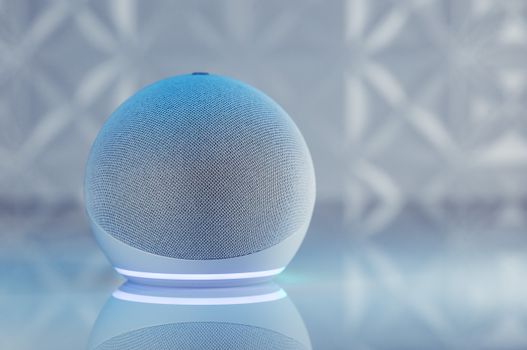 Photo: Jonathan Borba / Pexels
 Photo: Pavel Danilyuk / Pexels
 Photo: Jakub Pabis / Pexels
 Photo: panumas nikhomkhai / Pexels