Smart Home Devices Compatibility Guide: Your Ultimate Hub
smart home devices compatibility guide

Smart Home Devices Compatibility Guide: Your Ultimate Hub

Navigate the complex world of smart home technology with ease to create a perfectly synchronized and responsive living space.

Start Your Smart Home Journey

Key Takeaways

  • ✓ Compatibility is the cornerstone of a functional smart home, preventing device isolation.
  • ✓ Major ecosystems like Apple HomeKit, Google Home, and Amazon Alexa dictate much of device interoperability.
  • ✓ Matter and Thread are emerging standards aiming to simplify compatibility across brands.
  • ✓ Understanding communication protocols (Wi-Fi, Zigbee, Z-Wave, Bluetooth) is crucial for device selection.

How It Works

1
Assess Your Current Setup & Needs

Identify existing smart devices and define your primary goals for home automation. This helps in choosing a compatible foundational ecosystem.

2
Choose a Core Ecosystem

Select a central platform (e.g., Alexa, Google Home, HomeKit) as your primary control hub. This decision will heavily influence compatible device choices.

3
Understand Communication Protocols

Familiarize yourself with Wi-Fi, Zigbee, Z-Wave, and Bluetooth to ensure devices can 'speak' to each other. Some protocols require a dedicated hub.

4
Verify Device Compatibility

Before purchasing, always check product specifications for compatibility with your chosen ecosystem and existing devices. Look for 'Works with...' labels.

Understanding the Smart Home Ecosystem Landscape
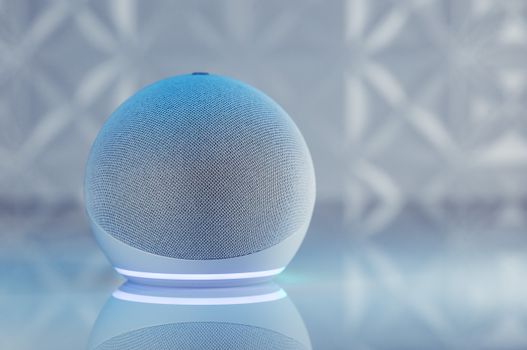
A sleek smart speaker with neon glow on reflective surface, showcasing modern technology. Photo: Jonathan Borba / Pexels
Building a smart home can feel like navigating a labyrinth of brands, protocols, and platforms. The core challenge for many homeowners is ensuring that all their chosen devices can communicate and cooperate seamlessly. This is where a deep understanding of the smart home ecosystem landscape becomes invaluable. At its heart, a smart home ecosystem is a collection of devices, services, and communication protocols that work together to automate and control various aspects of your home. The major players in this space are Amazon Alexa, Google Home (Google Assistant), and Apple HomeKit. Each offers a unique user experience, device compatibility, and integration philosophy. Your choice of a central ecosystem often dictates the range of devices you can effortlessly integrate. For instance, if you're an iPhone user deeply embedded in the Apple ecosystem, HomeKit might be a natural fit, offering tight integration with Siri and other Apple services. Conversely, Android users or those prioritizing a wider range of affordable devices might lean towards Google Home or Amazon Alexa. It's not just about voice assistants; these ecosystems provide the underlying software framework and often a dedicated app that allows you to manage, automate, and control all your connected devices from a single interface. Think of them as the operating system for your smart home. Without a cohesive ecosystem, you might end up with several standalone devices, each requiring its own app, making automation cumbersome rather than convenient. The goal is to avoid 'smart home silos' where devices operate independently without the ability to trigger actions or share data with others. For example, you want your smart thermostat to know when your smart door lock registers you've left the house, or your smart lights to turn on when your motion sensor detects movement. This level of interaction is primarily facilitated by your chosen ecosystem. While many devices claim 'universal compatibility,' it's often a marketing term indicating they can integrate with at least one or two major ecosystems, not necessarily all. This guide aims to demystify these relationships, helping you make informed decisions that lead to a truly integrated and intuitive smart home experience. Understanding the nuances of each ecosystem is the first critical step in building a smart home that truly works for you, rather than against you. As you delve deeper, consider not just the devices themselves, but the overarching platform that will orchestrate their symphony. For more on specific device types, explore our smart lighting guide.

Navigating Communication Protocols: Wi-Fi, Zigbee, Z-Wave, and Thread

Adult man in plaid shirt using smartphone on couch with a robot in the background. Photo: Pavel Danilyuk / Pexels
Beyond the brand ecosystems, the underlying communication protocols are the unsung heroes—or potential villains—of smart home compatibility. These protocols are the languages your devices use to talk to each other and to your central hub. Understanding them is crucial for troubleshooting connectivity issues and making informed purchasing decisions. The most common protocols include Wi-Fi, Zigbee, Z-Wave, Bluetooth, and the emerging Thread. Each has its strengths and weaknesses, influencing range, power consumption, and the need for a dedicated hub. **Wi-Fi** is perhaps the most familiar. Many smart devices, especially those requiring higher bandwidth like cameras or larger appliances, connect directly to your home Wi-Fi network. The advantage is that you likely already have a Wi-Fi router, so no additional hub is needed. However, too many Wi-Fi devices can congest your network, potentially slowing down internet speeds and increasing power consumption for battery-operated devices. It's generally good for devices that are always plugged in and need robust internet access. **Zigbee and Z-Wave** are purpose-built for smart home devices, designed for low power consumption and creating a 'mesh network.' In a mesh network, each device acts as a repeater, extending the range and reliability of the signal throughout your home. This means if one device is out of range of the hub, it can communicate through another nearby device. Zigbee operates on the 2.4 GHz band (similar to Wi-Fi), while Z-Wave uses a lower frequency (908.42 MHz in the US), which can sometimes offer better penetration through walls but has a slower data rate. Both typically require a dedicated hub (like a SmartThings hub or an Amazon Echo with a built-in Zigbee radio) to translate their signals into something your Wi-Fi network and central ecosystem can understand. They are excellent choices for sensors, smart plugs, and lighting. **Bluetooth** is primarily used for short-range, direct device-to-device communication. You'll find it in many smart locks, fitness trackers, and some smart lighting. While convenient for local control, Bluetooth devices usually don't offer the same range or mesh networking capabilities as Zigbee or Z-Wave, and they often require a smartphone or a gateway device to connect to a broader smart home ecosystem. Bluetooth Low Energy (BLE) has improved power efficiency, making it suitable for battery-powered devices. **Thread** is a newer, IP-based mesh networking protocol designed for smart home devices, emphasizing reliability, security, and low power. It's a foundational technology for the Matter standard, which we'll discuss next. Thread devices can communicate directly with each other and are designed to be self-healing, meaning if one device goes offline, others can reroute the connection. Importantly, Thread does not require a proprietary hub; it uses a 'border router' (which can be a smart speaker like an Apple HomePod Mini or Google Nest Hub) to connect the Thread network to your Wi-Fi network and the internet. Thread promises to simplify compatibility significantly by offering a robust, open-standard foundation for future smart home devices. Understanding these protocols empowers you to build a more resilient and efficient smart home, ensuring your devices aren't just 'smart' but also 'communicative.'

The Promise of Matter: A Universal Language for Smart Homes
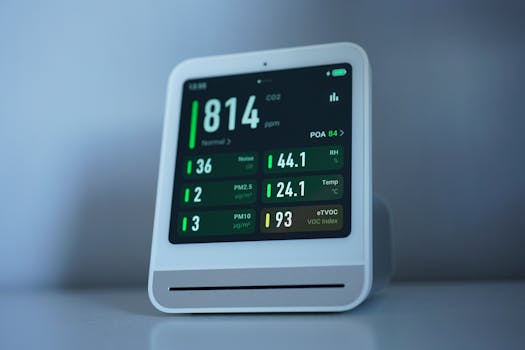
A sleek air quality monitor showing CO2 and other air metrics, ideal for smart homes. Photo: Tim Witzdam / Pexels
The smart home industry has long been plagued by fragmentation, with countless brands and ecosystems struggling to communicate effectively. This often leads to consumer frustration, incompatible devices, and a complex setup process. Enter Matter, a new open-source connectivity standard designed to address these very challenges. Developed by the Connectivity Standards Alliance (CSA), which includes tech giants like Apple, Google, Amazon, and Samsung, Matter aims to create a universal language that smart home devices can use to talk to each other, regardless of their brand or the ecosystem they belong to. Think of Matter as a translator that allows a Google Home device to control an Apple HomeKit-certified light bulb, or an Amazon Alexa speaker to interact with a Samsung SmartThings sensor, all without needing separate apps or complicated bridges. This is a monumental shift that promises to simplify the smart home experience dramatically. Matter operates over existing networking technologies like Wi-Fi, Thread, and Ethernet. This means that devices supporting Matter can connect directly to your home network or form a Thread mesh network, further enhancing reliability and range. A key benefit is that Matter-certified devices are designed to be interoperable across multiple platforms. A single Matter-enabled device can be controlled by Google Assistant, Amazon Alexa, Apple HomeKit, and Samsung SmartThings simultaneously. This multi-admin capability eliminates vendor lock-in and gives users unprecedented flexibility in how they build and manage their smart homes. For consumers, this translates into a much simpler purchasing decision process. Instead of meticulously checking compatibility lists for each ecosystem, you can look for the Matter logo, confident that the device will integrate with your existing setup. It also means less clutter with fewer apps needed to manage your devices and more robust automation possibilities, as devices from different manufacturers can now participate in the same routines. While Matter is still relatively new and adoption is ongoing, its potential impact is profound. It promises to accelerate the growth of the smart home market by removing significant barriers to entry and use. As more manufacturers release Matter-certified devices and update existing ones, the dream of a truly unified and seamless smart home will move closer to reality. When considering new smart home purchases, prioritizing devices that are Matter-ready or Matter-certified is a forward-thinking strategy that will future-proof your home automation efforts and vastly improve your overall user experience. This standard represents a collaborative effort to put the user experience first, ensuring that smart home technology is accessible, reliable, and genuinely smart. For deeper insights into specific smart device applications, consider our guide to smart security systems.

Common Compatibility Mistakes and How to Avoid Them

An IT professional operates a computer in a server room, managing network systems and connected devices. Photo: panumas nikhomkhai / Pexels
Even with the best intentions, building a smart home can be fraught with compatibility pitfalls. Avoiding these common mistakes can save you time, money, and a lot of frustration. * **Ignoring Ecosystem Lock-in:** The biggest mistake is often not committing to a primary ecosystem (Alexa, Google Home, HomeKit) early on. While Matter aims to change this, many devices are still optimized for one platform. Mixing and matching without careful research can lead to devices that don't communicate or require multiple apps for control. **Tip:** Choose an ecosystem that aligns with your current smartphone, voice assistant preferences, and the brands you already own. * **Overlooking Communication Protocol Requirements:** Assuming all smart devices connect via Wi-Fi is a common error. Many Zigbee or Z-Wave devices require a dedicated hub. **Tip:** Always check the product specifications for the required communication protocol. If it's Zigbee or Z-Wave, ensure you have a compatible hub or integrate a smart speaker with a built-in hub (like some Amazon Echo models). * **Neglecting Router Capacity:** While Wi-Fi is convenient, too many Wi-Fi-connected devices can overwhelm older routers, leading to slow performance or dropped connections. **Tip:** Invest in a modern mesh Wi-Fi system if you plan on having many Wi-Fi smart devices. This distributes the load and improves coverage. * **Buying 'Smart' Without 'Integrable':** Some devices are 'smart' in that they have an app, but they don't integrate with any major ecosystems or other devices. They operate in a silo. **Tip:** Look for 'Works with Alexa,' 'Works with Google Assistant,' 'HomeKit Compatible,' or 'Matter Certified' labels. These are indicators of broader compatibility. * **Not Testing Before Expanding:** Don't buy 10 smart bulbs if your first one doesn't connect properly. **Tip:** Start small. Purchase one or two devices of a new type, test their compatibility and functionality within your existing setup, and then expand once you're confident. * **Ignoring Software Updates:** Compatibility isn't static. Manufacturers regularly release software updates that can introduce new features, fix bugs, or even add compatibility with new standards like Matter. **Tip:** Keep your smart home hubs, apps, and devices updated to ensure optimal performance and compatibility. * **Underestimating the Power of a Good Hub:** While some devices connect directly, a central smart home hub (like SmartThings, Hubitat, or a robust smart speaker) can often bridge different protocols and provide more advanced automation capabilities. **Tip:** Consider a dedicated hub for complex automations or if you're mixing Zigbee/Z-Wave devices with Wi-Fi devices. It centralizes control and enhances interoperability. By being mindful of these potential pitfalls, you can build a smart home that is not just functional, but truly harmonious and enjoyable.

Comparison

FeatureAmazon AlexaGoogle HomeApple HomeKitMatter Standard
Primary Voice AssistantAlexaGoogle AssistantSiriN/A (Works with all)
Device Ecosystem SizeVery LargeVery LargeMediumGrowing Rapidly
Ease of SetupHighHighMedium-HighHigh (Once established)
Privacy FocusMediumMediumHighHigh (Decentralized)
Required HubOften built-in/optionalOften built-in/optionalApple device (Hub optional)Thread Border Router
Multi-Admin Capability

What Readers Say

"This smart home devices compatibility guide was a lifesaver! I was so confused about what would work with my existing Alexa setup, and this article broke it down perfectly. No more incompatible gadgets for me!"

Sarah J. · Austin, TX

"Finally, a clear explanation of Zigbee vs. Z-Wave! I've been struggling to integrate some older sensors, and understanding the protocols from this guide helped me pick the right hub. My smart home is finally seamless."

Mark D. · Seattle, WA

"I was about to buy a whole new set of smart lights, but after reading this smart home devices compatibility guide, I realized my current ones just needed a firmware update to support Matter. Saved me hundreds of dollars!"

Emily R. · Denver, CO

"The information on Matter is incredibly helpful for future-proofing. While not everything is Matter-ready yet, this guide gave me a solid strategy for my next purchases. It's a bit technical in parts, but worth the read."

David L. · Miami, FL

"As a first-time smart home owner, the 'Common Compatibility Mistakes' section was invaluable. It prevented me from making some rookie errors and helped me plan my setup much more effectively. Highly recommend this smart home devices compatibility guide!"

Jessica M. · Chicago, IL

Frequently Asked Questions

What is the most important factor for smart home device compatibility?

The most important factor is choosing a primary smart home ecosystem (like Amazon Alexa, Google Home, or Apple HomeKit) and ensuring new devices are certified to work with that ecosystem. Additionally, understanding the communication protocols (Wi-Fi, Zigbee, Z-Wave, Thread) your devices use is crucial for seamless integration and avoiding the need for multiple hubs.

Will all my smart devices work together eventually with Matter?

Matter aims to create universal compatibility, meaning a single Matter-certified device should work with any Matter-compatible ecosystem (Alexa, Google Home, HomeKit, SmartThings). While not all existing devices will be updated to support Matter, new devices are increasingly adopting the standard, and many hubs are being updated to act as Matter controllers, significantly improving interoperability over time.

How do I check if a smart device is compatible before buying it?

Always check the product packaging or online specifications for explicit 'Works with' labels, such as 'Works with Alexa,' 'Works with Google Assistant,' 'HomeKit Compatible,' or 'Matter Certified.' You can also visit the compatibility lists provided by the major ecosystem platforms on their websites, which often detail supported brands and device types.

Is it worth investing in a dedicated smart home hub like SmartThings or Hubitat?

For basic smart home setups with a few Wi-Fi devices, a dedicated hub might not be necessary. However, if you plan to incorporate many Zigbee or Z-Wave devices, or desire more complex local automations and greater control over privacy, a dedicated hub can be a very worthwhile investment. They often provide more robust and reliable connections and can bridge different protocols.

What's the difference between a smart speaker and a smart home hub?

A smart speaker (like an Amazon Echo or Google Nest Mini) primarily provides voice control and can act as a basic smart home controller, often with built-in Wi-Fi and sometimes Zigbee. A dedicated smart home hub (like SmartThings) is typically designed to connect and control a wider array of devices, often supporting multiple communication protocols (Zigbee, Z-Wave) and offering more advanced automation capabilities, sometimes even operating locally without internet. Many modern smart speakers are starting to incorporate hub-like functionalities, especially with Thread/Matter.

Who should use a smart home devices compatibility guide?

Anyone looking to build, expand, or troubleshoot a smart home setup will benefit from a compatibility guide. This includes first-time buyers overwhelmed by choices, experienced users looking to integrate new technologies like Matter, or those experiencing connectivity issues between existing devices. It's essential for making informed decisions and avoiding costly mistakes.

Are there security risks with incompatible smart home devices?

While direct incompatibility doesn't inherently create security risks, using too many disparate systems can lead to a fragmented approach to security updates and management. Each device might have its own security protocols, and if not kept updated or properly configured within a cohesive system, it could create vulnerabilities. A unified, compatible system allows for centralized security management and more consistent updates.

What are the future trends in smart home device compatibility?

The biggest future trend is the widespread adoption of Matter, which promises to simplify compatibility across brands and ecosystems. We'll also see continued growth in Thread as a robust, low-power mesh network, and greater emphasis on local control for privacy and reliability. Artificial intelligence will further enhance automation, making smart homes more proactive and personalized, with compatibility becoming less of a hurdle and more of a given.

Don't let compatibility woes hinder your smart home dreams. Use this comprehensive smart home devices compatibility guide to build a seamless, integrated, and truly intelligent living space. Start your journey to a smarter home today!

Topics: smart home devices compatibility guidesmart home ecosystemhome automation compatibilitysmart device integrationconnected home solutions
Leo List

IE Escorts NO Escorts US Escorts NZ Escorts AU Escorts
Brampton weed
Adultwork EstrelaBet Vai de Bet R7 Bet Betão Galera Bet Rainbet Bet9ja Shop SportyBet BetKing Sisal Loto Foot Hollywoodbets YesPlay Odibets RushBet Jugabet BetWarrior BetCity MSport betPawa Fortebet