✓ Every online action leaves a digital footprint that can be tracked.
✓ Data breaches expose millions of records annually, making personal data vulnerable.
✓ Third-party advertisers collect vast amounts of data to target you.
✓ Strong passwords and multi-factor authentication are foundational to online security.
How It Works
1
Understand Your Digital Footprint
Before you can protect your privacy, you need to know what information is out there. This involves assessing your online presence across social media, search engines, and data brokers.
2
Implement Core Security Practices
This step focuses on foundational elements like using strong, unique passwords, enabling multi-factor authentication (MFA), and keeping your software updated to patch vulnerabilities.
3
Control Your Data Sharing
Learn to manage privacy settings on social media, apps, and browsers. Understand how to limit data collection by websites and opt out of targeted advertising where possible.
4
Utilize Privacy-Enhancing Tools
Discover and integrate tools like VPNs, privacy-focused browsers, encrypted messaging apps, and ad blockers into your daily routine to create a more secure online environment.
Understanding Your Digital Footprint and Its Risks
Photo: Tara Winstead / Pexels
In today's interconnected world, every click, every search, and every interaction online contributes to your digital footprint. This footprint is essentially the trail of data you leave behind as you use the internet. It encompasses everything from your social media posts, online purchases, and search history to location data collected by apps and websites. While some aspects of this footprint are intentional, like sharing photos with friends, much of it is passively collected by companies, often without your explicit knowledge or full understanding of its scope. Understanding your digital footprint is the crucial first step in learning how to protect your online privacy.
This data is incredibly valuable, not just to you, but to a myriad of entities. Advertisers use it to create highly targeted campaigns, governments may access it for various reasons, and malicious actors can exploit it for identity theft, fraud, or even phishing attacks. The risks associated with an unprotected digital footprint are substantial. Beyond the obvious threat of identity theft, your data can be used to build detailed profiles of your habits, preferences, and even vulnerabilities. This can lead to manipulative advertising, discriminatory pricing, or even impact your credit score or job prospects.
Consider the sheer volume of data being generated. Every minute, millions of emails are sent, thousands of photos are uploaded, and countless searches are performed. Each of these actions, however small, adds to the vast ocean of personal information available online. Data brokers, for instance, specialize in collecting and selling this information, compiling comprehensive profiles on individuals that can be bought and sold. These profiles often include details about your income, health, political affiliations, and even your relationship status. The opaque nature of this data ecosystem makes it incredibly difficult for individuals to know exactly what information is being held about them and by whom.
Furthermore, data breaches are a constant and growing threat. High-profile companies regularly report incidents where customer data, including names, addresses, credit card numbers, and even social security numbers, are exposed. Once your data is compromised in a breach, it can circulate on the dark web indefinitely, making you a perpetual target for various forms of cybercrime. This reality underscores the urgent need to proactively manage and minimize your digital footprint. By taking intentional steps to understand and control the data you generate, you can significantly reduce your exposure to these pervasive risks and take charge of your personal information online. It's not about disappearing from the internet entirely, but rather about making informed choices about what you share and with whom, ensuring your online activities align with your privacy expectations. For more on general online safety, read our guide on internet security basics.
Fortifying Your Digital Defenses: Essential Security Practices
Photo: Dan Nelson / Pexels
Once you understand the landscape of online data collection, the next critical step in learning how to protect your online privacy involves implementing robust security practices. These practices form the bedrock of your digital defense, protecting your accounts and personal information from unauthorized access. The most fundamental of these is password management. It's no longer enough to have a simple password; you need strong, unique passwords for every single online account. A strong password typically consists of a combination of uppercase and lowercase letters, numbers, and symbols, and should be at least 12-16 characters long. Using the same password across multiple sites is akin to using the same key for your house, car, and office – if one is compromised, all are vulnerable. This is where a reputable password manager becomes indispensable. Tools like LastPass, 1Password, or Bitwarden can generate and securely store complex passwords for you, requiring you to only remember one master password.
Beyond strong passwords, Multi-Factor Authentication (MFA) is a non-negotiable security layer. MFA requires you to provide two or more verification factors to gain access to an account. This usually involves something you know (your password) and something you have (a code from your phone via an authenticator app or SMS) or something you are (a fingerprint or face scan). Even if a malicious actor manages to steal your password, they won't be able to access your account without the second factor. Most major online services, from email providers to social media platforms and banking apps, offer MFA, and enabling it should be a top priority for all your critical accounts. It significantly raises the bar for unauthorized access.
Software updates are another often-overlooked but crucial element of digital security. Operating systems, web browsers, and applications frequently release updates that include security patches for newly discovered vulnerabilities. Running outdated software leaves you exposed to these known weaknesses, making it easier for cybercriminals to exploit them. Make it a habit to regularly check for and install updates for all your devices and software. Many systems now offer automatic updates, which is highly recommended. These proactive measures, while seemingly minor, collectively create a formidable barrier against potential threats. They ensure that even if a threat actor targets your data, they face significant hurdles in gaining access, thereby enhancing your overall online privacy and security posture.
Finally, be vigilant about phishing attempts. Phishing scams try to trick you into revealing sensitive information by impersonating legitimate entities. Always scrutinize emails and messages for suspicious links, grammatical errors, or unusual requests. Never click on links or download attachments from unknown senders, and always verify the legitimacy of a request directly with the organization through official channels. These foundational security practices are your first line of defense in the complex digital world.
Reclaiming Control: Managing Your Data and Online Permissions
Photo: indra projects / Pexels
Taking proactive steps to manage your data and online permissions is fundamental to learning how to protect your online privacy. Many users are unaware of the extent to which their personal information is collected and shared by websites, apps, and even smart devices. The good news is that you have more control than you might think, provided you know where to look and what settings to adjust. Start by reviewing the privacy settings on all your social media accounts. Platforms like Facebook, Instagram, and Twitter offer detailed options to control who sees your posts, who can contact you, and what information is visible to third-party apps. Take the time to go through each setting, limiting public visibility and restricting data sharing with connected applications. It's often surprising to discover how much information is shared by default.
Next, focus on your web browser. Browsers are gateways to the internet and can be major collectors of your data. Consider using privacy-focused browsers like Brave, DuckDuckGo, or Firefox, which often come with built-in ad and tracker blockers. If you prefer mainstream browsers like Chrome or Edge, delve into their privacy settings. You can disable third-party cookies, block pop-ups, and manage site permissions for location, microphone, and camera access. Regularly clear your browsing history, cookies, and cache to remove tracking data. Extensions can also help; add-ons like uBlock Origin, Privacy Badger, or Ghostery can block trackers and ads, further enhancing your browsing privacy.
Beyond browsers, pay close attention to the permissions you grant to mobile apps. When installing a new app, it often requests access to your contacts, photos, location, microphone, or camera. Ask yourself if the app genuinely needs these permissions to function. A flashlight app, for example, has no legitimate reason to access your contacts or location. Be selective and deny unnecessary permissions. On both Android and iOS, you can review and revoke permissions for installed apps at any time through your device's settings. This granular control allows you to limit what data apps can access even after installation.
Finally, be mindful of opting out of data collection and targeted advertising. Many websites and services offer options to opt out of having your data sold or used for personalized ads. While these options might be buried in privacy policies or settings, seeking them out and exercising your right to opt out can significantly reduce the amount of data collected about you. In some cases, services might even offer data download tools, allowing you to see exactly what information they hold on you. Regularly auditing your privacy settings across all your digital touchpoints is an ongoing process, but it's an incredibly powerful way to reclaim ownership of your personal data and strengthen your online privacy. For a deeper dive into app permissions, explore our article on managing app permissions for better security.
Leveraging Privacy-Enhancing Tools and Best Practices
Photo: Stefan Coders / Pexels
To truly master how to protect your online privacy, it's essential to integrate privacy-enhancing tools and adopt consistent best practices into your daily digital routine. These tools act as vital shields, encrypting your communications, masking your online identity, and blocking intrusive tracking. A Virtual Private Network (VPN) is one of the most powerful tools in this arsenal. A VPN encrypts your internet connection and routes your traffic through a server in a location of your choice, effectively masking your IP address and making your online activities appear to originate from that server. This prevents your Internet Service Provider (ISP), government agencies, and potential eavesdroppers from monitoring your online behavior. When choosing a VPN, look for providers with a strict no-logs policy, strong encryption, and a good reputation for privacy. Avoid free VPNs, as they often monetize your data in other ways.
Encrypted messaging apps are another cornerstone of private communication. While standard SMS messages and many popular messaging services offer limited or no end-to-end encryption, apps like Signal and WhatsApp (when properly configured) provide robust encryption, ensuring that only the sender and intended recipient can read the messages. This is crucial for sensitive conversations and personal data exchanges. Moving away from email for highly sensitive communications and towards these encrypted platforms is a significant step in enhancing your communication privacy.
Beyond tools, cultivating privacy-conscious habits is paramount. Be judicious about what you share on social media. Think before you post, considering who might see the information and how it could be used. Avoid oversharing personal details, travel plans, or sensitive family information. Develop a healthy skepticism towards online offers and unsolicited requests for information. If something seems too good to be true, it probably is. Regularly review your online accounts for any unusual activity and enable alerts for login attempts from new devices or locations.
Finally, consider the broader implications of smart devices in your home. Smart speakers, security cameras, and even smart TVs often collect data about your habits, conversations, and environment. Research the privacy policies of these devices before purchasing and configure their settings to minimize data collection. If a device has a microphone or camera, ensure you know how to disable it when not in use. By combining smart tool usage with mindful online behavior, you create a comprehensive strategy for safeguarding your digital life. These layers of protection work synergistically, providing a robust defense against the ever-evolving threats to your online privacy.
Maintaining a high level of digital hygiene, such as regularly deleting old accounts you no longer use, is also a critical best practice. Every dormant account is a potential vulnerability, a forgotten password, or an outdated privacy setting waiting to be exploited. Taking the time to audit and declutter your online presence contributes significantly to reducing your overall attack surface and enhancing your privacy.
Common Mistakes and Advanced Tips for Ultimate Privacy
Even with the best intentions, many individuals make common mistakes that can inadvertently compromise their online privacy. Recognizing and rectifying these errors, combined with adopting advanced tips, can elevate your digital self-protection to the next level.
**Common Mistakes to Avoid:**
* **Reusing Passwords:** This is perhaps the most prevalent and dangerous mistake. A single data breach can compromise all your accounts if you use the same credentials everywhere.
* **Ignoring Software Updates:** Delaying or neglecting updates leaves your devices vulnerable to known security flaws that hackers actively exploit.
* **Over-sharing on Social Media:** Posting too much personal information (e.g., location, travel plans, personal milestones) can make you a target for identity theft or physical crime.
* **Clicking Suspicious Links:** Falling for phishing scams is still a leading cause of data breaches. Always verify senders and hover over links before clicking.
* **Using Public Wi-Fi Without a VPN:** Unsecured public Wi-Fi networks are hotbeds for eavesdropping and data interception. Your data is exposed to anyone on the same network.
* **Accepting All Cookies:** Mindlessly clicking 'Accept All' on cookie banners allows websites to track you extensively. Take the time to manage your preferences.
* **Not Reviewing App Permissions:** Granting apps excessive permissions (e.g., a game accessing your contacts or microphone) provides them with data they don't need.
**Advanced Tips for Ultimate Privacy:**
* **Use a Dedicated Privacy-Focused Email:** Consider using an email service like ProtonMail or Tutanota for sensitive communications, which offer end-to-end encryption.
* **Implement DNS over HTTPS (DoH) or DNS over TLS (DoT):** This encrypts your DNS queries, preventing your ISP or others from seeing which websites you visit.
* **Regularly Audit Your Data Brokers:** Services exist that can help you find and request the removal of your data from data broker websites. This is a tedious but effective way to minimize your digital footprint.
* **Practice Browser Isolation:** For highly sensitive tasks, consider using a separate browser (e.g., Tor Browser) or a virtual machine to isolate your activity.
* **Hardware Security Keys:** For critical accounts, upgrade from software MFA to hardware security keys (e.g., YubiKey). These provide the strongest form of two-factor authentication.
* **Disable Location Tracking Aggressively:** Turn off location services on your devices when not actively needed. Review apps that have location access and disable it for those that don't require it.
* **Consider a Privacy-Focused Operating System:** For the tech-savvy, exploring Linux distributions like Tails or Qubes OS can offer enhanced privacy and security controls over mainstream operating systems.
By systematically addressing these common pitfalls and integrating more advanced strategies, you can build a truly resilient privacy posture, significantly reducing your exposure to online threats and asserting greater control over your personal data.
Comparison
Feature
Best Option (ProtonMail)
Alternative 1 (Gmail)
Alternative 2 (Outlook)
End-to-End Encryption
✓ (Default)
✗ (Server-side, not E2E)
✗ (Server-side, not E2E)
Data Logging Policy
No-logs
Extensive (for ads)
Extensive (for ads)
Jurisdiction
Switzerland (Strong privacy laws)
USA (CLOUD Act)
USA (CLOUD Act)
Free Tier Available
✓ (Limited features)
✓ (Full features)
✓ (Full features)
Custom Domain Support
✓ (Paid plans)
✓ (Google Workspace)
✓ (Microsoft 365)
Anonymity Features
✓ (No personal info required)
✗ (Phone number usually required)
✗ (Phone number usually required)
What Readers Say
★★★★★
"This guide completely changed how I approach my online presence. I feel so much more secure after implementing the password manager and MFA tips. It's incredibly helpful for anyone wondering how to protect your online privacy."
Sarah J. · Austin, TX
★★★★★
"I thought I was tech-savvy, but this article opened my eyes to so many vulnerabilities. The section on app permissions was a game-changer. My digital footprint feels much smaller now."
Mark D. · Seattle, WA
★★★★★
"After a recent data breach, I was desperate to learn how to protect my online privacy. Following these steps, especially getting a good VPN, has given me peace of mind. My data feels protected."
Emily R. · Miami, FL
★★★★★
"Very comprehensive, though some of the advanced tips were a bit technical for me initially. Still, the core advice on passwords and privacy settings is gold and easy to follow. A solid resource."
David C. · Denver, CO
★★★★★
"As a small business owner, protecting client data is critical. This guide not only helped my personal privacy but also gave me actionable strategies to implement stronger security for my business. Highly recommend!"
Jessica L. · Boston, MA
Frequently Asked Questions
What is the single most effective thing I can do to protect my online privacy?
Implementing strong, unique passwords for every account and enabling Multi-Factor Authentication (MFA) on all services that offer it are the two most impactful steps. This creates a powerful barrier against unauthorized access to your personal data, even if one password is compromised.
Is using a VPN enough to make me completely anonymous online?
While a VPN significantly enhances your privacy by encrypting your connection and masking your IP address, it doesn't guarantee complete anonymity. Websites can still track you through cookies, browser fingerprinting, and account logins. A VPN is a crucial tool, but it should be part of a broader privacy strategy.
How often should I review my privacy settings on social media and other platforms?
It's a good practice to review your privacy settings at least once every 3-6 months, or whenever a platform introduces significant updates. Companies frequently change their privacy policies and default settings, so regular checks ensure your preferences remain intact and your data is protected according to your wishes.
Are 'free' privacy tools truly effective, or should I invest in paid options?
While some free tools like certain ad blockers can be effective, many 'free' privacy services (especially VPNs) often come with hidden costs, such as collecting and selling your data. For robust protection, investing in reputable paid services like premium VPNs or password managers is generally recommended for better security, features, and privacy guarantees.
How do privacy-focused browsers like Brave or DuckDuckGo compare to Chrome or Firefox for privacy?
Privacy-focused browsers typically prioritize blocking trackers, ads, and limiting data collection by default, often having built-in features for this. While Chrome and Firefox offer privacy settings and extensions, they require more manual configuration and their parent companies still have business models centered on data. For out-of-the-box privacy, the dedicated options are generally superior.
Who should be most concerned about protecting their online privacy?
Everyone should be concerned about protecting their online privacy, as digital data breaches and surveillance affect individuals from all walks of life. However, journalists, activists, public figures, those in sensitive professions, and anyone handling personal or financial data online should be especially vigilant.
What are the biggest risks if I don't actively protect my online privacy?
The biggest risks include identity theft, financial fraud, targeted phishing attacks, reputation damage, discrimination based on data profiles, and even potential physical harm if location or personal details are exposed. Your digital footprint can be used against you in numerous ways.
What future trends might impact my online privacy, and how can I prepare?
Future trends include the rise of AI-driven surveillance, increased biometric data collection, and the expansion of the 'Internet of Things' (IoT). To prepare, stay informed about new technologies, continue to advocate for strong privacy regulations, and remain critical of new devices and services that collect vast amounts of personal data, always prioritizing those with strong privacy policies.
Taking control of your digital life is not just a recommendation; it's a necessity. By implementing the strategies and tools outlined in this guide, you can significantly enhance how to protect your online privacy, minimize your digital footprint, and navigate the internet with greater confidence and security. Start your journey towards a more private online existence today.

 Photo: Tara Winstead / Pexels
 Photo: Dan Nelson / Pexels
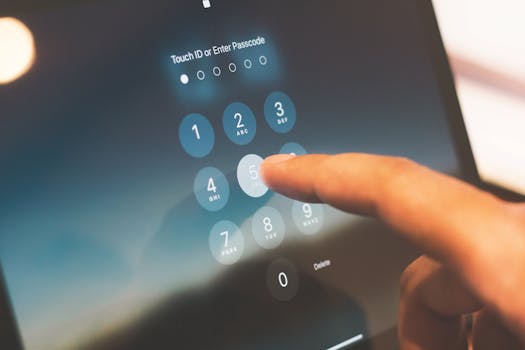 Photo: indra projects / Pexels
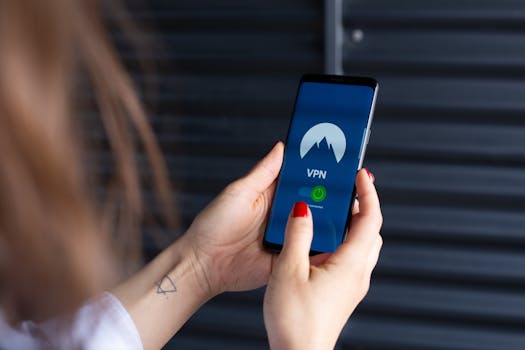 Photo: Stefan Coders / Pexels