How to Choose a Gaming Laptop: Your Ultimate Buying Guide

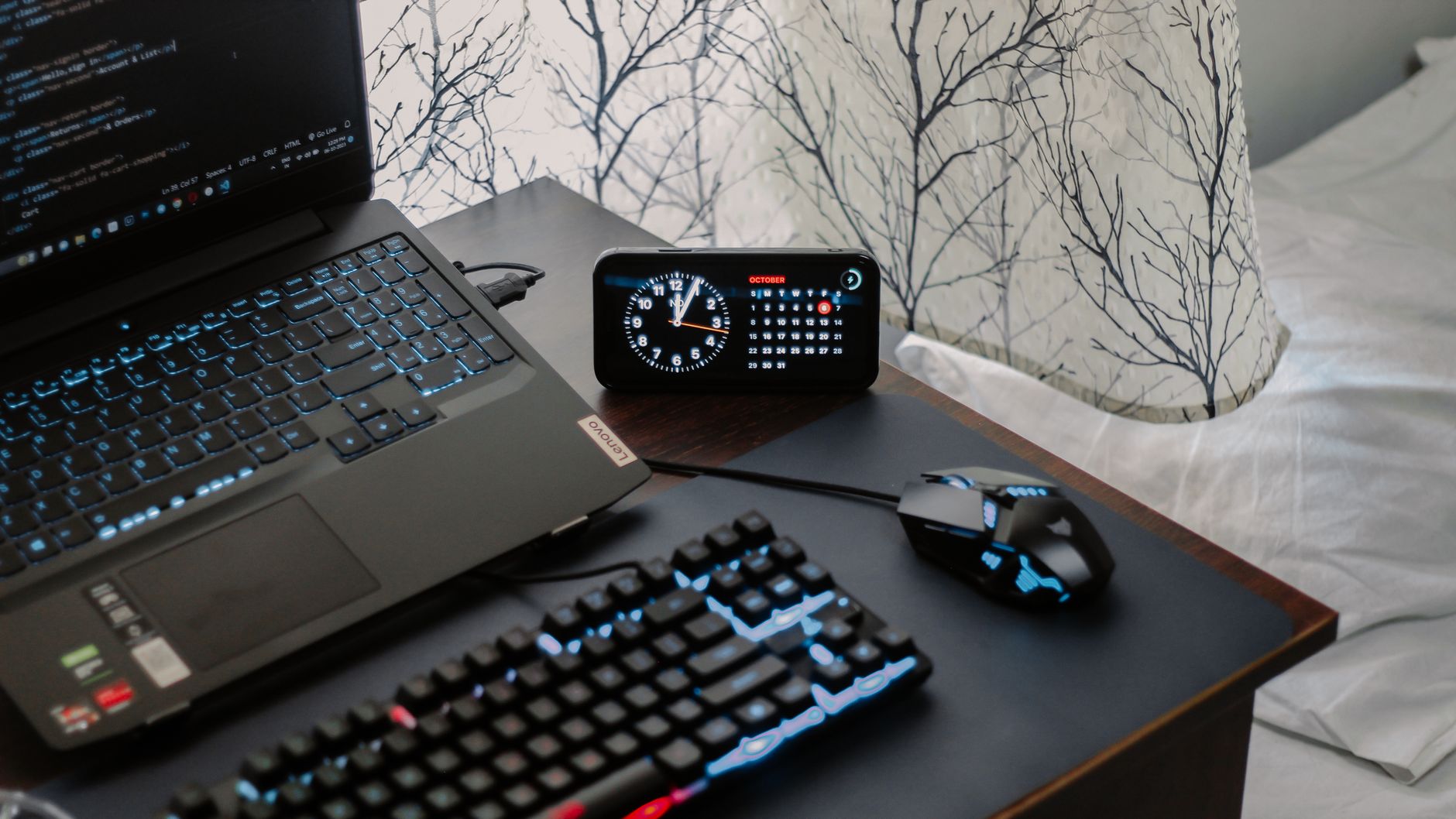
A modern workspace featuring a laptop, digital clock, gaming mouse, and keyboard, ideal for work and tech enthusiasts.Photo: Arjunn. la / Pexels

How to Choose a Gaming Laptop: Your Ultimate Buying Guide

Unlock peak gaming performance and portability by making an informed decision on your next gaming laptop.

Find Your Perfect Rig

Key Takeaways

  • ✓ GPU is the most critical component for gaming performance.
  • ✓ CPU, RAM, and Storage balance performance and budget.
  • ✓ Display features (refresh rate, resolution) significantly impact experience.
  • ✓ Cooling system quality determines sustained performance and longevity.

How It Works

1
Define Your Budget & Priorities

Determine how much you're willing to spend and what games you primarily play. This helps narrow down component choices and features.

2
Research Core Components

Focus on the GPU, CPU, RAM, and storage. Understand how each impacts gaming performance and overall system responsiveness.

3
Evaluate Display & Ergonomics

Consider screen size, resolution, refresh rate, and panel type. Also, assess keyboard quality, trackpad, and overall build for comfort.

4
Read Reviews & Compare Models

Consult expert reviews and user feedback for specific models. Compare specifications and real-world performance before making a final decision.

Understanding Core Components: The Heart of Your Gaming Machine
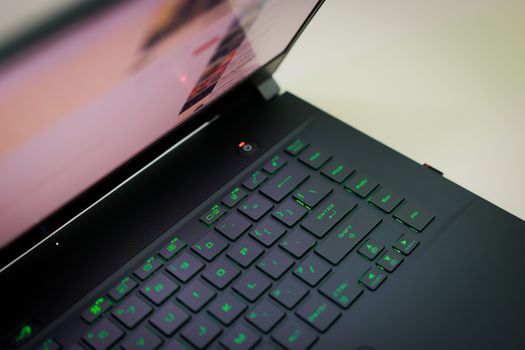
A sleek laptop with a glowing green keyboard illuminated, showcasing modern technology.Photo: Foysal Ahmed / Pexels
When you're trying to figure out how to choose a gaming laptop, the internal components are paramount. These are the workhorses that will dictate your gaming experience, from frame rates to load times. It's not just about having the latest and greatest; it's about finding the right balance for your specific needs and budget. Let's break down the most critical components: **Graphics Processing Unit (GPU): The Gaming Powerhouse** The GPU is, without a doubt, the single most important component for gaming performance. It's responsible for rendering all the visuals on your screen, from intricate character models to vast open worlds. For gaming laptops, you'll primarily be looking at NVIDIA's GeForce RTX series (e.g., RTX 3050, 3060, 3070, 3080, 4050, 4060, 4070, 4080, 4090) or AMD's Radeon RX series (e.g., RX 6600M, 6700M, 6800M, 7600M, 7700M, 7800M). A higher-tier GPU means better frame rates, the ability to play at higher resolutions, and smoother gameplay with more demanding graphics settings. For casual gamers, an RTX 3050 or 4050 might suffice, but for competitive or graphically intense titles, an RTX 4060 or higher is often recommended. Pay close attention to the TGP (Total Graphics Power) of the GPU, as two laptops with the same GPU model can perform differently if one has a higher TGP, indicating it's receiving more power and thus performing better. **Central Processing Unit (CPU): The Brain of the Operation** While the GPU handles graphics, the CPU manages everything else: game logic, AI, physics, and general system operations. Modern gaming laptops typically feature Intel Core i7 or i9 processors (e.g., 12th, 13th, or 14th Gen) or AMD Ryzen 7 or 9 processors (e.g., 6000, 7000, or 8000 series). For most gaming scenarios, a mid-to-high-tier i7 or Ryzen 7 is more than sufficient. While a powerful CPU is important, it's less critical than the GPU for raw gaming frame rates. However, a good CPU will prevent bottlenecks, especially in CPU-intensive games or if you plan to multitask, stream, or do content creation alongside gaming. Aim for a CPU that complements your chosen GPU; an overpowered CPU paired with an underpowered GPU is an imbalanced system. **Random Access Memory (RAM): The Short-Term Memory** RAM is where your system temporarily stores data that the CPU needs to access quickly. For gaming, 16GB of DDR4 or, increasingly, DDR5 RAM is the sweet spot. While 8GB might be enough for older titles, it will quickly become a bottleneck for modern games and multitasking. 32GB is overkill for most pure gaming setups but can be beneficial if you're also running complex applications, virtual machines, or heavy video editing. Look for RAM with higher clock speeds (e.g., 3200MHz for DDR4, 4800MHz+ for DDR5) for slightly better performance. Most gaming laptops allow for RAM upgrades down the line, offering a flexible path to future-proof your investment. **Storage: Speed and Capacity** Gone are the days of slow hard disk drives (HDDs) for gaming. Solid State Drives (SSDs) are now standard, and for good reason. They offer significantly faster load times for games, applications, and the operating system. You'll typically find NVMe PCIe SSDs in modern gaming laptops, which are much faster than older SATA SSDs. A 512GB NVMe SSD is a bare minimum for a gaming laptop, but 1TB is highly recommended as game file sizes continue to grow. If your budget allows, consider a laptop with a 1TB or even 2TB SSD. Some laptops offer dual storage options (e.g., a smaller NVMe for the OS and a larger SATA SSD or even an HDD for games), but pure NVMe is always preferable for speed. For more detailed information on storage types, check out this guide on understanding SSD vs HDD. By prioritizing these core components, you're laying the foundation for a powerful and enjoyable gaming experience. Remember, the goal is not just to buy a gaming laptop, but to buy the *right* gaming laptop for you.

Display, Cooling, and Design: Enhancing Your Gaming Experience
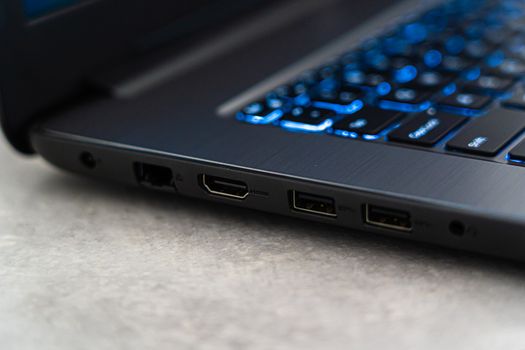
Detailed close-up of a laptop featuring backlit keyboard and various ports highlighting modern technology.Photo: Castorly Stock / Pexels
Beyond the raw power of the internal components, several other factors play a crucial role in how you experience your games and how long your laptop will perform optimally. When considering how to choose a gaming laptop, don't overlook the display, the cooling system, and the overall design and build quality. **The Display: Your Window to the Game World** The display is your primary interface with the game, and its quality significantly impacts immersion and responsiveness. Here's what to look for: * **Size:** Most gaming laptops come in 15.6-inch or 17.3-inch sizes. Larger screens offer more immersion but make the laptop less portable. Smaller 14-inch options exist for extreme portability. * **Resolution:** 1080p (Full HD) is the most common and often the sweet spot for gaming, especially with mid-range GPUs, balancing visual fidelity with frame rates. QHD (1440p) offers sharper images and is excellent if you have a high-end GPU (RTX 4070/RX 7800M or better) that can push high frame rates at this resolution. 4K displays are rare and generally not recommended for gaming on laptops due to the immense GPU power required. * **Refresh Rate:** This is critical for smooth gameplay. A higher refresh rate (e.g., 120Hz, 144Hz, 240Hz, 300Hz, 360Hz) means the screen updates more times per second, resulting in a much smoother and more responsive visual experience, especially in fast-paced games. Aim for at least 120Hz, with 144Hz being a common and excellent choice. * **Response Time:** Measured in milliseconds (ms), this indicates how quickly pixels can change color. Lower is better, with 3ms or 5ms being ideal for gaming to minimize ghosting. * **Panel Type:** IPS (In-Plane Switching) panels are dominant, offering excellent color accuracy and wide viewing angles. OLED panels are appearing in some high-end models, providing unparalleled contrast and vibrant colors, but can be more expensive. **Cooling System: Sustained Performance is Key** Gaming laptops generate a lot of heat, especially during intense sessions. A robust and efficient cooling system is vital to prevent thermal throttling, where components reduce their performance to avoid overheating. Look for laptops with: * **Multiple Fans:** Often two, sometimes three, dedicated to the CPU and GPU. * **Numerous Heat Pipes:** These transfer heat away from the components. * **Large Vents:** For efficient airflow. * **Vapor Chambers:** Found in higher-end models, these offer superior heat dissipation. Research reviews for specific models regarding their cooling performance under sustained load. A laptop that runs too hot will see its performance degrade over time and can shorten its lifespan. **Keyboard and Trackpad: Your Input Devices** While many gamers use external peripherals, the built-in keyboard and trackpad are essential for portability and everyday use. * **Keyboard:** Look for comfortable key travel, tactile feedback, anti-ghosting, and N-key rollover. Per-key RGB lighting is a common feature that adds to the aesthetic. * **Trackpad:** A smooth, responsive trackpad is important, even if you primarily use a gaming mouse. **Build Quality and Design: Durability Meets Aesthetics** Gaming laptops are often robust, but there's a range in build quality. * **Materials:** Aluminum or magnesium alloy chassis offer better durability and a premium feel compared to all-plastic builds. * **Hinge Design:** A sturdy hinge is crucial for longevity. * **Portability:** Consider the weight and thickness if you plan to carry your laptop frequently. * **Aesthetics:** While subjective, gaming laptops range from aggressive, RGB-laden designs to more subtle, professional looks. Choose what suits your style. By carefully evaluating these aspects, you ensure that your gaming laptop not only performs well but also provides an enjoyable and comfortable user experience for years to come. Remember, the best gaming laptop is one that feels right for you in every aspect, not just raw power.

Connectivity, Battery Life, and Audio: Completing the Package

After diving deep into the core components, display, cooling, and design, it's time to round out your understanding of how to choose a gaming laptop by looking at the often-underestimated factors: connectivity, battery life, and audio. These elements significantly impact the overall user experience, both during gaming and for general productivity. **Connectivity: Ports and Wireless Standards** Modern gaming requires robust connectivity options, both wired and wireless. Ensure your chosen laptop has the ports you need for all your peripherals and external displays: * **USB Ports:** Look for a mix of USB-A (for older peripherals) and USB-C. USB-C with Thunderbolt 4 (on Intel systems) or USB4 (on AMD systems) offers incredibly fast data transfer, power delivery, and display output capabilities, making it highly versatile. Having at least three USB ports is a good starting point. * **HDMI/DisplayPort:** Essential for connecting to external monitors or TVs. Ensure the port supports the resolution and refresh rate you intend to use (e.g., HDMI 2.1 for 4K 120Hz). * **Ethernet Port (RJ45):** Crucial for competitive online gaming, providing a stable, low-latency internet connection. While Wi-Fi has improved dramatically, a wired connection is still king for gaming. * **Audio Jack:** A combined headphone/microphone jack is standard, but some premium models might offer separate jacks. * **SD Card Reader:** Useful for photographers or content creators, though not strictly necessary for gaming. Wireless connectivity is equally important. Look for Wi-Fi 6 or Wi-Fi 6E for faster speeds, lower latency, and better performance in crowded network environments. Bluetooth 5.0 or higher is also a must for connecting wireless headphones, controllers, and other accessories. **Battery Life: The Trade-Off for Portability** Let's be realistic: gaming laptops are not known for stellar battery life, especially when actively gaming. The powerful components (GPU, high-refresh-rate display) are power-hungry. Expect anywhere from 1-3 hours of intense gaming on battery, and possibly 4-7 hours for light tasks like web browsing or video playback. If portability and unplugged use are a high priority for you, look for models with larger battery capacities (measured in Watt-hours, Wh) – typically 90Wh or higher. However, always assume you'll need to be plugged in for optimal gaming performance, as most laptops throttle performance when running on battery to conserve power. If you need a laptop for gaming on the go, consider the trade-off between battery life and raw gaming power. For more insights on maximizing battery longevity, read our guide on optimizing laptop battery life. **Audio: Sound Immersion** While serious gamers often use gaming headsets, the built-in speakers and audio processing can still enhance your experience, especially for casual gaming or media consumption. Look for: * **Downward or Front-Firing Speakers:** These tend to offer better sound projection. * **Audio Enhancement Software:** Brands like Nahimic, Dolby Atmos, or DTS:X Ultra can provide virtual surround sound and improved audio clarity. * **Microphone Quality:** If you plan to use the built-in microphone for voice chat, check reviews for its clarity and noise cancellation capabilities. **Webcam:** Often an afterthought in gaming laptops, the webcam quality can vary wildly. If you plan on streaming or video conferencing, check if it's 720p or 1080p and read reviews for its image quality in different lighting conditions. Some high-end models now include Windows Hello IR cameras for facial recognition. By considering these additional features, you ensure that your gaming laptop is not just a powerful gaming rig but also a versatile and enjoyable device for all your computing needs. It's about finding a complete package that aligns with your lifestyle.

Common Mistakes and Smart Tips When Buying a Gaming Laptop

Navigating the world of gaming laptops can be complex, and it's easy to make missteps that lead to buyer's remorse. Understanding how to choose a gaming laptop effectively means not only knowing what to look for but also what to avoid. Here are some common mistakes and smart tips to ensure you make the best purchase: **Common Mistakes to Avoid:** * **Overspending on the CPU, Underspending on the GPU:** As discussed, the GPU is king for gaming. A top-tier CPU won't compensate for a weak GPU. Prioritize your GPU budget first. * **Ignoring Cooling Performance:** A powerful laptop with poor cooling will throttle, leading to worse performance than a slightly less powerful laptop with excellent cooling. Always check reviews specifically for thermal performance. * **Neglecting the Display:** A high-refresh-rate display is a game-changer. Don't settle for a 60Hz panel if you can afford 120Hz or 144Hz. It makes a significant difference in smoothness. * **Underestimating Storage Needs:** Game sizes are growing. 512GB fills up fast. Aim for 1TB NVMe SSD or more if possible to avoid constant game uninstalls. * **Buying for Future-Proofing Too Aggressively:** Technology evolves rapidly. Trying to 'future-proof' by buying the absolute top-tier components often means paying a premium for performance you might not utilize for years, by which time newer, better options exist. Buy for your current and near-future needs. * **Ignoring Portability and Battery Life (if needed):** If you plan to travel or use your laptop unplugged frequently, a massive, heavy laptop with terrible battery life will be a constant frustration. **Smart Tips for a Successful Purchase:** 1. **Set a Realistic Budget:** Before you even start looking, know your absolute maximum spend. This immediately helps narrow down options. 2. **Identify Your Primary Games:** Are you playing demanding AAA titles, competitive esports, or indie games? Your game library dictates the level of GPU and CPU power you truly need. 3. **Watch Video Reviews and Benchmarks:** Text reviews are great, but seeing a laptop's performance in real-time on YouTube or reading detailed benchmark comparisons gives you a much clearer picture. 4. **Consider Refurbished or Last-Gen Models:** You can often get significantly better value by purchasing a refurbished laptop from a reputable vendor or opting for a last-generation model (e.g., an RTX 3070 instead of an RTX 4060) if it offers similar performance for less money. 5. **Check for Upgradeability:** Many gaming laptops allow for easy upgrades of RAM and storage (adding a second SSD or replacing the existing one). This can extend the life and utility of your laptop. If budget is tight, you might buy with 16GB RAM and upgrade to 32GB later. 6. **Don't Forget Peripherals:** Factor in the cost of a good gaming mouse, headset, and possibly an external monitor if you don't already have them. These significantly enhance the gaming experience. 7. **Look for Sales:** Major holidays (Black Friday, Cyber Monday, Prime Day) are excellent times to find deals on gaming laptops. 8. **Read the Fine Print on Warranty:** Understand what's covered and for how long. Gaming laptops are complex machines, and a good warranty provides peace of mind. By keeping these tips and common pitfalls in mind, you'll be much better equipped to make an informed decision and confidently choose a gaming laptop that brings you countless hours of enjoyment.

Comparison

FeatureEntry-Level GamingMid-Range GamingHigh-End Gaming
GPURTX 3050/4050, RX 6600MRTX 4060/4070, RX 7700M/7800MRTX 4080/4090, RX 7900M
CPUIntel i5/Ryzen 5 (latest gen)Intel i7/Ryzen 7 (latest gen)Intel i9/Ryzen 9 (latest gen)
RAM8GB DDR4 (upgrade to 16GB)16GB DDR4/DDR532GB DDR5
Storage512GB NVMe SSD1TB NVMe SSD1TB+ NVMe SSD (Gen 4/5)
Display (Hz)120Hz 1080p144Hz-240Hz 1080p/1440p240Hz+ 1080p/1440p, OLED options
CoolingBasic dual fanEfficient dual fan, heat pipesAdvanced vapor chamber, robust fans

What Our Readers Say

5 ★★★★★

"This guide was a lifesaver! I was so overwhelmed trying to figure out how to choose a gaming laptop, but the breakdown of GPU vs. CPU and refresh rates made it incredibly clear. I finally bought one that perfectly fits my needs and budget."

5 ★★★★★

"As a casual gamer, I didn't want to overspend. This article helped me understand where to compromise without sacrificing too much performance. The tips on display and cooling were especially helpful, leading me to a great value purchase."

5 ★★★★★

"I used this guide to select my first gaming laptop, and the results are fantastic! My new machine runs Cyberpunk 2077 flawlessly on high settings, exactly what I hoped for. Definitely recommend this resource."

4 ★★★★☆

"The information on core components was spot-on. I wish there was a bit more detail on specific brands, but overall, it provided a solid framework for my decision. I feel much more confident with my purchase now."

5 ★★★★★

"For someone who also does video editing, the emphasis on CPU and RAM balance, along with gaming performance, was perfect. This comprehensive guide helped me pick a versatile machine that handles both my work and play effortlessly."

Frequently Asked Questions

What is the single most important component when choosing a gaming laptop?
The Graphics Processing Unit (GPU) is the most crucial component for gaming performance. It directly impacts frame rates, resolution capabilities, and visual quality in games. Prioritizing a powerful GPU within your budget will yield the biggest improvement in your gaming experience.
Is 8GB RAM enough for a gaming laptop?
While 8GB RAM might run some older or less demanding games, it is generally considered the bare minimum and can quickly become a bottleneck for modern AAA titles and multitasking. 16GB RAM is highly recommended for a smooth and future-proof gaming experience, with 32GB being ideal for enthusiasts or content creators.
How important is the display's refresh rate for gaming?
The display's refresh rate is extremely important for gaming. A higher refresh rate (e.g., 120Hz, 144Hz, or higher) provides a significantly smoother and more responsive visual experience, reducing motion blur and making fast-paced games feel much more fluid. It can even offer a competitive advantage in esports titles.
How much should I spend on a gaming laptop?
The cost of a gaming laptop can range from $800 for entry-level models to over $3000 for high-end machines. A good mid-range gaming laptop offering excellent 1080p performance typically falls between $1200 and $2000. Your budget should align with the games you want to play and the level of performance you expect.
Do I really need an SSD for gaming?
Yes, an SSD (Solid State Drive) is virtually essential for modern gaming. It drastically reduces game load times, operating system boot times, and overall system responsiveness compared to traditional hard disk drives (HDDs). NVMe PCIe SSDs offer the best performance, and a 1TB capacity is highly recommended.
Who should buy a gaming laptop instead of a desktop PC?
A gaming laptop is ideal for individuals who prioritize portability, need a powerful machine for both work and play on the go, or have limited space for a desktop setup. While desktops generally offer better performance-to-price and upgradeability, laptops provide the flexibility of gaming anywhere.
Are gaming laptops prone to overheating?
Gaming laptops generate significant heat due to their powerful components packed into a compact chassis. While modern designs include advanced cooling systems, some models can still experience thermal throttling under sustained heavy loads. It's crucial to research a laptop's cooling performance in reviews to avoid overheating issues and ensure longevity.
What is the future trend for gaming laptops?
Future trends for gaming laptops include continued advancements in power efficiency for longer battery life, smaller form factors with improved cooling, wider adoption of AI-powered upscaling technologies (like DLSS and FSR) for enhanced performance, and more widespread integration of high-refresh-rate OLED displays for superior visual quality.

Ready to elevate your gaming experience? Use this comprehensive guide on how to choose a gaming laptop to confidently select the perfect machine that meets all your needs and budget. Start your journey to epic gameplay today!

Topics: how to choose a gaming laptopbest gaming laptopgaming laptop buying guidegaming laptop specsgaming laptop budget
Leo List
Brampton weed
Adultwork