How to Choose a Gaming Monitor: Your Ultimate Guide
how to choose a gaming monitor

How to Choose a Gaming Monitor: Your Ultimate Guide

Navigate the complex world of gaming monitors to find the perfect display that elevates your gameplay and immersion.

Start Your Search

Key Takeaways

  • ✓ Refresh rate (Hz) and response time (ms) are critical for smooth gaming.
  • ✓ Panel type (IPS, VA, TN) affects color accuracy, viewing angles, and speed.
  • ✓ Resolution (1080p, 1440p, 4K) impacts visual fidelity and GPU demands.
  • ✓ Adaptive Sync (FreeSync/G-Sync) eliminates screen tearing for fluid visuals.

How It Works

1
Assess Your Gaming Setup & Goals

Before diving into specs, understand your current PC's capabilities (especially your GPU) and the types of games you play most. This foundational step dictates what monitor specs your system can realistically support and what will truly enhance your experience.

2
Prioritize Key Monitor Specifications

Focus on refresh rate, response time, panel type, and resolution based on your gaming preferences. Competitive gamers will prioritize speed, while story-driven players might value visual fidelity and color accuracy more.

3
Consider Ergonomics & Connectivity

Don't overlook adjustable stands for comfort and the necessary ports (HDMI, DisplayPort) for your devices. A comfortable setup and proper connectivity ensure long-term satisfaction with your chosen display.

4
Set a Realistic Budget & Read Reviews

Determine how much you're willing to spend, keeping in mind that higher performance often comes with a higher price tag. Always cross-reference your choices with professional and user reviews to get real-world insights before purchasing.

Understanding Core Gaming Monitor Specifications
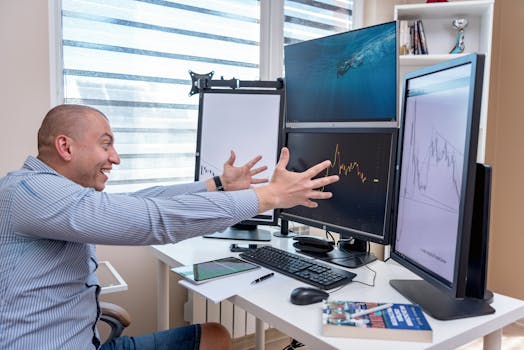
A joyful day trader celebrates a market victory in a modern office setup with multiple monitors displaying stock charts. Photo: AlphaTradeZone / Pexels
When embarking on the journey of how to choose a gaming monitor, the sheer volume of technical specifications can be overwhelming. However, a few core metrics stand out as paramount for gaming performance: refresh rate, response time, and panel type. The refresh rate, measured in Hertz (Hz), indicates how many times per second the monitor can draw a new image. For gaming, higher is almost always better. A standard office monitor typically operates at 60Hz, but gaming monitors often start at 144Hz, with many reaching 240Hz, 360Hz, or even higher. A higher refresh rate translates to smoother motion, making fast-paced games feel more fluid and responsive. This is particularly crucial for competitive multiplayer titles where every millisecond counts. Coupled with refresh rate is response time, measured in milliseconds (ms). This spec refers to the time it takes for a pixel to change from one color to another. A low response time, ideally 1ms (GtG - Grey-to-Grey), minimizes motion blur and ghosting, ensuring that fast-moving objects on screen remain crisp and clear. Without a low response time, a high refresh rate can be somewhat negated by blurry visuals. Next, let's delve into panel types: TN (Twisted Nematic), IPS (In-Plane Switching), and VA (Vertical Alignment). Each has its own set of strengths and weaknesses. TN panels were historically favored by competitive gamers due to their incredibly fast response times and high refresh rates, often reaching 1ms and 240Hz+ at a more affordable price point. However, they suffer from poor color reproduction and narrow viewing angles, meaning colors can look washed out or distorted if you're not looking at the screen head-on. IPS panels offer superior color accuracy and wider viewing angles, making them excellent for visually rich, story-driven games and content creation. While they once lagged in response time and refresh rate, modern IPS panels can now achieve 1ms response times and high refresh rates (144Hz-240Hz+), albeit often at a premium. VA panels strike a balance, offering better contrast ratios and deeper blacks than IPS, with better viewing angles and color than TN. They are great for immersive single-player games, but their response times can sometimes be slower, leading to more ghosting, particularly in darker scenes. Understanding these foundational specs is your first step in learning how to optimize your gaming setup for performance and immersion. Your choice here will significantly impact your visual experience, so carefully consider your priorities: raw speed, color fidelity, or a balanced approach.

Navigating Resolution, Screen Size, and Aspect Ratio
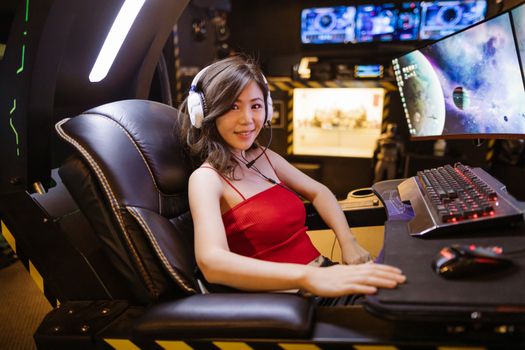
A woman seated at an advanced gaming setup featuring a scorpion gaming chair, multiple monitors, and gaming peripherals. Photo: RDNE Stock project / Pexels
Beyond the core performance metrics, resolution, screen size, and aspect ratio are crucial factors that shape your gaming experience. Resolution refers to the number of pixels displayed on the screen, typically expressed as width x height (e.g., 1920x1080). Common gaming resolutions include 1080p (Full HD), 1440p (Quad HD), and 4K (Ultra HD). Higher resolutions offer sharper images and more screen real estate, making games look incredibly detailed. However, driving higher resolutions demands significantly more power from your graphics card (GPU). A powerful GPU is essential to maintain high frame rates at 1440p or 4K. If your PC struggles to hit consistent frame rates at higher resolutions, the visual benefits can be negated by a choppy experience, making a 1080p monitor a more sensible choice for entry-level or mid-range gaming rigs. Screen size, measured diagonally in inches, often goes hand-in-hand with resolution. A 24-inch monitor is a popular choice for 1080p, offering a good pixel density without being too large for competitive play. For 1440p, 27 inches is often considered the sweet spot, providing ample screen space for the increased resolution. 4K monitors typically range from 27 inches upwards, with larger sizes like 32 inches or more being popular for a truly immersive experience. Choosing the right size also depends on your desk space and viewing distance. Sitting too close to a very large monitor can strain your eyes and make it difficult to take in the entire screen at once. Aspect ratio defines the shape of your screen. The most common is 16:9, which is standard for most content and gaming. However, ultrawide monitors (21:9 or even 32:9) have gained popularity among gamers. Ultrawide displays offer a wider field of view, pulling you deeper into the game world and providing a cinematic experience. This can be particularly advantageous in games that support ultrawide resolutions, offering a broader perspective than standard monitors. However, not all games fully support ultrawide, and some may display black bars on the sides. Additionally, ultrawide monitors demand even more GPU power than a standard 16:9 monitor at the same vertical resolution. Consider your primary game genres and your GPU's capabilities when weighing these options. The interplay between these factors determines the visual grandeur and performance ceiling of your gaming setup.

Adaptive Sync Technologies and Ergonomics
Curved monitor screen showing ChatGPT interface in low-light, focus on technology and AI. Photo: Matheus Bertelli / Pexels
Once you've grasped the fundamental display characteristics, the next critical consideration when learning how to choose a gaming monitor is adaptive sync technology. This innovation revolutionized gaming by eliminating screen tearing and stuttering, two common visual artifacts that detract from immersion and performance. Screen tearing occurs when your graphics card sends frames to your monitor faster or slower than the monitor's refresh rate, resulting in multiple frames being displayed simultaneously on different parts of the screen. Stuttering happens when the frame rate drops significantly, causing a noticeable hitch in motion. Adaptive sync technologies, primarily NVIDIA G-Sync and AMD FreeSync, synchronize the monitor's refresh rate with the GPU's frame rate. This dynamic adjustment ensures that the monitor only displays a new frame when the GPU is ready, leading to incredibly smooth and tear-free gameplay, regardless of fluctuating frame rates. NVIDIA G-Sync requires a proprietary hardware module within the monitor, which often makes G-Sync monitors more expensive. There are also G-Sync Compatible monitors, which are FreeSync monitors certified by NVIDIA to work well with their GPUs, offering a more affordable alternative. AMD FreeSync, on the other hand, is an open standard and does not require a proprietary module, making FreeSync monitors generally more accessible and affordable. Both technologies achieve similar results, so your choice largely depends on whether you have an NVIDIA or AMD graphics card. Ensuring your monitor supports the adaptive sync technology compatible with your GPU is a non-negotiable for a premium gaming experience. Beyond the technical specifications, ergonomics and connectivity play a vital role in your long-term comfort and setup flexibility. An adjustable stand is often overlooked but incredibly important. Look for monitors that offer height adjustment, tilt, swivel, and pivot (for portrait mode). Being able to position your monitor at the optimal height and angle can prevent neck strain and improve overall comfort during extended gaming sessions. VESA mount compatibility is also a plus, allowing you to use aftermarket monitor arms for even greater flexibility. Finally, consider the connectivity options. Most modern gaming monitors will feature DisplayPort (DP) and HDMI inputs. DisplayPort is generally preferred for PC gaming as it supports higher refresh rates and resolutions, especially with the latest DP 1.4 or 2.0 standards. HDMI 2.0 or 2.1 is excellent for consoles and can also support high refresh rates at 1440p or 4K. Ensure the monitor has enough ports for all your devices (PC, console, streaming box, etc.) and that the port versions support the resolutions and refresh rates you intend to use. Some monitors also include USB hubs, which can be incredibly convenient for connecting peripherals directly to your display, simplifying cable management. Thoughtful consideration of these elements ensures that your investment in cutting-edge gaming peripherals is fully realized, not just in performance but also in comfort and practicality.

Top Tips for Choosing Your Gaming Monitor & Common Mistakes to Avoid

Person engaging in virtual reality gaming indoors with controllers. Photo: Anastasia Shuraeva / Pexels
Making the right choice when selecting a gaming monitor can seem daunting, but by focusing on your priorities and avoiding common pitfalls, you can ensure a satisfying purchase. Here are some top tips and mistakes to steer clear of: **Top Tips:** * **Match Monitor to GPU:** This is perhaps the most crucial tip. Your monitor's capabilities should align with your graphics card's power. A high-refresh-rate 4K monitor is wasted on an entry-level GPU that can barely push 60 FPS at 1080p. Conversely, a powerful GPU paired with a 60Hz monitor means you're leaving performance on the table. Aim for a synergy between your display and your graphics card to get the most out of both. * **Define Your Gaming Style:** Are you a competitive esports player who needs every millisecond of advantage, or do you prefer immersive, visually stunning single-player adventures? Competitive players should prioritize high refresh rates (144Hz+) and low response times (1ms), likely with a TN or fast IPS panel. Immersion-focused gamers might favor higher resolution (1440p, 4K), better color accuracy (IPS, VA), and potentially an ultrawide aspect ratio, even if it means slightly lower refresh rates. * **Read Reviews and Watch Videos:** Don't rely solely on manufacturer specifications. Professional reviews and user feedback often highlight real-world performance, common issues, and actual response time/ghosting behavior that spec sheets might not reveal. Look for reviews that specifically test the monitor with games similar to what you play. * **Check Return Policies:** Monitor performance can sometimes vary even within the same model. Be aware of the retailer's return policy in case you encounter dead pixels, excessive backlight bleed, or other issues that might require an exchange. **Common Mistakes to Avoid:** * **Overspending on Unnecessary Features:** Don't pay a premium for features your PC can't utilize or that don't align with your gaming style. For example, a 360Hz monitor is overkill if your GPU can only consistently hit 100 FPS in your favorite games. * **Ignoring Ergonomics:** A beautiful display won't be enjoyable if it causes discomfort. Neglecting an adjustable stand can lead to poor posture and strain during long gaming sessions. * **Forgetting Connectivity:** Ensure the monitor has the correct ports (DisplayPort for PC, HDMI for consoles) and enough of them for all your devices. Check the HDMI/DP version to ensure it supports your desired resolution and refresh rate. * **Blindly Chasing 4K:** While 4K gaming looks stunning, it comes with a significant performance cost. If your budget doesn't allow for a top-tier GPU, you'll likely have to sacrifice frame rates or graphical settings, making 1440p or even 1080p a more enjoyable experience with higher frame rates. * **Not Considering Adaptive Sync:** Skipping FreeSync or G-Sync means you're inviting screen tearing and stuttering into your gaming experience. These technologies are almost standard now and significantly enhance visual fluidity. Always ensure your chosen monitor supports the adaptive sync technology compatible with your GPU. Following these guidelines will greatly simplify the process of how to choose a gaming monitor that truly enhances your setup.

Comparison

FeatureCompetitive Gamer (Esports)Immersive Gamer (RPG/Story)Balanced Gamer (Mix)
Refresh Rate144Hz - 360Hz+60Hz - 144Hz144Hz - 240Hz
Response Time1ms (GtG)4ms - 5ms (GtG)1ms - 4ms (GtG)
Panel TypeTN / Fast IPSIPS / VAFast IPS / VA
Resolution1080p / 1440p1440p / 4K1440p
Adaptive Sync✓ (G-Sync/FreeSync)✓ (G-Sync/FreeSync)✓ (G-Sync/FreeSync)
Ultrawide Option✓ (Optional)

What Readers Say

"This guide was a lifesaver in helping me choose a gaming monitor. I finally understood the difference between IPS and VA panels and how it impacted my RPG games. My new monitor looks incredible!"

Alex R. · Austin, TX

"I was so confused by all the specs, but this article broke down how to choose a gaming monitor perfectly. I went for a 144Hz FreeSync monitor, and my competitive FPS games have never been smoother."

Brenda K. · Seattle, WA

"After reading this, I realized my old monitor was bottlenecking my new GPU. Following the advice on matching my monitor to my graphics card, I upgraded to a 1440p 165Hz display, and my K/D ratio in Valorant immediately improved."

Chris P. · Miami, FL

"The section on ultrawide monitors was really helpful. While I ultimately stuck with a 16:9 for compatibility, the pros and cons were clearly explained, which helped me make an informed decision without regrets."

Dana L. · Denver, CO

"As a casual gamer who also does some graphic design, the emphasis on panel types was crucial. I chose a high-refresh IPS monitor and it's perfect for both my gaming and creative work. Thank you for making how to choose a gaming monitor so clear!"

Ethan M. · Chicago, IL

Frequently Asked Questions

What is the most important spec when choosing a gaming monitor?

While many specs are important, the most crucial for gaming are refresh rate and response time. A high refresh rate (144Hz+) ensures smooth motion, and a low response time (1ms-4ms) minimizes blur and ghosting, directly impacting your gaming experience and performance.

Do I really need a 144Hz monitor for gaming?

For most gamers, especially those playing fast-paced or competitive titles, a 144Hz monitor or higher offers a significantly smoother and more responsive experience than a 60Hz display. Even for casual gaming, the difference in fluidity is noticeable and generally considered a worthwhile upgrade.

How do I know if my PC can handle a higher resolution monitor?

Check your graphics card (GPU) specifications and benchmarks for the games you play. If your GPU struggles to maintain high frame rates at your current resolution, upgrading to a higher resolution monitor like 1440p or 4K will likely worsen performance unless you also upgrade your GPU.

Are gaming monitors expensive?

Gaming monitor prices vary widely based on specs. Entry-level 1080p 144Hz monitors can be found for under $200, while high-end 4K 144Hz+ or ultrawide displays with premium features can cost $500 to over $1000. It's best to set a budget and prioritize features that matter most to your gaming style.

What's the difference between G-Sync and FreeSync?

Both G-Sync (NVIDIA) and FreeSync (AMD) are adaptive sync technologies that eliminate screen tearing and stuttering by synchronizing the monitor's refresh rate with the GPU's frame rate. G-Sync typically requires a dedicated hardware module, making monitors more expensive, while FreeSync is an open standard and generally more affordable. Your choice depends on your GPU brand.

Who should prioritize an ultrawide monitor?

Ultrawide monitors are ideal for gamers seeking a highly immersive, cinematic experience in games that support the wider aspect ratio. They are also great for productivity due to the increased screen real estate. However, competitive esports players might prefer standard 16:9 for optimal FOV and less peripheral distraction.

Can high refresh rates cause eye strain?

Generally, higher refresh rates are easier on the eyes because motion appears smoother and less flickery. However, factors like screen brightness, viewing distance, and individual sensitivity to blue light can still contribute to eye strain, regardless of refresh rate. Many monitors include features like flicker-free backlighting and low blue light modes to help.

What are the future trends in gaming monitors?

Future trends include wider adoption of OLED panels for unparalleled contrast and response times, even higher refresh rates (e.g., 540Hz+), advanced HDR implementation for more vibrant visuals, and increasingly sophisticated AI-powered upscaling technologies to make lower-resolution content look better on high-resolution displays.

Armed with this comprehensive guide, you now have the knowledge to confidently choose a gaming monitor that perfectly matches your setup, budget, and gaming aspirations. Stop guessing and start experiencing gaming at its best – dive in and find your ideal display today.

Topics: how to choose a gaming monitorbest gaming monitorgaming monitor specsmonitor refresh ratemonitor response time
Leo List
Brampton weed
Adultwork EstrelaBet Vai de Bet R7 Bet Betão Galera Bet Rainbet Bet9ja Shop SportyBet BetKing Sisal Loto Foot Hollywoodbets YesPlay Odibets RushBet Jugabet BetWarrior BetCity MSport betPawa Fortebet