How Does Virtual Reality Work? The Ultimate Explainer
how does virtual reality work

How Does Virtual Reality Work? The Ultimate Explainer

Dive deep into the fascinating technology that brings virtual worlds to life, understanding its core principles and components.

Explore VR Now

Key Takeaways

  • ✓ VR creates simulated 3D environments that users can interact with.
  • ✓ Head-mounted displays (HMDs) are the primary interface for VR.
  • ✓ Sensors track user movement, translating it into the virtual world.
  • ✓ Low latency and high refresh rates are crucial for a comfortable VR experience.

How It Works

1
Display and Optics

High-resolution screens inside the headset display two slightly different images, one for each eye. Lenses then bend these images to create a stereoscopic 3D effect, mimicking natural human vision.

2
Tracking and Sensors

Integrated sensors (accelerometers, gyroscopes, magnetometers) within the headset and external cameras track the user's head and body movements. This data is continuously fed to the system, allowing the virtual environment to respond in real-time.

3
Processing and Rendering

A powerful computer or dedicated processor renders the complex 3D virtual world at a very high frame rate. This ensures that when the user moves their head, the virtual scene updates instantly, preventing motion sickness.

4
Input and Interaction

Handheld controllers, often with haptic feedback, allow users to interact with the virtual environment. These controllers are also tracked, enabling actions like picking up objects, navigating, or performing gestures within the VR space.

The Core Components of Virtual Reality Systems
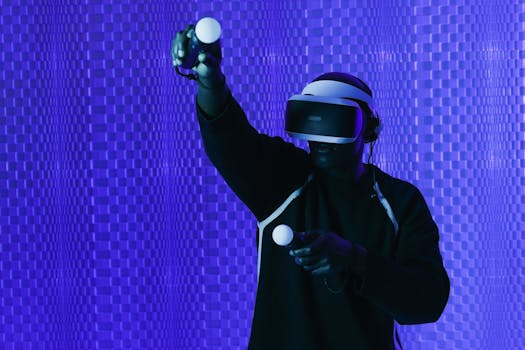
A man engaged in a virtual reality experience wearing VR goggles, holding controllers. Photo: SHVETS production / Pexels
Understanding how virtual reality works begins with dissecting its fundamental components. At its heart, a VR system is a sophisticated blend of hardware and software designed to trick your senses into believing you are in a different place. The most recognizable piece of hardware is the Head-Mounted Display (HMD), often simply called a VR headset. These devices house the crucial elements that deliver the visual and auditory experience. Inside an HMD, you'll find two high-resolution screens, one for each eye, strategically placed to fill your entire field of view. These aren't just ordinary screens; they are often custom-designed with high pixel density and fast refresh rates to minimize the 'screen door effect' – where individual pixels become visible – and reduce motion blur. To transform these flat images into a convincing 3D world, specialized lenses are positioned between your eyes and the screens. These lenses manipulate the light, magnifying the images and ensuring that each eye receives a slightly different perspective of the virtual scene, mimicking how our natural vision perceives depth. This stereoscopic vision is paramount to creating a sense of presence within the virtual environment. Beyond the visual, audio plays an equally critical role in immersion. Most high-quality VR headsets integrate headphones that deliver spatial audio. This means the sound isn't just coming from generic left or right channels; it's positioned within the 3D space, making it sound like a virtual object is truly behind you, above you, or approaching from the side. This auditory feedback significantly enhances the realism and helps ground the user in the virtual world. Furthermore, the processing power required to render these intricate 3D environments in real-time is immense. Whether it's a powerful gaming PC, a dedicated console, or even a smartphone for mobile VR, a robust computing unit is responsible for generating the complex graphics at a consistently high frame rate. Without this raw processing power, the VR experience would suffer from lag and stuttering, quickly breaking the illusion of reality. These core components – displays, optics, audio, and processing – work in concert to create the foundational sensory input that defines virtual reality. To learn more about how VR impacts different sectors, explore our insights on VR applications in various industries.

Tracking, Interaction, and Immersion in VR

A man engaged in a virtual reality experience wearing VR goggles, holding controllers. Photo: SHVETS production / Pexels
The magic of how virtual reality works isn't just about what you see and hear; it's fundamentally about your ability to move and interact within the virtual world. This is where tracking systems come into play. There are various methods for tracking, but they all serve the same purpose: to accurately map your physical movements into the virtual space. Inside-out tracking, common in standalone headsets like the Meta Quest, uses cameras and sensors built directly into the headset to monitor your position relative to your surroundings. These cameras scan the environment, identifying features and calculating your headset's and controllers' precise location and orientation. This allows you to walk around a designated play space, and your virtual avatar will follow your movements in real-time. Outside-in tracking, often seen in PC-tethered systems, uses external sensors or base stations placed in your room. These sensors emit signals (infrared light, for example) that are picked up by receivers on your headset and controllers. By triangulating these signals, the system can pinpoint your exact location and orientation with high precision. Handheld controllers are the primary means of interaction in most VR experiences. These aren't just simple joysticks; they are sophisticated input devices equipped with their own tracking sensors, buttons, triggers, and often haptic feedback motors. When you move your hand in the real world, your virtual hand or tool mirrors that movement, allowing you to pick up virtual objects, manipulate interfaces, or wield virtual weapons. Haptic feedback adds another layer of immersion, providing tactile sensations like vibrations or resistance when you interact with something in the virtual world. For example, feeling a subtle rumble when you fire a virtual weapon or when your hand brushes against a virtual surface significantly enhances the sense of presence. The combination of precise tracking, intuitive controllers, and responsive haptic feedback creates a profound sense of immersion – the feeling that you are truly present within the virtual environment. This immersion is the ultimate goal of VR technology, transforming passive viewing into active participation and making the simulated world feel incredibly real. The continuous evolution of these tracking and interaction methods is key to unlocking even more realistic and intuitive VR experiences.

The Role of Software and Content in Shaping VR Experiences
Close-up of a man wearing virtual reality goggles indoors in a dark setting. Photo: Justin Doherty / Pexels
While hardware provides the foundation, the software is what breathes life into the virtual reality experience and dictates how virtual reality works from a user perspective. At the core, specialized rendering engines are responsible for generating the complex 3D graphics that populate the virtual world. Game engines like Unity and Unreal Engine are widely used for developing VR content, offering robust tools for creating interactive environments, realistic physics, and compelling visual effects. These engines must be optimized for VR, meaning they need to render frames at extremely high rates (typically 90 frames per second or higher) to prevent motion sickness and maintain a smooth, fluid experience. Any significant delay between a user's movement and the corresponding update in the virtual world, known as latency, can quickly break immersion and cause discomfort. Beyond the rendering engine, a sophisticated operating system or runtime environment manages the entire VR ecosystem. This includes handling input from controllers and tracking sensors, processing audio, and ensuring seamless communication between the hardware and the application. This software layer is also responsible for features like guardian systems, which define safe play areas and alert users if they approach physical boundaries, enhancing safety and preventing accidents. The content itself – the games, simulations, educational programs, and virtual tours – is meticulously designed to leverage the unique capabilities of VR. Developers must consider factors like user comfort, navigation methods, and the psychology of presence when creating VR experiences. For instance, designing comfortable locomotion options (e.g., teleportation versus smooth walking) is crucial, as is ensuring that interactions feel natural and intuitive within the 3D space. The quality and variety of content are paramount to the success and adoption of VR. As more developers embrace VR, we see an explosion of innovative experiences, from deeply immersive narrative games to powerful training simulations and collaborative virtual workspaces. These software innovations are continually pushing the boundaries of what's possible in VR, making it more accessible, engaging, and impactful. Exploring the nuances of these developments can help you understand the evolution of immersive technologies.

Tips for an Optimal VR Experience and Common Pitfalls to Avoid
A close-up image of a man wearing a black VR headset against a gray background. Photo: olia danilevich / Pexels
Achieving an optimal virtual reality experience requires more than just having the right hardware; it involves understanding how to set up and use your VR system effectively, and being aware of common pitfalls. Here are some tips to maximize your enjoyment and minimize discomfort: * **Ensure Adequate Play Space:** Clear a safe area free of obstacles. Most VR systems allow you to define a 'guardian' or 'chaperone' boundary; make sure this is accurately set up and respected to prevent accidental collisions with real-world objects. * **Adjust Headset Fit and Lens Spacing:** A properly fitted headset is crucial for both comfort and visual clarity. Adjust the straps so it's snug but not too tight. Equally important is adjusting the Interpupillary Distance (IPD) – the distance between the center of your pupils – to match the lenses. Most headsets have a physical or software IPD adjustment. Incorrect IPD can lead to eye strain and blurriness. * **Start Slowly and Take Breaks:** VR can be intense. If you're new to it, start with shorter sessions (15-30 minutes) and gradually increase duration. Take breaks if you feel any discomfort, dizziness, or motion sickness. Many experiences offer comfort settings, like teleportation locomotion, which can help ease new users into VR. * **Keep Lenses Clean:** Smudges and dust on the lenses can significantly degrade image quality. Use a microfiber cloth specifically designed for optics to gently clean them. Avoid abrasive materials or harsh chemicals. * **Manage Cable Clutter (for wired headsets):** If you're using a PC-tethered headset, manage your cables to prevent tripping hazards. Cable management systems or ceiling pulleys can help keep the cable out of your way. * **Charge Controllers and Headset:** Ensure all your devices are sufficiently charged before starting a session to avoid interruptions. * **Optimize Your PC (for PC VR):** Ensure your graphics drivers are up to date and that your PC meets or exceeds the recommended specifications for your VR headset. Close unnecessary background applications to dedicate maximum resources to your VR experience. **Common Pitfalls to Avoid:** * **Ignoring Motion Sickness:** Pushing through motion sickness can make it worse and create a negative association with VR. Stop immediately if you feel unwell. * **Overlooking Guardian Boundaries:** This is a major safety risk. Always be aware of your physical surroundings, even with guardian systems in place. * **Sharing a Headset Without Cleaning:** For hygiene, always clean the facial interface between users, especially in public or shared environments. * **Expecting Immediate Mastery:** Like any new technology, there's a learning curve. Be patient with yourself as you learn to navigate and interact in virtual worlds. By following these tips and avoiding common mistakes, you can significantly enhance your understanding of how virtual reality works for you personally and ensure a more enjoyable and safer journey into immersive digital worlds.

Comparison

FeatureStandalone VR (e.g., Quest 3)PC VR (e.g., Valve Index)Mobile VR (e.g., Google Cardboard)
Processing PowerIntegrated SoC (Moderate)High-end PC (Very High)Smartphone (Low)
Setup ComplexityEasy (All-in-one)Moderate (PC + base stations)Very Easy (Phone + viewer)
Tracking QualityGood (Inside-out)Excellent (Outside-in)Basic (3DoF Head tracking)
CostMediumHighVery Low
PortabilityHighLowVery High
Graphics FidelityGoodExcellentBasic
Requires PC
Wireless Freedom✗ (mostly)

What Readers Say

"I always wondered how does virtual reality work, and this article broke it down perfectly. The explanation of the lenses and tracking made so much sense, and now I appreciate my VR headset even more!"

Sarah J. · Austin, TX

"As a tech enthusiast, I found this deep dive into how VR works incredibly informative. The section on tracking systems was particularly insightful, highlighting the complex engineering behind seamless movement."

Mark D. · Seattle, WA

"This article clarified so much about how virtual reality works for me. After reading it, I was able to better troubleshoot my headset's IPD settings, leading to a much clearer and more comfortable experience."

Emily R. · Orlando, FL

"A very thorough explanation of how virtual reality works. While I understood the basics, the detailed breakdown of rendering and software optimization was a great addition. Could have used a bit more on future trends, but excellent overall."

David L. · Boston, MA

"Working in education, I'm always looking for ways to explain complex tech. This article on how virtual reality works is a fantastic resource for understanding the underlying principles and potential for learning."

Jessica M. · Denver, CO

Frequently Asked Questions

What is the fundamental principle behind how virtual reality works?

The fundamental principle of virtual reality is to create an immersive, simulated environment that tricks your senses into believing you are physically present in a different place. It achieves this by presenting stereoscopic 3D visuals, spatial audio, and tracking your head and body movements to update the virtual scene in real-time.

Is virtual reality safe for my eyes?

Modern VR headsets are generally considered safe for your eyes when used as directed. They are designed with lenses that focus the screen image to simulate viewing objects at a distance, reducing strain. However, prolonged use without breaks can lead to eye fatigue for some individuals, and it's always recommended to follow manufacturer guidelines and take regular breaks.

How do I prevent motion sickness when using VR?

To prevent motion sickness, start with short VR sessions and gradually increase duration. Choose experiences with 'comfort' settings like teleportation locomotion instead of smooth movement. Ensure your headset is properly fitted and IPD is adjusted. Adequate ventilation and taking ginger can also help. Stop immediately if you feel unwell.

How much does a good virtual reality setup cost?

The cost of a good virtual reality setup varies significantly. Mobile VR can be very cheap (under $50), while standalone headsets like the Meta Quest range from $300-$700. High-end PC VR systems, including a powerful gaming PC and the headset, can cost upwards of $1500-$3000, offering the highest fidelity experience.

How is VR different from Augmented Reality (AR)?

VR and AR both deal with digital experiences, but they differ in how they interact with the real world. VR (Virtual Reality) completely immerses you in a simulated digital environment, blocking out the real world. AR (Augmented Reality) overlays digital information and objects onto your real-world view, enhancing it rather than replacing it.

Who benefits most from understanding how virtual reality works?

Developers, educators, researchers, and anyone considering purchasing or creating content for VR will benefit most. Understanding the underlying mechanisms allows for better content creation, informed purchasing decisions, and a deeper appreciation of the technology's potential and limitations.

Are there any health risks associated with VR technology?

While generally safe, potential health risks include motion sickness, eye strain, disorientation, and in rare cases, seizures (especially for those with pre-existing conditions). Physical risks also exist from colliding with real-world objects if play spaces are not cleared. Adhering to safety guidelines and taking breaks mitigates most risks.

What are the future trends in how virtual reality works?

Future trends include lighter, more comfortable headsets, higher resolution displays with wider fields of view, advanced eye-tracking for foveated rendering, haptic feedback suits for full-body immersion, and greater integration with AI for more dynamic and responsive virtual environments. Wireless PC VR and more powerful standalone devices are also key trends.

Now that you have a comprehensive understanding of how virtual reality works, from its intricate hardware to its sophisticated software, you're ready to explore its vast potential. Dive into immersive worlds, learn new skills, or connect with others in ways previously unimaginable. The future of interaction is here, and you're equipped to experience it.

Topics: how does virtual reality workVR technology explainedvirtual reality componentsVR immersionfuture of VR
Leo List
Brampton weed
Adultwork