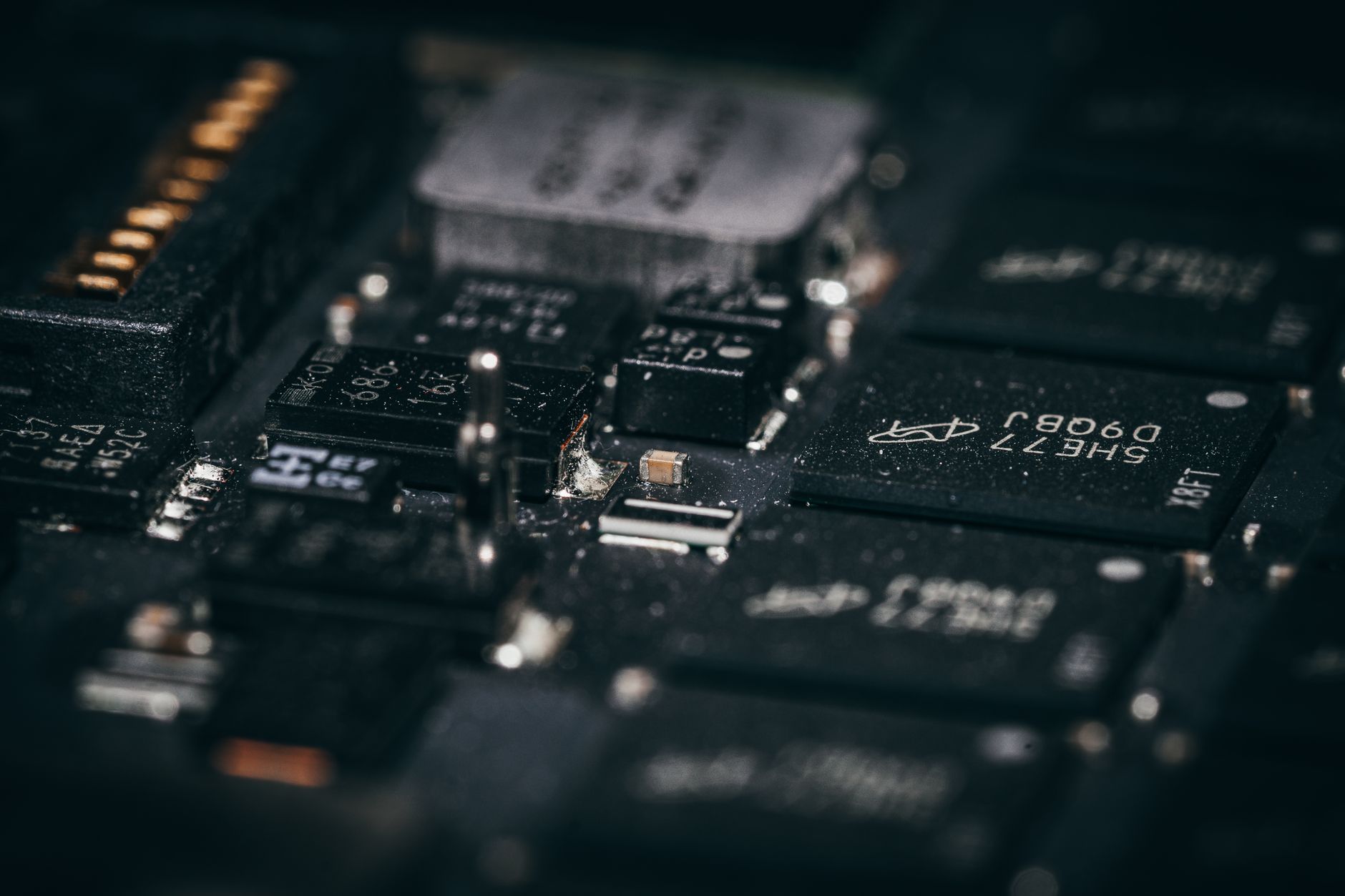
The Core Difference Between CPU and GPU Explained
difference between cpu and gpu

The Core Difference Between CPU and GPU Explained

Unlock the distinct roles of CPUs and GPUs in modern computing, from everyday tasks to cutting-edge AI and graphics.

Dive Deeper Now

Key Takeaways

  • ✓ CPUs are optimized for sequential processing of complex tasks.
  • ✓ GPUs excel at parallel processing of many simple tasks simultaneously.
  • ✓ CPUs have fewer, more powerful cores; GPUs have thousands of smaller, specialized cores.
  • ✓ The GPU was originally designed for graphics rendering but now powers AI, scientific computing, and more.

How It Works

1
CPU: The Master Orchestrator

The CPU (Central Processing Unit) acts as the brain of your computer, handling most general-purpose tasks. It executes instructions, manages data flow, and performs calculations for everything from operating system functions to running applications.

2
GPU: The Parallel Powerhouse

The GPU (Graphics Processing Unit) is designed for highly parallel computations, making it incredibly efficient at processing large blocks of data simultaneously. This architecture is perfect for rendering graphics, video processing, and complex mathematical operations.

3
Architectural Divergence

The key difference lies in their core design: CPUs have a few powerful cores optimized for complex, sequential tasks, while GPUs have hundreds to thousands of smaller, simpler cores built for concurrent operations. This specialization dictates their ideal use cases.

4
Complementary Roles

Rather than being competitors, CPUs and GPUs work in tandem. The CPU manages the overall system and delegates suitable parallelizable tasks to the GPU, creating a powerful computing synergy that drives modern technology.

Understanding the Central Processing Unit (CPU) Architecture
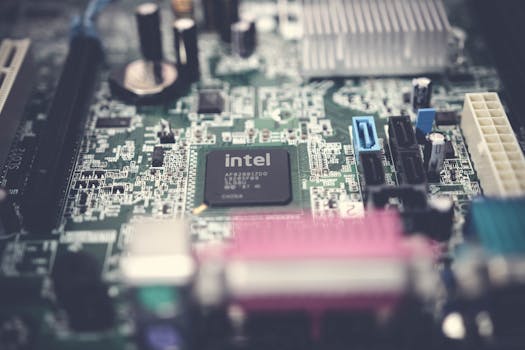
Detailed image of a computer motherboard highlighting an Intel chip with surrounding components. Photo: Pok Rie / Pexels
At the heart of every computer lies the Central Processing Unit, or CPU. Often referred to as the 'brain' of the computer, the CPU is a general-purpose processor designed to handle a wide variety of tasks. Its architecture is characterized by a relatively small number of powerful cores, each optimized for sequential processing. Think of a CPU core as a highly skilled individual capable of performing very complex calculations and managing intricate logic. When a CPU tackles a task, it typically processes instructions one after another, focusing on depth and complexity rather than sheer volume. This sequential nature is crucial for tasks that require precise control flow, conditional branching, and complex decision-making, such as running the operating system, executing application logic, and managing input/output operations. Each core within a CPU is equipped with significant cache memory, which allows for rapid access to frequently used data and instructions, minimizing latency. Furthermore, CPUs often incorporate advanced features like branch prediction, out-of-order execution, and hyper-threading (or simultaneous multithreading), which further enhance their efficiency in handling single-threaded or moderately parallelized workloads. The CPU's strength lies in its versatility and its ability to switch contexts rapidly, making it adept at managing the diverse demands of a modern computing environment. From browsing the web to running productivity software, the CPU orchestrates nearly every operation, ensuring that data is processed accurately and efficiently. While modern CPUs do feature multiple cores, enabling some degree of parallel processing, their fundamental design prioritizes the robust execution of individual, complex instruction streams. This makes them indispensable for tasks that cannot be easily broken down into many independent, simple operations. Understanding the CPU's role as the primary workhorse for general computation is the first step in appreciating the intricate design of computing hardware and how it impacts overall system performance. Without a powerful CPU, even the most advanced GPU would struggle to receive and process instructions effectively, highlighting their interdependent relationship.

The Graphics Processing Unit (GPU): A Parallel Powerhouse
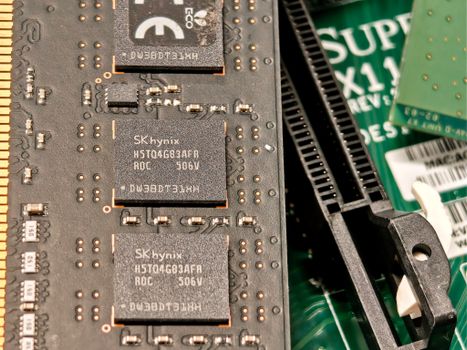
Detailed view of integrated circuits and RAM on a computer motherboard, showing electronic components. Photo: Adriano Ponte Abreu / Pexels
In stark contrast to the CPU's design, the Graphics Processing Unit (GPU) is a specialized processor built for massive parallel computations. While CPUs have a few powerful, general-purpose cores, GPUs boast hundreds, or even thousands, of smaller, simpler arithmetic logic units (ALUs) or processing cores. Imagine a GPU as an army of specialized workers, each capable of performing a relatively simple task, but doing so simultaneously across vast datasets. This architecture is perfectly suited for tasks that involve repetitive operations on large amounts of data, where the same operation needs to be applied to many different pieces of information at once. Originally, GPUs were developed to accelerate the rendering of 3D graphics. Each pixel on a screen needs to be calculated, textured, and shaded, and these calculations can often be performed independently for different pixels. This inherently parallel nature of graphics rendering made the GPU an ideal candidate. Over time, it became apparent that this parallel processing capability could be leveraged for other computationally intensive tasks beyond graphics. Today, GPUs are at the forefront of fields like artificial intelligence (AI) and machine learning (ML), where training neural networks involves performing millions or billions of matrix multiplications and additions simultaneously. They are also crucial for scientific simulations, cryptocurrency mining, video editing, and complex data analysis. The strength of the GPU lies in its ability to handle throughput—the sheer volume of data it can process concurrently. While an individual GPU core might not be as powerful or versatile as a single CPU core, the collective power of thousands of these simpler cores working in unison far surpasses the CPU's capacity for highly parallelized workloads. This shift from sequential processing to parallel processing is a fundamental aspect of understanding the GPU's immense impact on modern computing. Its rise has not only revolutionized visual computing but has also enabled breakthroughs in areas that demand immense computational power to process vast datasets efficiently. The evolution of GPU technology continues to push the boundaries of what's possible in computing, driving innovation in diverse scientific and technological domains.

Architectural and Functional Distinctions: CPU vs. GPU Cores
Close-up of NVIDIA GeForce RTX and Intel Core i7 stickers on a laptop surface, showcasing modern technology. Photo: Ruben Boekeloo / Pexels
The fundamental difference between CPU and GPU lies in their core philosophies and, consequently, their architectures. A CPU is designed for low-latency, general-purpose computing. Its cores are complex, featuring sophisticated control units, large caches, and powerful arithmetic logic units. These features allow a CPU core to execute a single, complex instruction very quickly and efficiently, managing data dependencies and branching logic with precision. This makes CPUs excellent at tasks where quick individual instruction execution and intricate decision-making are paramount, such as running an operating system, handling database queries, or performing complex scientific calculations that are not easily parallelized. In essence, a CPU core is a jack-of-all-trades, capable of intelligently tackling any computational problem thrown its way, albeit one at a time or in a few concurrent streams. On the other hand, a GPU is built for high-throughput, specialized parallel computing. Its architecture consists of hundreds to thousands of smaller, simpler cores, often referred to as stream processors or CUDA cores (for NVIDIA GPUs). These cores are less sophisticated individually, with smaller caches and simpler control logic. Their strength comes from their sheer number and their ability to execute the same instruction on many different data elements simultaneously. This 'single instruction, multiple data' (SIMD) approach is incredibly efficient for tasks where the same operation needs to be performed repeatedly on large datasets. Think of image processing: applying a filter to an image means performing the same mathematical operation on millions of pixels. A GPU can do this for many pixels at once, whereas a CPU would process them sequentially or in small batches. This distinction extends beyond just the cores to the entire chip design, including memory subsystems and communication pathways. GPUs typically have very high-bandwidth memory (like GDDR6 or HBM) to feed their thousands of cores with data quickly, whereas CPUs rely on lower-latency, but often less voluminous, DDR RAM. The choice between utilizing a CPU or a GPU for a particular task hinges entirely on the nature of the workload. If the task involves complex decision-making, sequential steps, and varied instruction sets, the CPU is the superior choice. If the task can be broken down into many identical, independent operations on large datasets, the GPU will offer vastly superior performance. This symbiotic relationship forms the backbone of modern computing, allowing systems to leverage the strengths of both processors for optimal overall performance. Understanding these architectural nuances is key to appreciating the evolution of computing power and its impact on various industries.

Practical Applications and Future Trends: Leveraging CPU and GPU Strengths
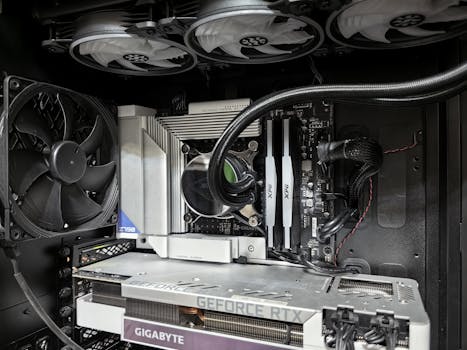
Close-up of a high-performance gaming PC build featuring a Geforce RTX graphics card and complex cooling system. Photo: Andrey Matveev / Pexels
The practical implications of the architectural differences between CPUs and GPUs are vast and continue to evolve. In a typical personal computer, the CPU handles the operating system, runs most applications like word processors and web browsers, and manages overall system resources. When you're typing an email or browsing the internet, your CPU is doing the heavy lifting. However, when you launch a demanding video game, edit a high-resolution video, or train an AI model, the GPU springs into action. These tasks are inherently parallelizable, benefiting immensely from the GPU's ability to process massive amounts of data concurrently. For example, in video games, the GPU renders complex 3D environments, calculates lighting effects, and processes textures at lightning speeds to create a fluid visual experience. In scientific research, GPUs are accelerating simulations of molecular dynamics, weather patterns, and astrophysics, enabling breakthroughs that would take traditional CPUs exponentially longer to achieve. The rise of artificial intelligence has particularly highlighted the GPU's capabilities. Training deep neural networks involves billions of calculations that are perfect for GPU acceleration. This has led to the development of specialized AI chips, often based on GPU principles, designed to further optimize AI workloads. Looking ahead, the lines between CPU and GPU are becoming increasingly blurred. We are seeing more heterogeneous computing architectures where CPUs and GPUs are integrated more tightly, sometimes even on the same chip (known as Accelerated Processing Units or APUs). This integration aims to reduce latency and improve data transfer speeds between the two processors, allowing them to work even more seamlessly together. Furthermore, the concept of domain-specific architectures is gaining traction, where processors are custom-designed for particular tasks, taking lessons from both CPU versatility and GPU parallelism. The future likely holds even more specialized hardware, but the core principles of sequential processing for general tasks and parallel processing for data-intensive tasks will remain fundamental. Understanding when to leverage each type of processor is critical for optimizing performance in various applications, from consumer electronics to supercomputing. As technology advances, the collaboration between CPU and GPU will continue to drive innovation across virtually every sector of the digital world. **Tips for Optimizing CPU and GPU Usage:** * **For Gaming:** Always ensure your GPU drivers are up to date. Adjust in-game settings to balance visual quality with frame rate, often prioritizing GPU-intensive settings like resolution and anti-aliasing. * **For Content Creation (Video Editing/3D Rendering):** Many professional applications can leverage GPU acceleration for rendering, encoding, and effects. Check your software's settings to enable GPU processing for faster workflows. Ensure you have sufficient VRAM on your GPU. * **For AI/Machine Learning:** Use frameworks like TensorFlow or PyTorch, which are highly optimized for GPU acceleration. Invest in GPUs with high CUDA core counts and ample VRAM for serious AI development. * **For General Productivity:** A powerful CPU is paramount for smooth multitasking and quick application loading. While a dedicated GPU isn't always necessary, integrated graphics are often sufficient. * **Monitoring:** Utilize tools like Task Manager (Windows) or Activity Monitor (macOS), or third-party utilities, to monitor CPU and GPU utilization. This helps identify bottlenecks and understand which component is under load during specific tasks.

Comparison

FeatureCPU (Central Processing Unit)GPU (Graphics Processing Unit)
Primary RoleGeneral-purpose computing, sequential tasksSpecialized parallel processing, data-intensive tasks
Core CountFew (2-64), powerful, complex coresMany (hundreds to thousands), simpler, smaller cores
OptimizationLow-latency, single-thread performanceHigh-throughput, massive parallelism
Memory TypeDDR SDRAM (System RAM)GDDR SDRAM (Dedicated VRAM), HBM
Typical TasksOS, applications, web browsing, databasesGraphics rendering, AI/ML, scientific simulations, video editing
Design PhilosophyVersatility, complex decision-makingEfficiency for repetitive, concurrent operations
InterdependenceOrchestrates system, delegates tasksExecutes parallel tasks delegated by CPU

What Readers Say

"Before reading this, I thought CPU and GPU were almost interchangeable. Now I clearly understand that the difference between CPU and GPU is about sequential vs. parallel processing, which totally explains why my gaming performance improved so much with a dedicated graphics card."

Alex P. · Seattle, WA

"This article was incredibly helpful in distinguishing the roles of these two critical components. I'm building a PC for video editing, and knowing the GPU handles rendering and the CPU handles project management helps me prioritize my budget effectively."

Maria S. · Austin, TX

"The breakdown of core architecture in the difference between CPU and GPU section really clicked for me. My AI models are training significantly faster now that I understand how to offload tasks properly to my GPU, resulting in a 3x speedup."

Ben T. · Chicago, IL

"I appreciate the detailed explanation. While I mostly use my computer for work, understanding the fundamental difference between CPU and GPU has given me a better grasp of why certain applications run faster than others. A little more on integrated graphics might have been nice, but still excellent."

Chloe L. · Denver, CO

"As a game developer, the distinction between CPU for game logic and GPU for rendering is paramount. This article articulates the difference between CPU and GPU perfectly, highlighting why both are indispensable for creating immersive experiences."

David K. · New York, NY

Frequently Asked Questions

What is the primary difference between CPU and GPU in simple terms?

The primary difference is their specialization: A CPU (Central Processing Unit) is like a general manager, handling a few complex tasks sequentially. A GPU (Graphics Processing Unit) is like a large team of specialized workers, performing many simple tasks simultaneously and in parallel. This makes CPUs better for versatile, sequential operations and GPUs better for highly parallel, data-intensive computations.

Do I need both a CPU and a GPU in my computer?

Yes, almost always. Every computer needs a CPU to function as the primary brain, running the operating system and general applications. Many modern CPUs have integrated GPUs, which are sufficient for basic display and light tasks. However, for gaming, professional content creation, or AI, a dedicated GPU is essential to handle the heavy graphical and parallel processing workloads.

How can I tell if my CPU or GPU is the bottleneck for a specific task?

You can use system monitoring tools (like Task Manager on Windows, Activity Monitor on macOS, or third-party software like MSI Afterburner). Observe the utilization percentages of your CPU and GPU during the task. If one is consistently at 90-100% while the other is much lower, the highly utilized component is likely the bottleneck.

Is a more expensive CPU always better than a more expensive GPU, or vice versa?

Not necessarily. The 'better' component depends entirely on your primary use case. For tasks like gaming, 3D rendering, or AI, investing more in a powerful GPU will yield greater performance improvements. For general productivity, video editing, or CPU-bound simulations, a higher-end CPU might be more beneficial. A balanced system is often ideal.

How do integrated graphics compare to a dedicated GPU?

Integrated graphics (iGPUs) are GPUs built directly into the CPU chip. They share system RAM and are designed for basic display output, web browsing, and light multimedia tasks. Dedicated GPUs are separate, more powerful cards with their own high-speed memory (VRAM), offering significantly superior performance for demanding graphics, gaming, and parallel computing workloads.

Who should prioritize CPU power over GPU power, and vice versa?

Users primarily focused on tasks requiring strong single-core performance, complex multitasking, or running CPU-bound simulations (e.g., software developers, financial analysts, some scientific researchers) should prioritize CPU power. Gamers, video editors, 3D artists, and AI/machine learning engineers should prioritize GPU power due to their need for massive parallel processing capabilities.

Are there any risks associated with an imbalanced CPU/GPU setup?

An imbalanced setup can lead to a 'bottleneck,' where one component is so much slower or faster than the other that it limits the overall system performance. For instance, a very powerful GPU paired with a weak CPU might mean the GPU isn't fully utilized because the CPU can't feed it data fast enough. This isn't a 'risk' in terms of damage, but it means you're not getting the full value from your components.

What are the future trends for CPU and GPU integration?

Future trends point towards tighter integration, with more sophisticated heterogeneous computing architectures where CPUs and GPUs work even more closely. This includes advancements in APUs (Accelerated Processing Units) and specialized accelerators designed for specific workloads like AI. The goal is to maximize efficiency and performance by intelligently distributing tasks to the most suitable processing unit.

Understanding the fundamental difference between CPU and GPU is key to unlocking your computer's full potential. Whether you're building a new system or optimizing an existing one, knowing their unique strengths will help you make informed decisions and get the most out of your technology. Dive deeper into the world of computing and empower your digital life.

Topics: difference between cpu and gpuCPU vs GPUprocessor architecturegraphics processing unitcentral processing unit
Leo List

DK Escorts LU Escorts AT Escorts SE Escorts FI Escorts CH Escorts DE Escorts HR Escorts IE Escorts GR Escorts CZ Escorts NO Escorts BE Escorts FR Escorts SI Escorts IL Escorts NL Escorts PL Escorts HU Escorts ES Escorts IT Escorts PT Escorts SK Escorts RO Escorts ZA Escorts UY Escorts US Escorts UK Escorts NZ Escorts AU Escorts
Brampton weed
Adultwork EstrelaBet Vai de Bet R7 Bet Betão Galera Bet Rainbet Bet9ja Shop SportyBet BetKing Sisal Loto Foot Hollywoodbets YesPlay Odibets RushBet Jugabet BetWarrior BetCity MSport betPawa Fortebet