✓ Resolution: Most top webcams offer 1080p at 60fps, with 4K options emerging as a premium choice.
✓ Low-Light Performance: Crucial for streamers, look for larger sensors and advanced light correction.
✓ Autofocus: Fast and accurate autofocus ensures you stay sharp, even with movement.
✓ Microphone Quality: While dedicated mics are best, good built-in mics offer a solid backup or starter solution.
How It Works
1
Identify Your Streaming Needs
Determine your primary streaming platform (Twitch, YouTube, Zoom), content type, and budget. This helps narrow down suitable webcam features.
2
Compare Key Specifications
Look at resolution, frame rate, field of view, and autofocus capabilities. These technical specs directly impact your video quality and professionalism.
3
Consider Software & Features
Evaluate proprietary software for customization, like background replacement or digital zoom. Some webcams offer AI-powered tracking and enhanced low-light performance.
4
Read Reviews & Test
Check user reviews and watch video tests to see real-world performance. If possible, try before you buy to ensure compatibility and satisfaction with your setup.
Why Your Webcam Choice Defines Your Streaming Success
Photo: RDNE Stock project / Pexels
In the competitive landscape of online content creation, your visual presentation is paramount. A high-quality webcam isn't just an accessory; it's a fundamental tool that directly impacts your audience's perception of your brand and professionalism. In 2024, the expectations for streaming quality have never been higher. Viewers are accustomed to crisp, clear visuals, smooth motion, and consistent performance, regardless of lighting conditions. A grainy, stuttering, or poorly lit video feed can instantly deter potential followers and make it difficult to retain your existing audience. Conversely, a sharp, vibrant, and well-lit image conveys dedication, competence, and a commitment to providing the best possible experience.
Beyond mere aesthetics, the right webcam can significantly enhance your interaction with your audience. Features like fast and accurate autofocus ensure you remain in focus even if you move or lean in, making your reactions and expressions more engaging. A wide field of view can capture more of your environment, allowing for more dynamic backgrounds or showcasing physical products, while a narrower field can create a more intimate, face-to-face feel. Advanced low-light correction is a game-changer for streamers who operate in varied lighting environments or prefer a more atmospheric setup, preventing your video from becoming a blurry, noisy mess. The built-in microphone, though often secondary to a dedicated mic, can serve as a reliable backup or a perfectly adequate primary audio source for casual streamers, provided it offers clear sound capture. Investing in one of the best webcams for streaming 2024 is not just about buying a gadget; it's about investing in your streaming career, your audience engagement, and ultimately, your potential for growth and success. It sets the foundation for your visual brand, making sure that every frame you broadcast contributes positively to your online presence. For more insights into optimizing your streaming setup, consider exploring essential streaming gear that complements a great webcam.
Decoding Key Features: What Makes a Webcam Stand Out for Streaming?
Photo: Mikhail Nilov / Pexels
When sifting through the myriad of webcams available, understanding the key technical specifications and features is crucial for making an informed decision, especially when your goal is high-quality streaming. The first and arguably most important spec is **resolution and frame rate**. While 720p might suffice for basic video calls, serious streamers should aim for at least 1080p at 30 frames per second (fps). However, the gold standard for smooth, fluid motion in 2024 is 1080p at 60fps. This higher frame rate is particularly vital for fast-paced content like gaming or dynamic presentations, as it minimizes motion blur and provides a more immersive viewing experience. For those pushing the boundaries of visual fidelity, 4K resolution webcams (typically at 30fps) are becoming more accessible, offering incredible detail and clarity, though they demand more powerful hardware and higher bandwidth.
**Autofocus capability** is another non-negotiable feature. A webcam with fast, precise autofocus ensures you stay sharp and clear, even if you shift in your seat or move objects within the frame. Manual focus options can be useful for specific static shots but for dynamic streaming, autofocus is king. Closely related is the **field of view (FOV)**, which dictates how much of your surroundings the camera captures. A wider FOV (e.g., 90 degrees) is great for showcasing a larger portion of your background or for group streams, while a narrower FOV (e.g., 60-70 degrees) keeps the focus tightly on you, creating a more intimate feel. Many premium webcams now offer adjustable FOV through software, providing greater flexibility.
**Low-light performance** is often overlooked but incredibly important for streamers, many of whom operate in less-than-ideally lit environments or prefer a moody, atmospheric setup. Look for webcams with larger sensors, advanced light correction technology (like Logitech's RightLight or Razer's Adaptive Light Sensor), and higher apertures (lower f-numbers) which allow more light to reach the sensor, resulting in brighter, less noisy images in dim conditions. Furthermore, the **built-in microphone** quality, while not a replacement for a dedicated XLR or USB microphone, should be considered. Good built-in mics offer clear vocal capture with some noise reduction, making them suitable for starting out or as a reliable backup. Lastly, **software features** like background removal, digital pan/tilt/zoom, and color correction presets can significantly enhance your stream's production value without needing additional hardware. These features often differentiate a good webcam from a great one, providing tools to fine-tune your visual output to perfection. Understanding these features empowers you to select a webcam that not only meets your current needs but also supports your streaming aspirations.
Top Contenders for Best Webcams for Streaming 2024: A Deep Dive
Photo: RDNE Stock project / Pexels
Navigating the crowded market of webcams can be daunting, but in 2024, several models consistently rise to the top for their exceptional streaming capabilities. For the ultimate professional setup, the **Logitech Brio 4K** continues to be a formidable choice. Its ability to capture stunning 4K at 30fps or 1080p at a silky-smooth 60fps makes it ideal for streamers who demand the highest visual fidelity. The Brio excels with its RightLight 3 technology and HDR support, delivering brilliant, well-exposed video even in challenging lighting conditions. Its multiple field-of-view options (65°, 78°, 90°) offer versatility, whether you want a tight headshot or to showcase more of your environment. While its price point is on the higher end, the Brio's robust build quality and advanced features justify the investment for serious content creators.
Another strong contender, especially for those prioritizing 1080p 60fps, is the **Razer Kiyo Pro**. This webcam stands out with its large, high-performance adaptive light sensor, which provides remarkably clear and vibrant video in virtually any lighting, from bright daylight to dimly lit rooms. Its uncompressed 1080p 60fps output ensures incredible detail and fluid motion, making it perfect for dynamic gaming streams or interactive presentations. The Kiyo Pro also features an adjustable field of view, allowing users to switch between 103°, 90°, and 80° for different streaming scenarios. Its wide-angle lens and excellent low-light performance position it as a direct competitor to the Brio, often preferred by those who value superior low-light handling over 4K resolution. For a comprehensive look at setting up your streaming environment, check out our guide on optimizing your home office for streaming.
For streamers looking for a premium experience without necessarily needing 4K, the **Elgato Facecam** is a game-changer. Designed specifically for content creators, it features a studio-quality f/2.4 24mm all-glass prime lens and a cutting-edge Sony STARVIS CMOS sensor. This combination delivers exceptional detail, brilliant colors, and outstanding low-light performance. What truly sets the Facecam apart is its uncompressed 1080p 60fps output directly to your PC, bypassing any internal compression that can degrade video quality. Its accompanying Camera Hub software provides extensive control over exposure, white balance, ISO, and more, allowing for granular adjustments typically found in professional cameras. The fixed focus ensures consistent sharpness, eliminating focus hunting issues, making it a reliable workhorse for dedicated streamers.
Finally, for a more budget-friendly yet highly capable option, the **Logitech C922 Pro Stream Webcam** remains a perennial favorite. Building on the legacy of the C920, the C922 offers 1080p at 30fps or 720p at 60fps, making it a solid choice for aspiring streamers or those with tighter budgets. It features excellent low-light correction and reliable autofocus, delivering consistent image quality. While it lacks the advanced sensors and uncompressed output of its more expensive counterparts, its performance for its price point is outstanding, providing a clear, sharp image that is more than adequate for most streaming needs. Its versatility and widespread compatibility make it an excellent entry point into high-quality streaming without breaking the bank. Each of these webcams caters to different needs and budgets, but all represent the best webcams for streaming 2024, offering significant upgrades to your visual content.
Essential Tips for Maximizing Your Webcam's Performance and Avoiding Common Mistakes
Photo: MART PRODUCTION / Pexels
Even the best webcam can underperform without proper setup and optimization. To truly unlock its potential and elevate your stream, consider these essential tips and avoid common pitfalls.
**1. Lighting is King:** This cannot be stressed enough. No matter how advanced your webcam's low-light correction, good external lighting will always yield superior results. Position soft, diffused light sources (like ring lights or softboxes) directly in front of you, or slightly off-center, to illuminate your face evenly and eliminate harsh shadows. Avoid backlighting, which will silhouette you and make your face appear dark and underexposed. Even a simple desk lamp with a white diffuser can make a significant difference.
**2. Optimize Your Camera Placement:** Your webcam should be positioned at eye level or slightly above, looking down at you. This creates a more flattering angle and makes you appear more engaged and professional. Avoid looking up at your webcam, which can be unflattering. Ensure your webcam is stable and not prone to wobbling, which can be distracting for viewers.
**3. Tweak Software Settings:** Most modern webcams come with proprietary software (e.g., Logitech Capture, Elgato Camera Hub, Razer Synapse). Dive into these settings! You can often adjust white balance, exposure, contrast, saturation, and even apply digital zoom or background removal effects. Experiment to find the settings that best suit your environment and personal aesthetic. Don't rely solely on auto settings; manual adjustments often lead to a more polished look.
**4. Bandwidth and Hardware Considerations:** Streaming high-quality video, especially 1080p 60fps or 4K, demands significant bandwidth and processing power. Ensure your internet connection is robust and stable (preferably wired Ethernet) and that your computer's CPU and GPU can handle the encoding without dropping frames. Laggy streams are a quick way to lose viewers.
**5. Clean Your Lens:** It sounds simple, but a smudged or dusty lens can drastically reduce image clarity. Regularly wipe your webcam lens with a microfiber cloth, just like you would a camera lens.
**Common Mistakes to Avoid:**
* **Poor Audio:** While this guide focuses on video, neglecting audio is a critical error. Even with the best video, poor audio will drive viewers away. Invest in a dedicated microphone if your webcam's built-in mic isn't cutting it.
* **Cluttered Backgrounds:** A messy or distracting background detracts from your content. Keep your background clean, organized, and relevant to your stream. Consider a plain wall, strategic decor, or virtual backgrounds if your webcam supports them.
* **Ignoring Updates:** Keep your webcam drivers and software updated. Manufacturers often release updates that improve performance, add features, or fix bugs.
* **Over-filtering:** While filters and effects can be fun, overdoing them can make your stream look artificial or unprofessional. Use them sparingly and tastefully.
By implementing these tips and avoiding common mistakes, you can ensure that your chosen webcam, one of the best webcams for streaming 2024, delivers its absolute best performance, making your streams more engaging and professional.
Comparison
Feature
Logitech Brio 4K
Razer Kiyo Pro
Elgato Facecam
Logitech C922 Pro Stream
Max Resolution
4K 30fps / 1080p 60fps
1080p 60fps
1080p 60fps
1080p 30fps / 720p 60fps
Low-Light Performance
Excellent (RightLight 3)
Superior (Adaptive Light Sensor)
Excellent (Sony STARVIS CMOS)
Good (RightLight 2)
Field of View (FOV)
Adjustable (65°, 78°, 90°)
Adjustable (103°, 90°, 80°)
Fixed (82°)
Fixed (78°)
Autofocus
✓
✓
✗ (Fixed Focus)
✓
Software Control
Logi Capture
Razer Synapse
Camera Hub
Logi Capture
Price Range (USD)
$150 - $200
$150 - $200
$150 - $200
$70 - $100
What Readers Say
★★★★★
"Upgraded to the Logitech Brio 4K, and the difference in my stream quality is night and day. My viewers immediately noticed the crispness, and the low-light correction is a lifesaver for my evening gaming sessions. Definitely one of the best webcams for streaming 2024."
Alex 'StreamKing' Chen · Los Angeles, CA
★★★★★
"The Razer Kiyo Pro is a beast! The adaptive light sensor makes my face look perfectly lit even with just a single lamp. The 1080p 60fps is incredibly smooth, and it was super easy to set up with my streaming software."
Sarah 'GamingGoddess' Lee · Austin, TX
★★★★★
"After switching to the Elgato Facecam, my YouTube tutorials look so much more professional. The uncompressed video feed and granular control in the Camera Hub software allowed me to match my DSLR's look almost perfectly. Highly recommend for serious creators."
Mark 'TechReviewer' Davis · Seattle, WA
★★★★★
"The Logitech C922 has been a fantastic entry point for my art streams. While it's not 4K, the 1080p is very clear for the price, and the autofocus keeps my hands in focus when I'm demonstrating techniques. Great value for aspiring streamers."
Emily 'CreativeChaos' Rodriguez · Orlando, FL
★★★★★
"For my professional online meetings and occasional webinars, the Logitech Brio 4K has been indispensable. The wide FOV is great for showing my whiteboard, and the clear audio is a bonus. It truly enhances my virtual presence."
David 'BizTalk' Kim · New York, NY
Frequently Asked Questions
What's the most important feature to look for in a streaming webcam?
While many features are important, the combination of high resolution (1080p or 4K) and a high frame rate (60fps) is arguably the most critical. This ensures your video is both sharp and fluid, providing a professional and engaging viewing experience for your audience.
Do I really need a 4K webcam for streaming in 2024?
Not necessarily for everyone. While 4K offers incredible detail, 1080p at 60fps is still the industry standard for smooth, high-quality streams. 4K demands more processing power and bandwidth. A 4K webcam is a premium choice for those who want the absolute best visual fidelity and have the setup to support it.
How do I improve my webcam's picture quality in low light?
The best way to improve low-light performance is by adding external lighting. A ring light, softbox, or even a well-positioned desk lamp can make a huge difference. Additionally, look for webcams with larger sensors and advanced light correction features like those found in the Razer Kiyo Pro or Logitech Brio.
Are expensive webcams worth the investment for a new streamer?
For a brand new streamer, a moderately priced webcam like the Logitech C922 or a good 1080p 60fps option can be an excellent starting point. As your audience grows and your commitment deepens, investing in a premium webcam becomes more justifiable, as it directly impacts your professional image and audience retention.
What's the difference between fixed focus and autofocus webcams?
Autofocus webcams automatically adjust the lens to keep you sharp, even if you move, which is ideal for dynamic streams. Fixed focus webcams maintain a constant focus at a specific distance, meaning you need to stay within that optimal range. Fixed focus can prevent 'focus hunting' but requires less movement from the streamer.
Who should prioritize the Elgato Facecam over other options?
The Elgato Facecam is ideal for streamers who prioritize uncompressed 1080p 60fps video, extensive manual control over image settings, and a studio-grade lens. It's built specifically for content creators who want granular control and consistent, high-fidelity output without the need for 4K.
Can a webcam replace a DSLR or mirrorless camera for streaming?
For most streamers, a high-end webcam can absolutely replace a DSLR or mirrorless camera, offering excellent quality, ease of use, and a smaller footprint. While DSLRs/mirrorless cameras offer superior image quality and lens flexibility, webcams are more convenient and purpose-built for continuous streaming, often at a lower cost and with fewer connectivity hassles.
What future trends should I expect in streaming webcams?
Expect continued advancements in AI-powered features like intelligent framing, advanced background removal without green screens, and even more sophisticated low-light performance. We'll also likely see more integration with streaming software, higher native resolutions and frame rates, and potentially even more compact, modular designs.
Choosing the best webcams for streaming 2024 is a pivotal step in enhancing your content creation journey. By understanding your needs and leveraging our expert recommendations, you can confidently select a webcam that elevates your visual presence and captivates your audience. Invest wisely, stream brilliantly, and watch your community grow.
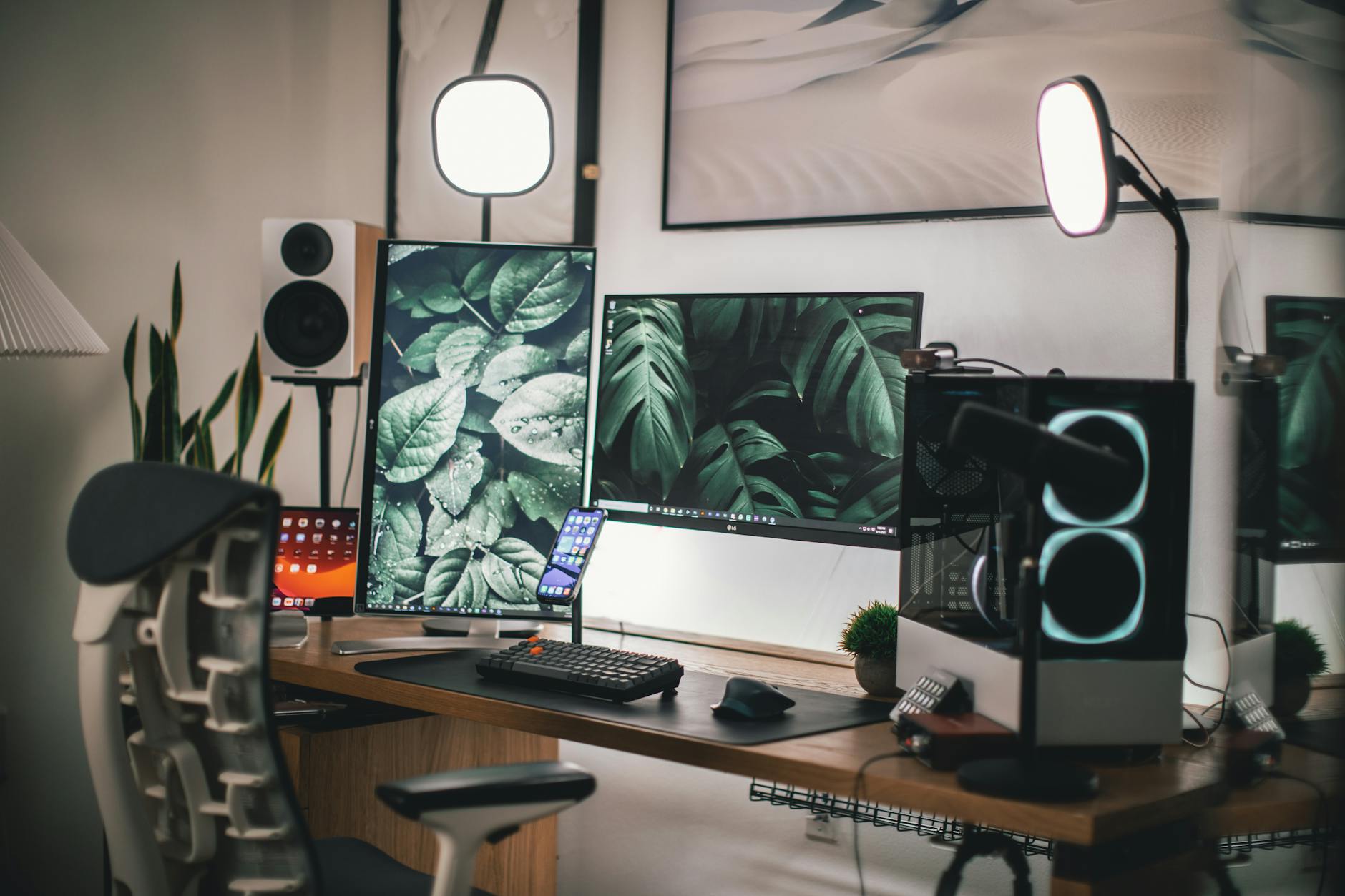
 Photo: RDNE Stock project / Pexels
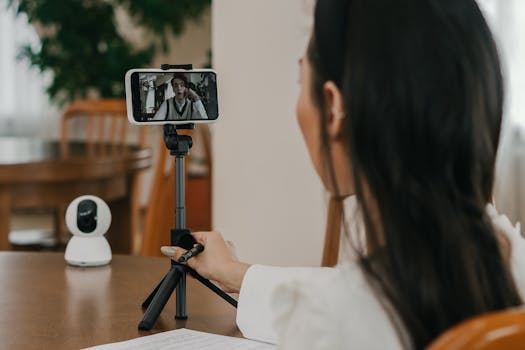 Photo: Mikhail Nilov / Pexels
 Photo: RDNE Stock project / Pexels
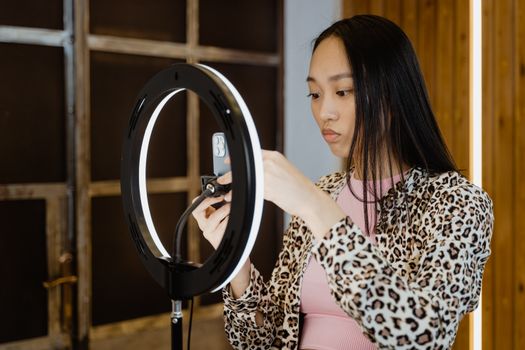 Photo: MART PRODUCTION / Pexels