The best smartwatches for Android users: Your ultimate guide
best smartwatches for android users

The best smartwatches for Android users: Your ultimate guide

Unlock the full potential of your Android device with a smartwatch perfectly tailored to your needs and lifestyle.

Find Your Perfect Match

Key Takeaways

  • ✓ Compatibility is key: ensure your chosen smartwatch works seamlessly with your Android phone's OS version.
  • ✓ Wear OS by Google powers many top Android smartwatches, offering deep integration with Google services.
  • ✓ Battery life varies significantly; consider your usage patterns when making a choice.
  • ✓ Health and fitness tracking features are standard, but accuracy and depth differ across models.

How It Works

1
Identify Your Core Needs

Before diving into models, list what's most important: fitness tracking, notifications, battery life, style, or budget. This helps narrow down the vast options available.

2
Check Compatibility & Ecosystem

Confirm the smartwatch's operating system (e.g., Wear OS, Samsung's One UI Watch) is fully compatible with your Android phone. Consider how well it integrates with your existing apps and services.

3
Evaluate Features & Specifications

Compare key features like display type, processor, RAM, storage, sensors (heart rate, SpO2, ECG), GPS, NFC for payments, and water resistance. Don't overlook design and build quality.

4
Read Reviews & Test Drive (If Possible)

Consult expert reviews and user testimonials for real-world insights into performance, battery life, and user experience. If possible, try on the watch to assess comfort and aesthetics.

Navigating the Android Smartwatch Landscape: What to Look For
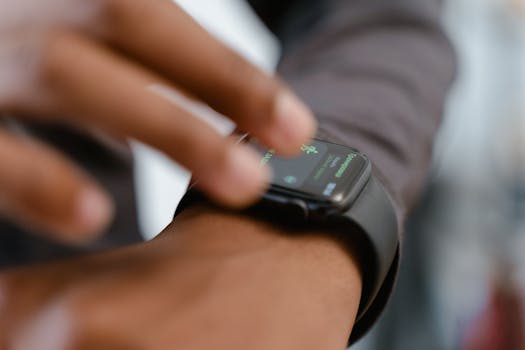
A detailed image showing a person interacting with a smartwatch, highlighting fitness tracking capabilities. Photo: MART PRODUCTION / Pexels
Choosing the best smartwatches for Android users can feel like a daunting task given the sheer volume of options available on the market today. Unlike Apple's singular smartwatch ecosystem, Android users benefit from a diverse range of manufacturers, operating systems, and price points. This diversity, while offering unparalleled choice, also necessitates a clear understanding of what truly matters when making your selection. At its core, a smartwatch for an Android user should extend the functionality of their smartphone to their wrist, providing convenience, enhancing productivity, and often, offering valuable health and fitness insights. The first and most crucial factor is compatibility. While most smartwatches claim Android compatibility, the level of integration can vary significantly. A watch running Google's Wear OS will typically offer the most seamless experience with an Android phone, leveraging Google Assistant, Google Maps, and the Play Store for apps directly from your wrist. However, other manufacturers like Samsung, with their One UI Watch built on Wear OS, also provide excellent, deeply integrated experiences tailored to their own ecosystems. Always double-check the specific Android version requirements for any smartwatch you're considering to avoid disappointment. Beyond basic compatibility, consider the core purpose of your smartwatch. Are you primarily interested in fitness tracking? Then look for advanced sensors like accurate heart rate monitors, SpO2 (blood oxygen) tracking, ECG capabilities, and built-in GPS for run tracking without your phone. Do you need to stay connected and productive? Features like robust notification management, the ability to respond to messages, make calls directly from your wrist, and NFC for contactless payments become paramount. Battery life is another critical differentiator. Some smartwatches offer multi-day battery life, while others require daily charging. Your lifestyle and tolerance for charging frequency will dictate which is more suitable. A watch with always-on display functionality, while convenient, will invariably consume more power. The display itself is also a key component; AMOLED screens offer vibrant colors and deep blacks, making notifications and watch faces pop, often with better outdoor visibility. The processor and RAM influence the watch's responsiveness and ability to handle multiple apps smoothly. A sluggish smartwatch can quickly become more of a nuisance than a convenience. Lastly, don't underestimate the importance of design and comfort. A smartwatch is a personal accessory that you'll wear daily. Consider the size, weight, materials (stainless steel, aluminum, titanium), and the availability of interchangeable bands to match your style. Water resistance is also a practical feature, allowing you to wear your watch during workouts, in the rain, or even while swimming. Understanding these foundational elements will empower you to cut through the noise and identify the best smartwatches that truly align with your needs as an Android user. This comprehensive approach ensures you invest in a device that genuinely enhances your digital life rather than just adding another gadget to your collection.

Top Contenders: A Deep Dive into the Best Smartwatches for Android Users

Bright and modern Google Store entrance with clear glass facade in Mountain View, California. Photo: Abhishek Navlakha / Pexels
When it comes to the best smartwatches for Android users, a few key players consistently rise to the top, offering a blend of performance, features, and ecosystem integration. The Google Pixel Watch series, for instance, represents Google's vision for Wear OS, offering a sleek, minimalist design coupled with deep Fitbit integration for comprehensive health and fitness tracking. Its smooth, pebble-like aesthetic and seamless software experience make it a strong contender for those who prioritize a pure Google experience. The Pixel Watch boasts an excellent AMOLED display, robust health sensors including ECG, and NFC for Google Pay. Its tight integration with Google Assistant and other Google services makes it incredibly convenient for Android users already entrenched in that ecosystem. However, its battery life, while improved in later generations, still tends to be a daily charge affair for many users, and its proprietary band attachment system can limit customization options. Samsung's Galaxy Watch series, particularly the latest iterations like the Galaxy Watch 6 and Watch 6 Classic, are arguably the most popular and feature-rich options for Android users, especially those with Samsung phones. Running on One UI Watch (built on Wear OS), these watches offer an unparalleled level of integration with Samsung's ecosystem, including Samsung Health, SmartThings, and Bixby. The rotating bezel on the Classic models provides a unique and intuitive way to navigate the interface, a feature highly praised by users. Samsung watches are known for their vibrant Super AMOLED displays, extensive health tracking capabilities (including body composition analysis on some models), excellent build quality, and a wide array of customization options through watch faces and third-party bands. They generally offer competitive battery life, often lasting more than a day with moderate use. For Samsung phone owners, the synergy is almost unmatched, providing features like camera remote control and seamless device switching. Even for non-Samsung Android users, the Galaxy Watch series remains a top choice due to its robust feature set and polished user experience. Beyond these two giants, other brands offer compelling alternatives. Mobvoi's TicWatch Pro series, for example, stands out with its innovative dual-layer display technology, which combines a low-power FSTN (Film Compensated Super-Twisted Nematic) LCD with a vibrant AMOLED screen. This unique approach allows for significantly extended battery life, often stretching into several days in 'Essential Mode,' making it ideal for users who prioritize longevity between charges. While perhaps not as aesthetically refined as a Pixel Watch or Galaxy Watch, the TicWatch Pro offers solid Wear OS performance and a comprehensive suite of fitness tracking features. Garmin also offers a range of smartwatches that are Android compatible, though their focus is heavily skewed towards serious fitness enthusiasts and outdoor adventurers. Models like the Venu series offer stunning AMOLED displays and advanced metrics for a multitude of sports, alongside smart features like notifications and contactless payments. While their 'smartwatch' features might not be as deeply integrated with the Android ecosystem as Wear OS devices, their unparalleled GPS accuracy and detailed physiological insights make them a strong choice for a specific user base. Ultimately, the best choice among these top contenders depends on your personal priorities: whether it's seamless Google integration, extensive health tracking, superior battery life, or specialized fitness capabilities.

Beyond the Basics: Advanced Features and Ecosystem Integration for Android Smartwatches
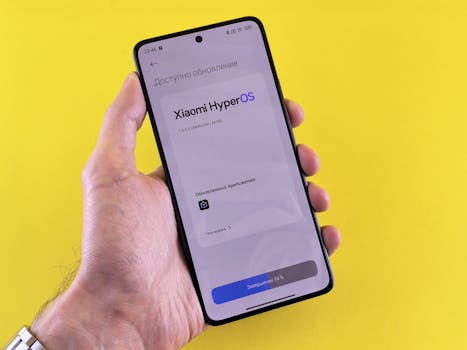
Close-up of a hand holding a smartphone displaying Xiaomi HyperOS update screen on a yellow background. Photo: Andrey Matveev / Pexels
The evolution of smartwatches for Android users has moved far beyond simple notification relays. Today's devices offer a sophisticated array of advanced features and deep ecosystem integrations that can genuinely transform how you interact with your digital world and manage your health. One of the most significant advancements is in health monitoring. Modern Android smartwatches can track a multitude of metrics, including continuous heart rate monitoring, blood oxygen saturation (SpO2), electrocardiogram (ECG) for detecting atrial fibrillation, and even skin temperature. Some models, like the Samsung Galaxy Watch, go further with bioelectrical impedance analysis (BIA) to estimate body composition, offering a more holistic view of your physical well-being. Sleep tracking has also become incredibly detailed, providing insights into sleep stages, disturbances, and overall sleep quality, often accompanied by personalized coaching tips to improve your rest. These health features are not just data points; they are powerful tools that can help users identify potential health issues early, track progress towards fitness goals, and simply live a healthier life. The integration of these health metrics with popular fitness apps and services, such as Google Fit or Samsung Health, allows for a centralized view of your data, making it easier to monitor trends and share with healthcare professionals if needed. Smartwatch technology continues to push boundaries, offering more than just convenience. Another area of significant advancement is in connectivity and communication. Many of the best smartwatches for Android users now offer LTE connectivity, allowing them to function independently of your smartphone for calls, texts, and streaming music. This is incredibly liberating for workouts, outdoor activities, or simply when you want to leave your phone behind. NFC for contactless payments (Google Pay or Samsung Pay) is now a standard feature, turning your wrist into a convenient wallet. Voice assistants like Google Assistant and Bixby are deeply integrated, enabling hands-free control, setting reminders, asking questions, and controlling smart home devices directly from your watch. The app ecosystem for Wear OS has also matured, offering a wide range of third-party applications for navigation, music streaming, productivity, and more, all optimized for the small screen. Customization is also a huge draw; from thousands of watch faces available through the Play Store to a vast array of interchangeable bands made from various materials, Android smartwatches allow for unparalleled personalization to match any style or occasion. The integration with your Android phone's notification system is also highly refined, allowing you to not only view incoming alerts but often respond directly from your wrist using pre-set replies, voice-to-text, or a tiny on-screen keyboard. This seamless flow of information and control between your phone and watch is what truly defines the premium Android smartwatch experience, making these devices indispensable companions for the modern user. The ability to control music playback, remotely trigger your phone's camera, or even locate a misplaced phone are small but significant conveniences that add immense value to the overall user experience.

Maximizing Your Android Smartwatch Experience: Tips and Common Pitfalls
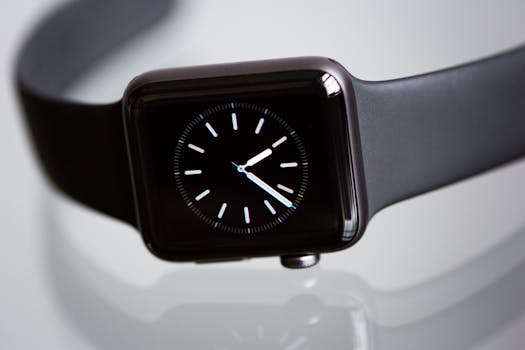
Close-up of an elegant black smartwatch with a minimalist classic dial on a light background. Photo: Torsten Dettlaff / Pexels
Getting the most out of your Android smartwatch involves more than just strapping it on. A few key tips can significantly enhance your daily experience, while awareness of common pitfalls can help you avoid frustration. **Tips for a Superior Experience:** * **Optimize Battery Life:** While some watches offer multi-day battery, most Wear OS devices are daily chargers. To extend life, disable the always-on display, reduce screen brightness, turn off unnecessary notifications, and limit background app refresh. Use Wi-Fi and GPS only when needed. Experiment with different watch faces; animated ones consume more power. * **Customize Notifications:** Don't let your wrist buzz constantly. Go into your watch's settings (or the companion app on your phone) and selectively choose which apps can send notifications to your watch. Prioritize essential alerts to reduce distraction and conserve battery. * **Explore the App Store:** The Google Play Store for Wear OS offers a wide range of apps. Look for apps like Google Maps for navigation, Spotify for offline music, or various fitness trackers that integrate with your preferred health platform. Many apps have watch-specific versions that are more efficient and user-friendly. * **Master Voice Commands:** Google Assistant (or Bixby on Samsung watches) is incredibly powerful. Use it to set timers, send quick replies, check the weather, start workouts, or control smart home devices hands-free. Practice makes perfect, and it's a huge time-saver. * **Personalize Your Watch Face:** Your watch face is your primary interface. Choose one that displays the information most important to you at a glance (e.g., time, date, steps, heart rate, weather). Many watch faces are customizable with 'complications' that show data from various apps. * **Utilize Health Features:** Don't just track; analyze. Regularly review your health data (sleep, heart rate, activity) in the companion app. Use the insights to make informed decisions about your lifestyle and fitness goals. **Common Pitfalls to Avoid:** * **Ignoring Software Updates:** Smartwatch operating systems receive regular updates that bring new features, performance improvements, and crucial bug fixes. Always keep your watch's software up to date for the best experience and security. * **Over-Reliance on LTE:** While convenient, using LTE constantly will drain your battery very quickly. Reserve it for situations where you truly need phone-free connectivity, like a run or a quick trip to the store. * **Poor Fit:** A smartwatch that's too loose or too tight can lead to inaccurate heart rate readings and discomfort. Ensure a snug but comfortable fit, especially during workouts. * **Not Setting Up Payments:** Many users overlook setting up Google Pay or Samsung Pay on their watch. It's a fantastic convenience for quick purchases without needing your phone or wallet. * **Forgetting Water Resistance Ratings:** While many smartwatches are water-resistant, their ratings vary. Understand your watch's specific IP rating or ATM depth rating before swimming or showering with it to prevent damage. * **Expecting Smartphone Performance:** Remember, a smartwatch is a companion device, not a replacement for your phone. While powerful, it's designed for quick interactions and glanceable information, not intensive tasks. Managing these aspects will ensure your Android smartwatch remains a valuable and enjoyable part of your daily routine.

Comparison

FeatureGoogle Pixel Watch 2Samsung Galaxy Watch 6 ClassicMobvoi TicWatch Pro 5
Operating SystemWear OS 4Wear OS 4 (One UI Watch 5)Wear OS 3.5
Display1.2"/1.4" AMOLED1.3"/1.5" Super AMOLED1.43" AMOLED + FSTN
ProcessorSnapdragon W5+ Gen 1Exynos W930Snapdragon W5+ Gen 1
Battery Life24-30 hours (AOD off)Up to 30-40 hours (AOD off)Up to 80 hours (Smart Mode)
Health TrackingHR, SpO2, ECG, cEDA, Skin TempHR, SpO2, ECG, BIA, Skin TempHR, SpO2, Sleep, Stress
NFC PaymentsGoogle PaySamsung Pay / Google PayGoogle Pay
Rotating Bezel✓ (Physical)
Build MaterialAluminumStainless SteelAluminum + High-strength Nylon

What Readers Say

"My Google Pixel Watch 2 is the best smartwatch for Android users, hands down. The Fitbit integration is fantastic for my fitness goals, and it looks incredibly stylish on my wrist. Notifications are seamless, and Google Assistant is super responsive."

Sarah J. · Austin, TX

"As a long-time Samsung user, the Galaxy Watch 6 Classic is perfect. The physical rotating bezel is a game-changer for navigation, and the health tracking features, especially the body composition, are surprisingly accurate. It truly extends my phone's capabilities."

Mark D. · Seattle, WA

"I needed a smartwatch with amazing battery life, and the Mobvoi TicWatch Pro 5 delivered. I can go days without charging, which is incredible. It's robust, tracks my hikes perfectly with GPS, and still gives me all my important notifications."

Emily R. · Denver, CO

"The Pixel Watch 2 is a beautiful device and integrates well with my Android phone. My only minor gripe is the battery life; I wish it lasted a bit longer, but the fast charging helps. Still, it's a solid choice for Android users."

David L. · Chicago, IL

"For my active lifestyle, the Samsung Galaxy Watch 6 is fantastic. I swim regularly, and its water resistance is great. The health tracking keeps me motivated, and I love being able to make payments directly from my wrist at the gym."

Jessica M. · Miami, FL

Frequently Asked Questions

What is the best smartwatch for Android users if I prioritize battery life?

If battery life is your top priority, the Mobvoi TicWatch Pro 5 is an excellent choice, offering up to 80 hours in Smart Mode thanks to its unique dual-layer display technology. Other options like some Garmin Venu models can also provide multi-day battery life, though with a different feature set.

Do all smartwatches work with all Android phones?

While most smartwatches are broadly compatible with Android, the level of integration and specific features can vary. Wear OS watches generally offer the most seamless experience with any Android phone, but Samsung Galaxy Watches provide enhanced features and deeper integration specifically for Samsung phone users. Always check the required Android version.

How do I set up Google Pay on my Android smartwatch?

To set up Google Pay, open the Google Wallet app on your smartwatch (or the companion app on your phone). Follow the on-screen prompts to add a credit or debit card. You may need to verify your card with your bank. Once set up, simply open the Wallet app on your watch and hold it near a contactless payment terminal.

Are Android smartwatches expensive?

The price of Android smartwatches varies widely, from budget-friendly options under $100 to premium models exceeding $400. Factors like brand, features (LTE, ECG, advanced sensors), build materials, and display quality all influence the cost. There are excellent choices at every price point to fit different budgets.

How do Wear OS smartwatches compare to Apple Watches?

Wear OS smartwatches offer greater diversity in design, features, and price points compared to Apple Watches, which are exclusive to iOS. While Apple Watches are known for their deep ecosystem integration and polished experience within the Apple ecosystem, Wear OS provides similar seamless integration for Android users, with the added benefit of choice across multiple manufacturers and styles.

Who should consider buying a smartwatch for their Android phone?

Anyone looking to enhance their smartphone experience, streamline notifications, track fitness and health metrics, or enjoy hands-free convenience for calls and payments should consider an Android smartwatch. It's particularly useful for fitness enthusiasts, busy professionals, and those who want to stay connected without constantly pulling out their phone.

Is my health data private on an Android smartwatch?

Reputable smartwatch manufacturers and health platforms (like Google Fit or Samsung Health) adhere to strict privacy policies and data encryption standards. Your health data is typically stored securely and is accessible only to you, though you can choose to share it with healthcare providers or other apps. Always review the privacy policy of your device and associated apps.

What are the future trends for smartwatches for Android users?

Future trends include even more advanced health sensors (e.g., non-invasive blood glucose monitoring), longer battery life through more efficient processors and display tech, enhanced AI integration for personalized coaching, and deeper integration with augmented reality and smart home ecosystems. Expect more seamless and intuitive interactions.

Choosing among the best smartwatches for Android users means finding the perfect blend of style, functionality, and seamless integration with your digital life. Explore the options, weigh your priorities, and step into a world of enhanced convenience and connectivity. Your ideal Android smartwatch awaits.

Topics: best smartwatches for android usersandroid compatible smartwatcheswear OS watchessamsung galaxy watchgoogle pixel watch
Leo List

DK Escorts LU Escorts AT Escorts SE Escorts FI Escorts CH Escorts DE Escorts HR Escorts IE Escorts GR Escorts CZ Escorts NO Escorts BE Escorts FR Escorts SI Escorts IL Escorts NL Escorts PL Escorts HU Escorts ES Escorts IT Escorts PT Escorts SK Escorts RO Escorts ZA Escorts UY Escorts US Escorts UK Escorts NZ Escorts AU Escorts
Brampton weed
Adultwork EstrelaBet Vai de Bet R7 Bet Betão Galera Bet Rainbet Bet9ja Shop SportyBet BetKing Sisal Loto Foot Hollywoodbets YesPlay Odibets RushBet Jugabet BetWarrior BetCity MSport betPawa Fortebet