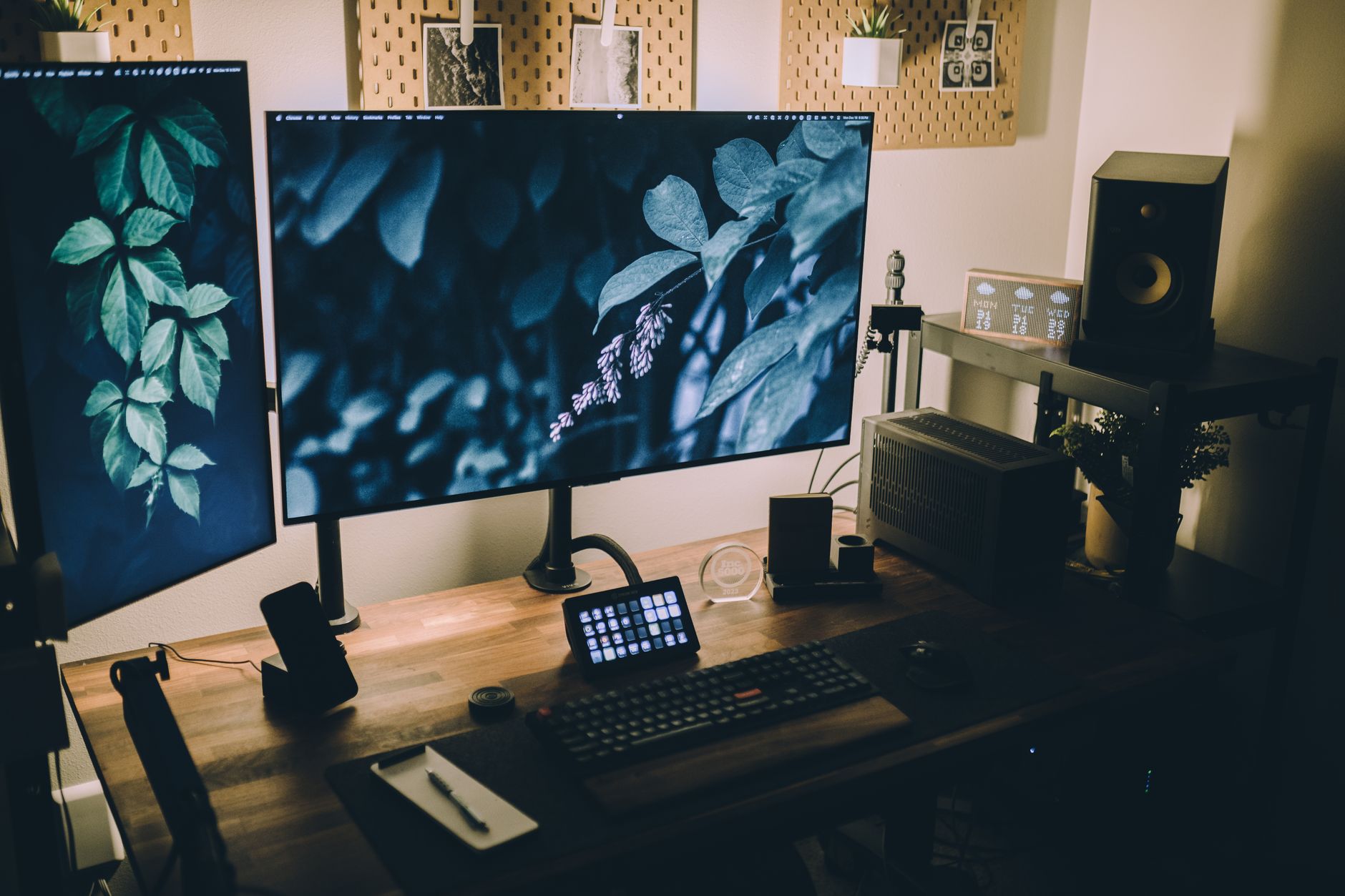
Unleash Creativity: Affordable 4K Monitors for Graphic Design
Elevate your design work with stunning visual clarity and precise color, even on a budget.
Find Your Perfect MonitorKey Takeaways
- ✓ 4K resolution offers four times the pixels of 1080p, providing immense detail.
- ✓ Affordable 4K monitors now offer excellent color accuracy and panel quality.
- ✓ Look for features like IPS panels, sRGB/DCI-P3 coverage, and factory calibration.
- ✓ A larger screen size (27-32 inches) is ideal for maximizing 4K's workspace benefits.
How It Works
Before diving in, understand what specific design tasks you'll perform and set a realistic budget range. This helps narrow down suitable options efficiently.
Focus on panel type (IPS), color gamut (sRGB, DCI-P3), connectivity (DisplayPort, HDMI 2.0), and ergonomic adjustments. These are crucial for graphic design.
Read reviews from reputable tech sites and other designers, paying attention to color accuracy tests and user experiences. Compare specifications side-by-side.
Once you purchase, use a hardware calibrator to ensure the monitor displays colors as accurately as possible. This is vital for professional graphic design work.
Why 4K Resolution is a Game-Changer for Graphic Designers
 Photo: XXSS IS BACK / Pexels
Beyond mere sharpness, 4K resolution provides significantly more screen real estate. This means you can comfortably arrange multiple application windows side-by-side, view high-resolution images at 100% scale while still having room for your tool palettes, or spread out your design elements across a vast digital workspace. For instance, a designer might have Photoshop open with a large canvas, alongside Illustrator for vector assets, and a web browser for reference, all visible without excessive overlapping or resizing. This multi-tasking capability is invaluable for productivity, allowing for a more fluid and less interrupted design process.
Historically, 4K monitors were a luxury item, often prohibitively expensive for freelance designers or those on a tighter budget. However, the technology has matured, and competition in the display market has driven prices down significantly. Today, it's entirely possible to find high-quality, color-accurate 4K monitors that are genuinely affordable, making this essential upgrade accessible to a much broader audience. We're no longer talking about sacrificing quality for cost; instead, we're exploring a sweet spot where performance meets value. The benefits extend beyond just the visual experience; an efficient workflow powered by a high-resolution display can directly impact your output quality and delivery times, making it a sound investment for any serious graphic designer. Understanding these core advantages is the first step in appreciating why an affordable 4K monitor isn't just a desirable gadget, but a crucial professional tool for modern graphic design.
Key Features to Look for in Affordable 4K Monitors
 Photo: Lee Campbell / Pexels
First and foremost, the panel type is critical. For graphic design, an IPS (In-Plane Switching) panel is almost non-negotiable. IPS panels offer superior color accuracy and consistent viewing angles compared to TN (Twisted Nematic) or VA (Vertical Alignment) panels. This means the colors you see on your screen will remain true, regardless of whether you're looking at the center or the edges, or even if a colleague is viewing from a slight angle. This consistency is vital for ensuring your designs look as intended across various outputs and devices.
Next, color gamut coverage is paramount. Look for monitors that specify a high percentage of sRGB coverage (ideally 99% or more). sRGB is the standard color space for web content and most digital media. For print design or more specialized work like HDR content creation, you might also want to consider monitors with good DCI-P3 coverage (75% or higher, with 90%+ being excellent). Some monitors also mention Adobe RGB, which is relevant for professional print workflows. The higher the coverage, the more colors the monitor can accurately display, leading to richer, more vibrant, and true-to-life designs. Many affordable 4K monitors now boast impressive color space coverage, a significant improvement from years past.
Factory calibration is another highly desirable feature. While professional hardware calibration is always recommended, a monitor that comes factory-calibrated out of the box provides a solid starting point. This indicates that the manufacturer has taken steps to ensure color accuracy before the monitor even reaches you, reducing the amount of post-purchase tweaking required. Look for reports or certificates of calibration included with the monitor.
Connectivity options are also important. Ensure the monitor has DisplayPort 1.2 (or higher) or HDMI 2.0 (or higher) ports to support 4K resolution at a smooth 60Hz refresh rate. Older HDMI versions might limit you to 4K at 30Hz, which can feel sluggish. USB-C with Power Delivery is a fantastic bonus, allowing you to connect and charge your laptop with a single cable, simplifying your desk setup. Finally, ergonomic adjustments are crucial for long hours of design work. A stand that allows for height adjustment, tilt, swivel, and pivot (for portrait mode) can significantly improve comfort and reduce strain, contributing to better focus and productivity. Don't underestimate the value of a comfortable workspace in your creative process.
Top Contenders: Best Affordable 4K Monitors for Graphic Design
 Photo: Jonathan Borba / Pexels
One frequently recommended choice is the **Dell UltraSharp U2723QE**. While sometimes pushing the upper limit of 'affordable,' its consistent color accuracy, extensive connectivity (including USB-C with Power Delivery), and robust ergonomic stand make it a favorite. Dell's UltraSharp line is renowned for its reliability and professional-grade performance, and the U2723QE lives up to that reputation, offering superb sRGB and DCI-P3 coverage straight out of the box. Its 27-inch size is also considered a sweet spot for 4K, providing ample pixel density without requiring excessive scaling.
Another strong candidate is the **LG 27UP850-W**. LG is a major player in display technology, and this model often provides exceptional value. It typically features an IPS panel, good color accuracy (often with HDR support), and a USB-C port, making it highly versatile. Users frequently praise its vibrant display and solid build quality, making it a dependable choice for photo editing, video work, and graphic design. Its factory calibration is also a plus, giving designers confidence in their color representation.
For those seeking a slightly larger canvas, the **BenQ PD2700U** is a dedicated design monitor that occasionally dips into the affordable range. BenQ's PD series is specifically engineered for designers, boasting features like CAD/CAM mode, Animation mode, and Darkroom mode, alongside excellent sRGB and Rec. 709 color space coverage. While it might lack USB-C on some versions, its focus on color precision and specialized design features makes it a standout.
Finally, consider options from brands like **Gigabyte (M27U/M32U)** or **Acer (XV272K LV)**. While often marketed towards gaming, many of these monitors utilize high-quality IPS panels with excellent color accuracy and refresh rates, making them surprisingly suitable for design work. They often include features like USB hubs and ergonomic stands, providing a versatile option for designers who might also dabble in gaming or require a faster response time. Always check specific model reviews for color accuracy reports. When looking for an affordable 4K monitor, remember to compare not just price, but the complete feature set against your personal design needs. These examples provide a great starting point for your research, offering a blend of professional features and accessible pricing.
Avoiding Common Pitfalls When Buying a Budget 4K Monitor
 Photo: Josh Sorenson / Pexels
Firstly, don't solely rely on resolution. Just because a monitor is 4K doesn't automatically make it suitable for graphic design. Some budget 4K monitors might use cheaper TN or VA panels which, as discussed, compromise on color accuracy and viewing angles. Always verify the panel type (IPS is preferred) and look for specified color gamut coverage (e.g., 99% sRGB) rather than just the resolution number.
Secondly, beware of monitors with poor connectivity. Ensure the monitor supports 4K at 60Hz. Older HDMI 1.4 ports, for example, will only push 4K at 30Hz, resulting in a noticeably choppy and less responsive experience. This can be particularly frustrating when dragging windows or interacting with design software. Prioritize DisplayPort 1.2+ or HDMI 2.0+.
Thirdly, overlooking ergonomics is a mistake. While a monitor might be cheap, if it has a fixed stand with no height, tilt, or swivel adjustments, you're setting yourself up for discomfort and potential neck or back strain. Ergonomics directly impact productivity and long-term health. If the monitor itself is great but the stand is poor, consider investing in a VESA-compatible monitor arm, which can often be a worthwhile upgrade.
Fourth, don't neglect the importance of a hardware calibrator. Even the best factory-calibrated monitors benefit from regular, professional calibration. Relying solely on factory settings or subjective visual adjustments can lead to color discrepancies between your screen and print or other displays. A colorimeter is an essential tool for any serious graphic designer.
Finally, be wary of overly aggressive marketing claims, especially regarding HDR. While many affordable 4K monitors claim HDR support, true HDR performance requires specific brightness levels (nits) and local dimming zones that are rarely found in budget models. Focus on SDR color accuracy and gamut coverage, which are far more critical for everyday graphic design tasks, rather than chasing a potentially underwhelming HDR experience. By being diligent about these factors, you can confidently select an affordable 4K monitor that genuinely meets your graphic design needs.
Comparison
| Feature | Dell UltraSharp U2723QE | LG 27UP850-W | BenQ PD2700U |
|---|---|---|---|
| Screen Size | 27 inches | 27 inches | 27 inches |
| Panel Type | IPS | IPS | IPS |
| Color Gamut (sRGB) | 99% (DCI-P3 95%) | 99% (DCI-P3 95%) | 100% (Rec. 709) |
| Connectivity | USB-C (90W PD), DP, HDMI | USB-C (96W PD), DP, HDMI | DP, HDMI, USB Hub |
| Factory Calibrated | ✓ | ✓ | ✓ |
| Ergonomics | Full Adjustments | Full Adjustments | Full Adjustments |
What Readers Say
"As a freelance illustrator, I needed a monitor that wouldn't break the bank but still offered excellent color. This affordable 4K monitor delivered, making my line art incredibly crisp and my colors pop. It's truly transformed my digital art workflow."
Sarah J. · Austin, TX"I was skeptical about finding a good budget 4K display for my UI/UX work, but the clarity and screen real estate on this model are fantastic. I can have Figma, VS Code, and Slack all open comfortably, which is a huge productivity boost."
Mark D. · Portland, OR"The color accuracy on my new monitor is a dream come true for my print designs. My clients are happier, and I've significantly reduced my proofing cycles since my screen now matches the final print so closely. Best investment in my graphic design business this year."
Elena R. · Miami, FL"For the price, this monitor is exceptional. While it required a bit of fine-tuning with a calibrator to get perfect, the initial setup was solid, and the sharpness of 4K is undeniable. It's a vast improvement over my old 1080p display, though I wish the stand felt a little sturdier."
David L. · Denver, CO"Working in architectural visualization, detail is everything. This affordable 4K monitor allows me to render complex models and see every texture and shadow in stunning detail, making my presentations far more impactful. Highly recommend for any visual professional."
Chloe S. · Chicago, ILFrequently Asked Questions
Are affordable 4K monitors good enough for professional graphic design?
Yes, absolutely. The technology for 4K displays has advanced significantly, making high-quality, color-accurate panels much more accessible. Many affordable 4K monitors now offer excellent sRGB coverage, IPS panels, and even factory calibration, providing the precision and detail required for professional graphic design work without breaking the bank.
Will a cheap 4K monitor have poor color accuracy?
Not necessarily. While some entry-level 4K monitors might compromise on color, many affordable options from reputable brands offer excellent color accuracy, especially within the sRGB color space. Always check specifications for IPS panel type, sRGB/DCI-P3 coverage percentages, and look for reviews mentioning color performance and factory calibration.
How do I ensure my affordable 4K monitor displays accurate colors?
The most effective way is to invest in a hardware color calibrator (colorimeter). Even if your monitor is factory-calibrated, a hardware calibrator will create a custom profile tailored to your specific monitor and environment, ensuring the most precise and consistent color reproduction for your graphic design work.
Is a 27-inch 4K monitor sufficient, or do I need a larger screen?
A 27-inch monitor is often considered the 'sweet spot' for 4K resolution, offering a high pixel density (around 163 PPI) that makes images and text incredibly sharp. It provides ample screen real estate for most graphic design tasks. Larger sizes like 32-inch can offer even more space but might require a larger desk and sitting further back to comfortably view the entire screen.
How do affordable 4K monitors compare to expensive 'professional' monitors?
Affordable 4K monitors offer excellent value for most designers, covering essential features like IPS panels and high sRGB coverage. More expensive professional monitors often provide wider color gamuts (e.g., full Adobe RGB), higher peak brightness, advanced local dimming, and more rigorous factory calibration with tighter delta E values, catering to highly specialized workflows like HDR video editing or high-end print production.
Who should consider buying affordable 4K monitors for graphic design?
Freelance graphic designers, students, aspiring artists, small design studios, or anyone looking to upgrade from a lower-resolution display without a massive investment should consider affordable 4K monitors. They offer significant improvements in detail, screen real estate, and often color accuracy, making professional-grade work more accessible.
Are there any health risks associated with budget monitors?
No specific health risks are unique to 'budget' monitors. However, any monitor, if used improperly, can contribute to eye strain or poor posture. Look for monitors with flicker-free technology and low blue light modes to reduce eye fatigue. Crucially, ensure the monitor has ergonomic adjustments (height, tilt, swivel) to maintain a comfortable and healthy viewing position.
What are the future trends for affordable graphic design monitors?
Future trends point towards even greater adoption of USB-C connectivity with higher power delivery, increased integration of KVM switches for multi-device setups, and gradual improvements in color gamut coverage (like DCI-P3) becoming standard even at lower price points. We might also see more mini-LED backlighting trickle down to more affordable segments, offering better contrast and HDR capabilities.
Investing in one of these affordable 4K monitors for graphic design is a strategic move that will undoubtedly elevate your creative output and workflow efficiency. Don't let budget constraints limit your artistic potential – explore these options today and experience the clarity and precision your designs deserve.