Affordable 4K Monitors for Gaming: Your Ultimate Guide
June 21, 2026 16 min read 3,180 words
Experience breathtaking 4K gaming visuals and competitive performance without draining your wallet.
Find Your Perfect Monitor
Demystifying 4K Gaming: Why It Matters and What to Expect
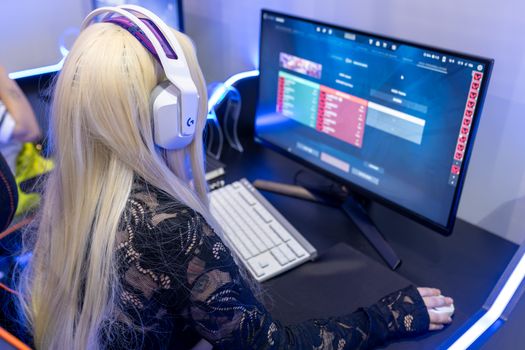
Photo: Pixabay / Pexels
For years, 4K gaming felt like a distant dream, reserved only for those with unlimited budgets and top-tier hardware. Today, however, the landscape has shifted dramatically, making stunning ultra-high-definition visuals more accessible than ever before. But what exactly does 4K bring to the table for gamers, and why should you consider an affordable 4K monitor for gaming?
First and foremost, 4K resolution (3840 x 2160 pixels) offers a monumental leap in visual fidelity compared to standard 1080p (Full HD) or even 1440p (QHD). With four times the pixels of 1080p, 4K monitors deliver incredibly sharp images, finer details, and a much more immersive experience. Imagine playing your favorite open-world adventure game and being able to distinguish individual leaves on a distant tree, or noticing the intricate textures on a character's armor with breathtaking clarity. This level of detail isn't just aesthetically pleasing; it can genuinely enhance your immersion and appreciation for game design.
Beyond raw pixel count, 4K monitors often come equipped with other advanced features that elevate the gaming experience. Many modern affordable 4K monitors now support HDR (High Dynamic Range), which expands the contrast ratio and color palette, resulting in more vibrant colors, deeper blacks, and brighter whites. This makes scenes feel more realistic and impactful, especially in games designed to leverage HDR technology. The combination of high resolution and HDR creates a visual feast that standard monitors simply cannot replicate.
However, it's crucial to set realistic expectations. Driving games at 4K resolution requires significant graphical horsepower. While affordable 4K monitors are now within reach, your PC's graphics card needs to be capable of rendering games at this demanding resolution at a comfortable frame rate. A powerful GPU, such as an NVIDIA RTX 3070/4070 or AMD RX 6700 XT/7700 XT or better, is generally recommended for a smooth 4K gaming experience, especially if you aim for higher refresh rates. If your current system is older, you might need to adjust in-game settings or consider a GPU upgrade alongside your monitor purchase.
Another aspect to consider is screen size. While 4K benefits all screen sizes, its impact is most noticeable on larger displays, typically 27 inches and above. On smaller screens, the pixel density might be so high that the difference from 1440p becomes less pronounced for some users, depending on viewing distance. However, for those who value crisp text and detailed visuals for productivity alongside gaming, a 4K monitor, even at 27 inches, offers a significant advantage.
In essence, opting for an affordable 4K monitor for gaming is about investing in a future-proof visual experience. It's about enjoying games as their developers intended, with every detail rendered beautifully. While it demands a capable PC, the visual reward is immense, transforming your gaming sessions into truly cinematic adventures. For more insights on optimizing your gaming setup, check out our guide on
choosing the right gaming peripherals.
Key Features to Look For in Budget-Friendly 4K Gaming Monitors
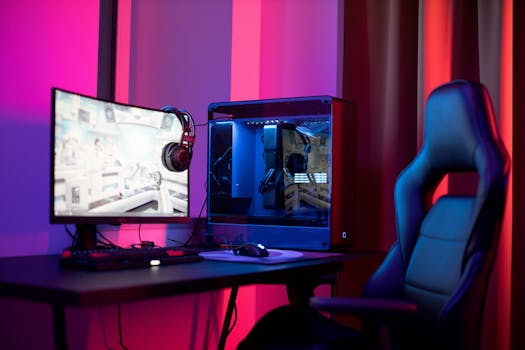
Photo: Matheus Bertelli / Pexels
When searching for affordable 4K monitors for gaming, it's easy to get overwhelmed by the sheer number of specifications. However, focusing on a few core features will help you identify the best value without compromising your gaming experience. The goal is to strike a balance between resolution, performance, and price.
**Refresh Rate and Response Time:** These are paramount for a fluid gaming experience. While 4K at 60Hz is a good starting point for single-player, graphically intensive games, competitive gamers will want to aim for 120Hz or even 144Hz. A higher refresh rate means more frames per second can be displayed, resulting in smoother motion and reduced input lag. Coupled with refresh rate is response time, typically measured in milliseconds (ms). A 1ms GtG (Gray-to-Gray) response time is ideal for fast-paced games, minimizing motion blur and ghosting. Many affordable 4K monitors now offer 1ms or 4ms GtG, which is perfectly acceptable for most gamers. Don't fall for marketing gimmicks like MPRT (Moving Picture Response Time) if you're comparing against GtG; GtG is the more accurate measure for pixel transition speed.
**Panel Technology: IPS vs. VA:** The type of panel used significantly impacts image quality. IPS (In-Plane Switching) panels are renowned for their superior color accuracy, wide viewing angles, and generally good response times. This makes them excellent for visually rich games and content creation. VA (Vertical Alignment) panels, on the other hand, offer much higher contrast ratios, leading to deeper blacks and more vibrant colors, especially in dark scenes. However, VA panels can sometimes have slower response times and narrower viewing angles compared to IPS, though modern VA technology has improved considerably. For affordable 4K monitors for gaming, both IPS and VA can deliver excellent experiences, with the choice often coming down to personal preference for color accuracy versus contrast.
**Adaptive Sync Technology (FreeSync/G-Sync Compatible):** This feature is a game-changer for smooth gameplay. Adaptive Sync technologies like AMD FreeSync (and NVIDIA's G-Sync Compatible, which often works with FreeSync monitors) synchronize the monitor's refresh rate with your GPU's frame rate. This eliminates screen tearing and reduces stuttering, providing an incredibly fluid visual experience, especially when your frame rate fluctuates. Most affordable 4K gaming monitors now include FreeSync, making it a highly desirable and often standard feature. Ensure your graphics card supports the chosen adaptive sync technology.
**HDR Support:** While not strictly essential for gaming, HDR (High Dynamic Range) can dramatically enhance visual immersion by offering a wider range of colors and contrast. However, be wary of entry-level HDR certifications (like DisplayHDR 400), which may not offer a significantly noticeable difference. For true HDR impact, aim for DisplayHDR 600 or higher, though these are less common in the most affordable 4K monitors for gaming. Even basic HDR can be a nice bonus if implemented well.
**Connectivity and Ergonomics:** Look for multiple HDMI 2.0/2.1 ports and DisplayPort 1.4, which are necessary for 4K resolution at higher refresh rates. USB hubs can also be convenient for connecting peripherals. Ergonomics, such as height adjustment, tilt, swivel, and pivot, are important for long gaming sessions to maintain comfort and prevent strain. While some budget monitors might skimp on advanced ergonomics, a VESA mount compatibility allows you to use a separate monitor arm for greater flexibility.
By prioritizing these features, you can confidently navigate the market and find an affordable 4K monitor for gaming that meets your needs without overspending.
Top Contenders: Best Value Affordable 4K Gaming Monitors on the Market
Photo: Josh Sorenson / Pexels
The market for affordable 4K monitors for gaming has never been more competitive, with manufacturers constantly pushing the boundaries of price and performance. Identifying the 'best' often depends on individual priorities, but several models consistently stand out for their excellent balance of features, visual quality, and budget-friendliness. Here, we highlight some top contenders that offer a fantastic 4K gaming experience without requiring a second mortgage.
One popular choice often seen in the budget segment is the **Dell S2721QS** or its variants. While not explicitly marketed as a 'gaming' monitor, its 4K IPS panel delivers stunning color accuracy and wide viewing angles, making games look vibrant and detailed. With a 60Hz refresh rate and a respectable 4ms GtG response time, it's perfect for single-player, story-driven games where visual fidelity is paramount. Its robust stand and excellent build quality further add to its appeal, often available at a very attractive price point. For those who prioritize image quality and don't need ultra-high refresh rates, this Dell offers incredible value.
For gamers seeking a higher refresh rate, the **Gigabyte M28U** (or its 27-inch sibling, M27U) frequently emerges as a top recommendation. This monitor typically features a 28-inch 4K IPS panel with a 144Hz refresh rate and a 1ms GtG response time, alongside FreeSync Premium Pro support. It also includes HDMI 2.1 connectivity, making it ideal for both PC and next-gen console gaming. The M28U provides an outstanding blend of resolution, speed, and color accuracy, often retailing at a price point that undercuts many of its direct competitors. It’s a true workhorse for competitive and immersive gaming alike.
Another strong contender is the **LG 27GN950-B** (or its successors), although sometimes creeping slightly above the 'ultra-affordable' bracket, it frequently goes on sale. This monitor boasts a Nano IPS panel, delivering exceptional color gamut and brightness, paired with a 144Hz refresh rate (overclockable to 160Hz) and a 1ms GtG response time. It supports both FreeSync Premium Pro and is G-Sync Compatible, ensuring smooth gameplay across different GPU brands. While it might be a stretch for some budgets, its consistent performance and feature set make it a benchmark for what affordable 4K monitors for gaming can achieve.
For those who prefer a VA panel's contrast, the **Samsung Odyssey G70A** (28-inch) is worth considering. It offers a 4K VA panel with a 144Hz refresh rate, 1ms GtG response time, and G-Sync Compatible support. Samsung's VA panels are known for their deep blacks and vibrant colors, creating a very immersive experience, especially in darker game environments. While some VA panels can suffer from ghosting, the G70A generally performs well, making it a solid choice for gamers who appreciate high contrast. Keep an eye out for sales, as Samsung monitors often see significant discounts.
When evaluating these options, remember to check current pricing, as monitor prices fluctuate. Also, consider the availability of features like USB-C connectivity with power delivery if you plan to connect a laptop, or specific ergonomic adjustments. Reading recent reviews for each model is crucial, as firmware updates can sometimes improve performance or address initial issues. By focusing on these well-regarded models, you're likely to find an excellent balance of quality and affordability in your search for the perfect affordable 4K monitor for gaming. For more on optimizing your display, explore our
guide to monitor calibration for gamers.
Avoiding Common Pitfalls and Maximizing Your 4K Gaming Experience
Even with the perfect affordable 4K monitor for gaming, a few common mistakes can hinder your experience. Being aware of these pitfalls and knowing how to maximize your setup will ensure you get the most out of your investment.
**1. Underestimating GPU Requirements:** As mentioned, 4K is demanding. A common mistake is pairing a new 4K monitor with an underpowered graphics card, leading to low frame rates and a frustrating experience. Before purchasing, verify your GPU can handle 4K at acceptable frame rates for your preferred games. If not, budget for a GPU upgrade alongside your monitor.
**2. Neglecting Cable Quality:** To achieve 4K resolution at high refresh rates, you need the right cables. Ensure you're using a high-quality DisplayPort 1.4 cable or an HDMI 2.1 cable. Older HDMI versions (e.g., HDMI 2.0) can support 4K but are often limited to 60Hz at that resolution. Subpar cables can lead to flickering, signal drops, or a failure to achieve the advertised refresh rate.
**3. Incorrect Monitor Settings:** Out of the box, monitors aren't always optimized. After connecting your new 4K display:
* **Set Refresh Rate:** Go to your operating system's display settings and ensure the refresh rate is set to the monitor's maximum (e.g., 144Hz). It often defaults to 60Hz.
* **Enable Adaptive Sync:** Activate FreeSync or G-Sync Compatible in your monitor's OSD (On-Screen Display) and then in your GPU's control panel (AMD Adrenalin or NVIDIA Control Panel).
* **Calibrate Colors:** While not always necessary for gaming, a quick calibration can improve color accuracy and vibrancy. Many monitors have game-specific presets; experiment to find what looks best.
**4. Ignoring Ergonomics:** A beautiful display is useless if it causes discomfort. Position your monitor at eye level, roughly an arm's length away. Adjust tilt and swivel to reduce glare and neck strain. If your budget monitor lacks ergonomic adjustments, consider a VESA-compatible monitor arm.
**5. Forgetting Updates:** Keep your graphics drivers updated to the latest version. GPU manufacturers frequently release optimizations that can improve performance and stability, especially for new games and high-resolution displays. Also, check your monitor manufacturer's website for any firmware updates, which can sometimes fix bugs or enhance features.
**6. Pixel Density and UI Scaling:** On smaller 4K monitors (27-28 inches), text and icons can appear very small. Windows and macOS offer UI scaling options. While scaling to 150% or 175% can make things more readable, it's crucial to understand that it can sometimes make older applications appear blurry. Find a comfortable scaling level that works for your eyes and software.
By being mindful of these points, you can avoid common frustrations and unlock the full potential of your affordable 4K gaming monitor, enjoying crisp visuals and smooth gameplay for years to come.
* **Check GPU compatibility:** Ensure your graphics card can handle 4K gaming effectively.
* **Use correct cables:** Invest in DisplayPort 1.4 or HDMI 2.1 for optimal performance.
* **Configure monitor settings:** Manually set refresh rate and enable adaptive sync.
* **Prioritize ergonomics:** Adjust your monitor for comfortable viewing.
* **Update drivers and firmware:** Keep all software and hardware up to date.
* **Adjust UI scaling:** Customize text and icon size for comfortable viewing.